
NAKAYAMAKINNIKUNMUSCLERUNNERS!

NAKAYAMAKINNIKUNMUSCLERUNNERS!

Action

| KinnikuGames Co., Ltd

Play on PC with BlueStacks or from our cloud

  • Overview
  • Game Features
  • How to Play

Page Modified On: October 03, 2025

Play NAKAYAMAKINNIKUNMUSCLERUNNERS! on PC or Mac

From the innovators and creators at KinnikuGames Co., Ltd, NAKAYAMAKINNIKUNMUSCLERUNNERS! is another fun addition to the World of Action games. Go beyond your mobile screen and play it bigger and better on your PC or Mac. An immersive experience awaits you.

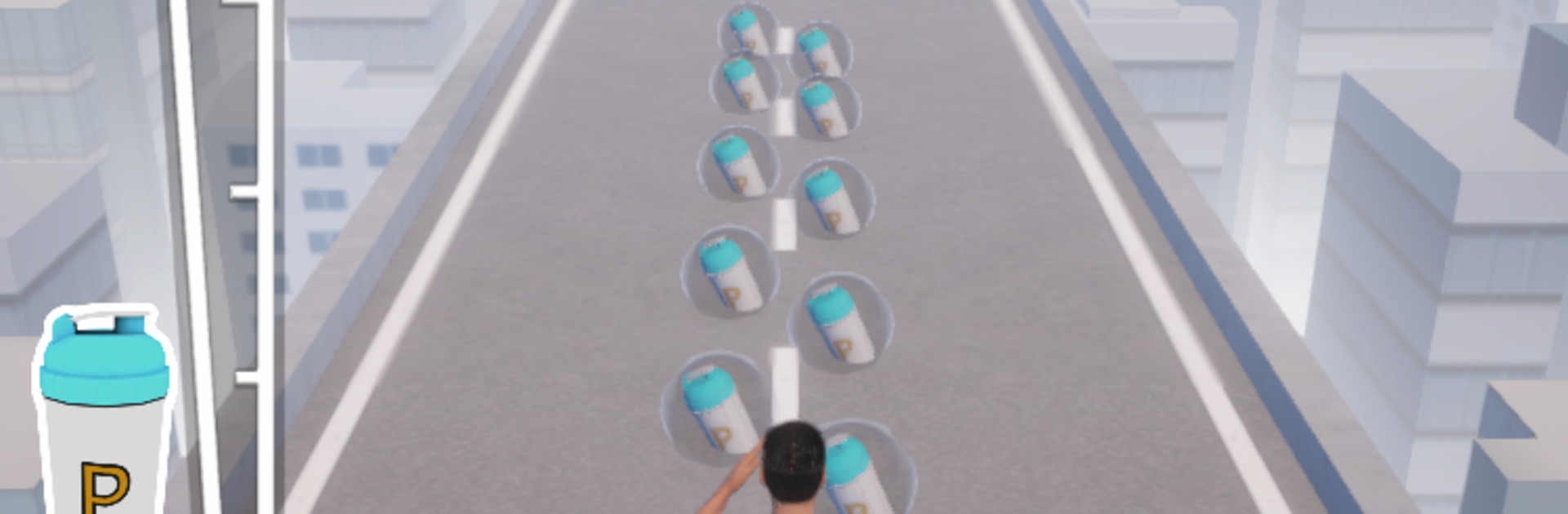
Think of a goofy, muscle-obsessed runner where the whole goal is to bulk up mid-race and smash through whatever is in front. Players scoop up protein and dumbbells as they sprint, and the character literally grows bigger on the spot. Bigger means heavier hits, so enemies and barriers go flying, and that silly “Power!” shout pops off when things connect. It feels arcadey, loud, and a bit ridiculous in the best way. Runs are short and snappy, built around timing, lane swaps, and judging when to grab one more pickup before barreling into the next pack.

There is a tour across different regions, with each area throwing its own competitions and layouts. The pace keeps cranking up, so a clean line matters more than style, but style is still a thing. Costumes and accessories let players swap looks and see this hero in a bunch of funny forms, some of them are very over the top. On PC through BlueStacks, the bigger screen helps spot protein lines and enemies earlier, and simple keyboard controls make the lane changes and jumps feel tight. It runs fine and looks clearer, which helps when the character gets massive and the stage starts cluttering up with debris. Free download with optional paid bits is the setup, so it is easy to mess with builds and cosmetics without a huge commitment, then chase better runs or the next region’s events when there is time.

Get ready for a buttery smooth, high-performance gaming action only on BlueStacks.

Game Features

Enhancements

  • Macros
  • Multi Instance
  • Multi Instance Sync
  • Eco Mode
  • Enhancements
Macros

Macros

Skip the boring parts of a game. Play NAKAYAMAKINNIKUNMUSCLERUNNERS! with Macros and get the edge. Simply record a sequence of commands and execute them at any moment.
Multi Instance

Multi Instance

Why limit to one game on your phone when you can play many on your PC? Open multiple instances of NAKAYAMAKINNIKUNMUSCLERUNNERS! at once with Multi-Instance. Leverage the power of different accounts by doing more.
Multi Instance Sync

Multi Instance Sync

Get the best out of NAKAYAMAKINNIKUNMUSCLERUNNERS! with Multi-Instance Sync. Play the game from different accounts and build your own empire. Use Multi-instance sync to repeat the action in the main BlueStacks instance on all other instances.
Eco Mode

Eco Mode

Find the rarest heroes by making multiple summons in NAKAYAMAKINNIKUNMUSCLERUNNERS!. And while you are at it, reduce your PC’s resource consumption with the Eco Mode. Farm efficiently. Get the best results.
Read More

How to Download and Play NAKAYAMAKINNIKUNMUSCLERUNNERS! on PC or Mac

  • Download and install BlueStacks on your PC or Mac

  • Complete Google sign-in to access the Play Store, or do it later

  • Look for NAKAYAMAKINNIKUNMUSCLERUNNERS! in the search bar at the top right corner

  • Click to install NAKAYAMAKINNIKUNMUSCLERUNNERS! from the search results

  • Complete Google sign-in (if you skipped step 2) to install NAKAYAMAKINNIKUNMUSCLERUNNERS!

  • Click the NAKAYAMAKINNIKUNMUSCLERUNNERS! icon on the home screen to start playing

video
Watch Video

Minimum System Requirements

With BlueStacks 5, you can get started on a PC that fulfills the following requirements.

  • Operating System

    Microsoft Windows 7 or above, macOS 11 (Big Sur) or above

  • Processor

    Intel, AMD or Apple Silicon Processor

  • RAM

    at least 4GB

  • HDD

    10GB Free Disk Space

Note:

* You must be an Administrator on your PC. Up to date graphics drivers from Microsoft or the chipset vendor.

NAKAYAMAKINNIKUNMUSCLERUNNERS! - FAQs

  • How to play NAKAYAMAKINNIKUNMUSCLERUNNERS! on Windows PC & Mac?

    Play NAKAYAMAKINNIKUNMUSCLERUNNERS! on your PC or Mac by following these simple steps.

    • Click on 'Play NAKAYAMAKINNIKUNMUSCLERUNNERS! on PC’ to download BlueStacks
    • Install it and log-in to Google Play Store
    • Launch and play the game.
  • Why is BlueStacks the fastest and safest platform to play games on PC?

    BlueStacks respects your privacy and is always safe and secure to use. It does not carry any malware, spyware, or any sort of additional software that could harm your PC.

    It is engineered to optimize speed and performance for a seamless gaming experience.

  • What are NAKAYAMAKINNIKUNMUSCLERUNNERS! PC requirements?

    Minimum requirement to run NAKAYAMAKINNIKUNMUSCLERUNNERS! on your PC

    • OS: Microsoft Windows 7 or above MacOS 11 (Big Sur) or above
    • Processor: Intel, AMD or Apple Silicon Processor
    • RAM: Your PC must have at least 4GB of RAM. (Note that having 4GB or more disk space is not a substitute for RAM)
    • HDD: 10GB Free Disk Space.
    • You must be an Administrator on your PC.








