
Tân Võ Lâm
Tân Võ Lâm

Tân Võ Lâm

Action

| Pruma Dev

Play on PC with BlueStacks or from our cloud

  • Overview
  • Game Features
  • How to Play

Page Modified On: July 03, 2025

Play Tân Võ Lâm on PC or Mac

Explore a whole new adventure with Tân Võ Lâm, a Action game created by Pruma Dev. Experience great gameplay with BlueStacks, the most popular gaming platform to play Android games on your PC or Mac.

About the Game

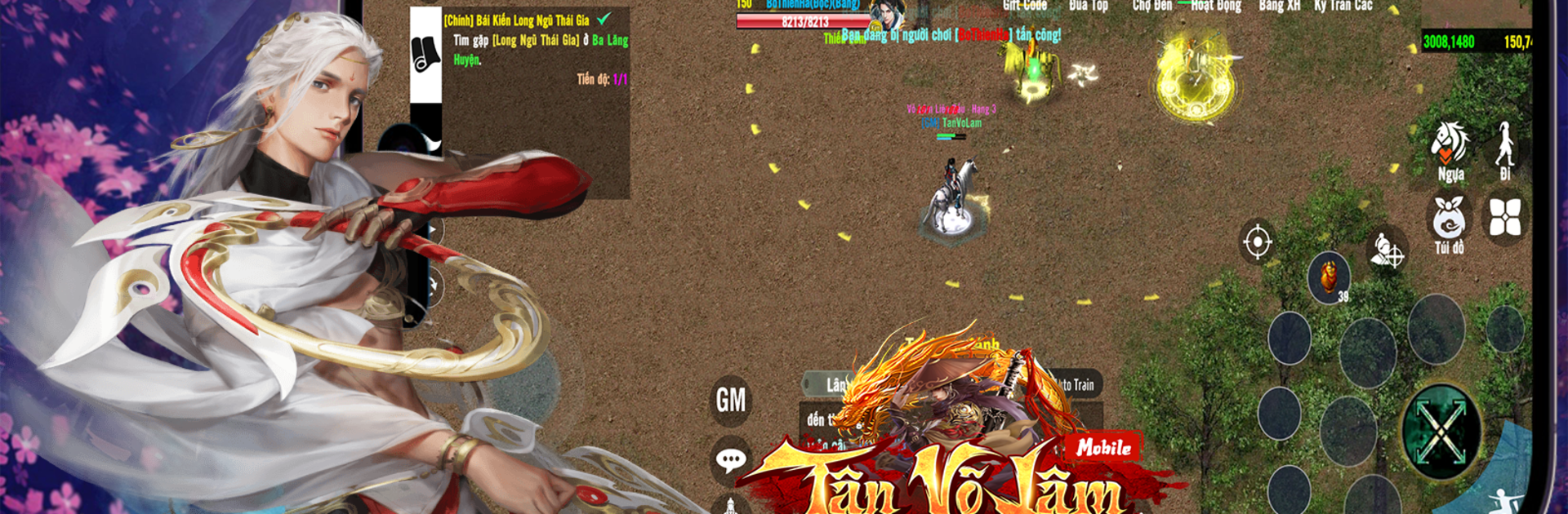
If you’ve ever wanted to step into a sprawling world inspired by martial arts legends, Tân Võ Lâm is your ticket in. Brought to you by Pruma Dev, this action-packed adventure on mobile drops you right into a massive universe brimming with cities, factions, and classic gameplay surprises. Whether you’re all about exploring, trading, or competing, there’s always something happening—honestly, it’s hard to get bored here.

Game Features

  • Expansive World to Explore
    Roam through seven iconic cities, wander new villages, and discover dozens of unique locations. Each area has its own vibe and secrets just waiting for you to uncover.

  • 10 Action-Packed Factions
    Choose your path! Each faction offers a different playstyle and lineup of standard green equipment. Your decisions actually matter here.

  • Black Market Trading
    Into buying, selling, and trading rare loot? Head to the Black Market system and find real player-to-player deals happening all the time.

  • Classic Minigames
    Tân Võ Lâm throws in well-loved games like rock-paper-scissors alongside other surprises. Take a break from fighting and have some lighter fun whenever you want.

  • Unlocked Items and Friendly Progression
    The game avoids paywalls—items are unlocked through gameplay. There’s also a subtly paced progression so newcomers aren’t left behind.

  • Helpful Tips and Level Rewards
    Get practical tips as you level up—like, 90 tips just for reaching a certain milestone. It makes those early stages way smoother.

  • Balanced Combat and Five Elements System
    Battles are more than just button mashing. You’ll need to understand the interaction between the five elements, adding a real layer of strategy.

  • No-Fuss Auto and Trust System
    Whether you’re a hardcore player or just dropping in between tasks, the smart auto-play and trust mechanics let everyone enjoy the game comfortably.

  • Solid Community and Reliable Servers
    Thousands of players are logging in every day—a real sense of community. Servers are stable, backed up regularly, and lag-free, so your effort is respected.

  • Slick Unity Graphics
    Gorgeous visuals keep the action looking sharp, whether you’re on mobile or playing through BlueStacks—just a little more polish for your experience.

Ready to top the leaderboard? We bet you do. Let precise controls and sharp visuals optimized on BlueStacks lead you to victory.


Game Features

Enhancements

  • Macros
  • Multi Instance
  • Multi Instance Sync
  • Eco Mode
  • Enhancements
Macros

Macros

Skip the boring parts of a game. Play Tân Võ Lâm with Macros and get the edge. Simply record a sequence of commands and execute them at any moment.
Multi Instance

Multi Instance

Why limit to one game on your phone when you can play many on your PC? Open multiple instances of Tân Võ Lâm at once with Multi-Instance. Leverage the power of different accounts by doing more.
Multi Instance Sync

Multi Instance Sync

Get the best out of Tân Võ Lâm with Multi-Instance Sync. Play the game from different accounts and build your own empire. Use Multi-instance sync to repeat the action in the main BlueStacks instance on all other instances.
Eco Mode

Eco Mode

Find the rarest heroes by making multiple summons in Tân Võ Lâm. And while you are at it, reduce your PC’s resource consumption with the Eco Mode. Farm efficiently. Get the best results.
Read More

How to Download and Play Tân Võ Lâm on PC or Mac

  • Download and install BlueStacks on your PC or Mac

  • Complete Google sign-in to access the Play Store, or do it later

  • Look for Tân Võ Lâm in the search bar at the top right corner

  • Click to install Tân Võ Lâm from the search results

  • Complete Google sign-in (if you skipped step 2) to install Tân Võ Lâm

  • Click the Tân Võ Lâm icon on the home screen to start playing

video
Watch Video

Minimum System Requirements

With BlueStacks 5, you can get started on a PC that fulfills the following requirements.

  • Operating System

    Microsoft Windows 7 or above, macOS 11 (Big Sur) or above

  • Processor

    Intel, AMD or Apple Silicon Processor

  • RAM

    at least 4GB

  • HDD

    10GB Free Disk Space

Note:

* You must be an Administrator on your PC. Up to date graphics drivers from Microsoft or the chipset vendor.

Tân Võ Lâm - FAQs

  • How to play Tân Võ Lâm on Windows PC & Mac?

    Play Tân Võ Lâm on your PC or Mac by following these simple steps.

    • Click on 'Play Tân Võ Lâm on PC’ to download BlueStacks
    • Install it and log-in to Google Play Store
    • Launch and play the game.
  • Why is BlueStacks the fastest and safest platform to play games on PC?

    BlueStacks respects your privacy and is always safe and secure to use. It does not carry any malware, spyware, or any sort of additional software that could harm your PC.

    It is engineered to optimize speed and performance for a seamless gaming experience.

  • What are Tân Võ Lâm PC requirements?

    Minimum requirement to run Tân Võ Lâm on your PC

    • OS: Microsoft Windows 7 or above MacOS 11 (Big Sur) or above
    • Processor: Intel, AMD or Apple Silicon Processor
    • RAM: Your PC must have at least 4GB of RAM. (Note that having 4GB or more disk space is not a substitute for RAM)
    • HDD: 10GB Free Disk Space.
    • You must be an Administrator on your PC.







