Peak Climbing
Peak Climbing

Peak Climbing

Action

| Blingames

Play on PC with BlueStacks or from our cloud

  • Overview
  • Game Features
  • How to Play

Page Modified On: November 20, 2025

Play Peak Climbing on PC or Mac

Bring your A-game to Peak Climbing, the Action game sensation from Blingames. Give your gameplay the much-needed boost with precise game controls, high FPS graphics, and top-tier features on your PC or Mac with BlueStacks.

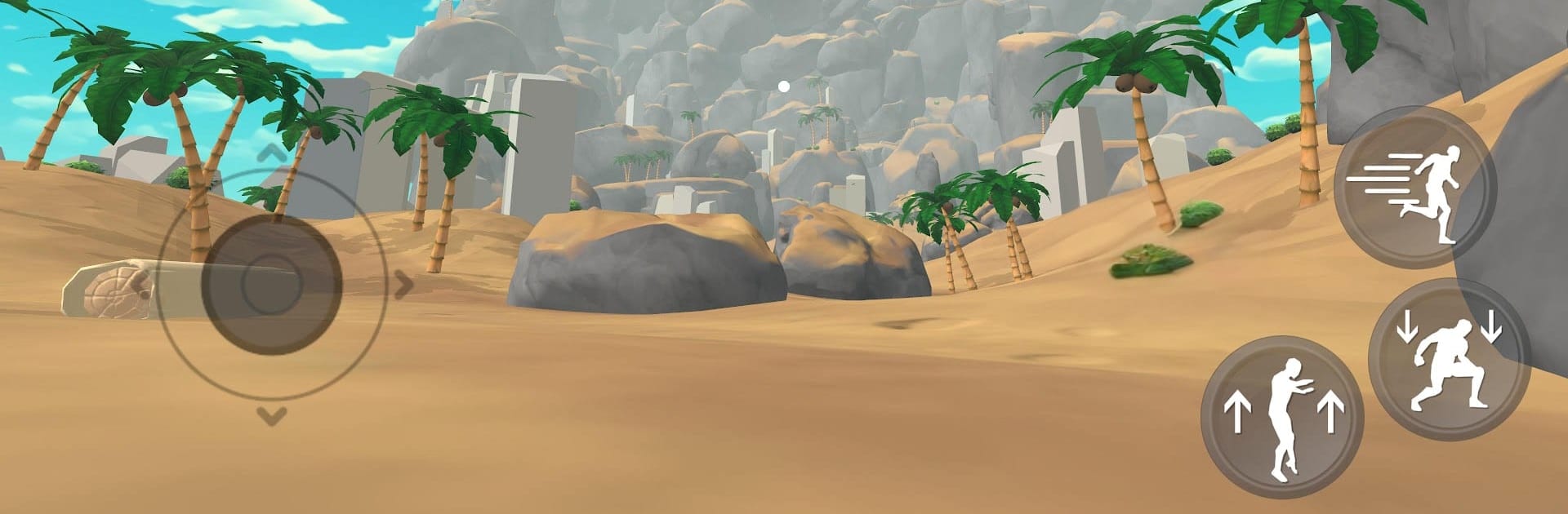
Peak Climbing is a straight up survival climb, more about decisions than flashy moves. Every handhold costs stamina, and that little bar becomes the loudest thing on screen once the wind picks up. There is hunger ticking down, sprains that cut the stamina pool, and cold that chews through energy if the climber hangs around too long. Progress is basically a chain of small risks. They choose a route, grab a ledge, check the pack, and hope the next suitcase has food that is not spoiled or a bandage that keeps the arm steady. When they mess up, it is rarely instant failure, more like a slow scramble to find shelter before the meter runs empty.

What stands out is how simple the controls feel while the challenge stays heavy. Click to reach, time the climb, stop to read a note from someone who did not make it, and that tiny bit of story makes the next ridge feel heavier. Limited inventory hurts in a good way, because picking a jacket over more snacks can decide the next hour. The sound does a lot of work too, with gusts, loose gravel, and that dull thud when the climber lands rough. On PC with BlueStacks, the mouse aiming and quick key taps make planning routes easier, and the bigger screen helps spot safer paths. It is slow, tense, and oddly calming between storms, like a puzzle that bites back if they rush it.

Get ready for a buttery smooth, high-performance gaming action only on BlueStacks.

Game Features

Enhancements

  • Macros
  • Multi Instance
  • Multi Instance Sync
  • Eco Mode
  • Enhancements
Macros

Macros

Skip the boring parts of a game. Play Peak Climbing with Macros and get the edge. Simply record a sequence of commands and execute them at any moment.
Multi Instance

Multi Instance

Why limit to one game on your phone when you can play many on your PC? Open multiple instances of Peak Climbing at once with Multi-Instance. Leverage the power of different accounts by doing more.
Multi Instance Sync

Multi Instance Sync

Get the best out of Peak Climbing with Multi-Instance Sync. Play the game from different accounts and build your own empire. Use Multi-instance sync to repeat the action in the main BlueStacks instance on all other instances.
Eco Mode

Eco Mode

Find the rarest heroes by making multiple summons in Peak Climbing. And while you are at it, reduce your PC’s resource consumption with the Eco Mode. Farm efficiently. Get the best results.
Read More

How to Download and Play Peak Climbing on PC or Mac

  • Download and install BlueStacks on your PC or Mac

  • Complete Google sign-in to access the Play Store, or do it later

  • Look for Peak Climbing in the search bar at the top right corner

  • Click to install Peak Climbing from the search results

  • Complete Google sign-in (if you skipped step 2) to install Peak Climbing

  • Click the Peak Climbing icon on the home screen to start playing

video
Watch Video

Minimum System Requirements

With BlueStacks 5, you can get started on a PC that fulfills the following requirements.

  • Operating System

    Microsoft Windows 7 or above, macOS 11 (Big Sur) or above

  • Processor

    Intel, AMD or Apple Silicon Processor

  • RAM

    at least 4GB

  • HDD

    10GB Free Disk Space

Note:

* You must be an Administrator on your PC. Up to date graphics drivers from Microsoft or the chipset vendor.

Peak Climbing - FAQs

  • How to play Peak Climbing on Windows PC & Mac?

    Play Peak Climbing on your PC or Mac by following these simple steps.

    • Click on 'Play Peak Climbing on PC’ to download BlueStacks
    • Install it and log-in to Google Play Store
    • Launch and play the game.
  • Why is BlueStacks the fastest and safest platform to play games on PC?

    BlueStacks respects your privacy and is always safe and secure to use. It does not carry any malware, spyware, or any sort of additional software that could harm your PC.

    It is engineered to optimize speed and performance for a seamless gaming experience.

  • What are Peak Climbing PC requirements?

    Minimum requirement to run Peak Climbing on your PC

    • OS: Microsoft Windows 7 or above MacOS 11 (Big Sur) or above
    • Processor: Intel, AMD or Apple Silicon Processor
    • RAM: Your PC must have at least 4GB of RAM. (Note that having 4GB or more disk space is not a substitute for RAM)
    • HDD: 10GB Free Disk Space.
    • You must be an Administrator on your PC.