Realistic Craft
Realistic Craft

Realistic Craft

Action

| Max Pro Game

Play on PC with BlueStacks or from our cloud

  • Overview
  • Game Features
  • How to Play

Page Modified On: August 07, 2025

Play Realistic Craft on PC or Mac

Bring your A-game to Realistic Craft, the Action game sensation from Max Pro Game. Give your gameplay the much-needed boost with precise game controls, high FPS graphics, and top-tier features on your PC or Mac with BlueStacks.

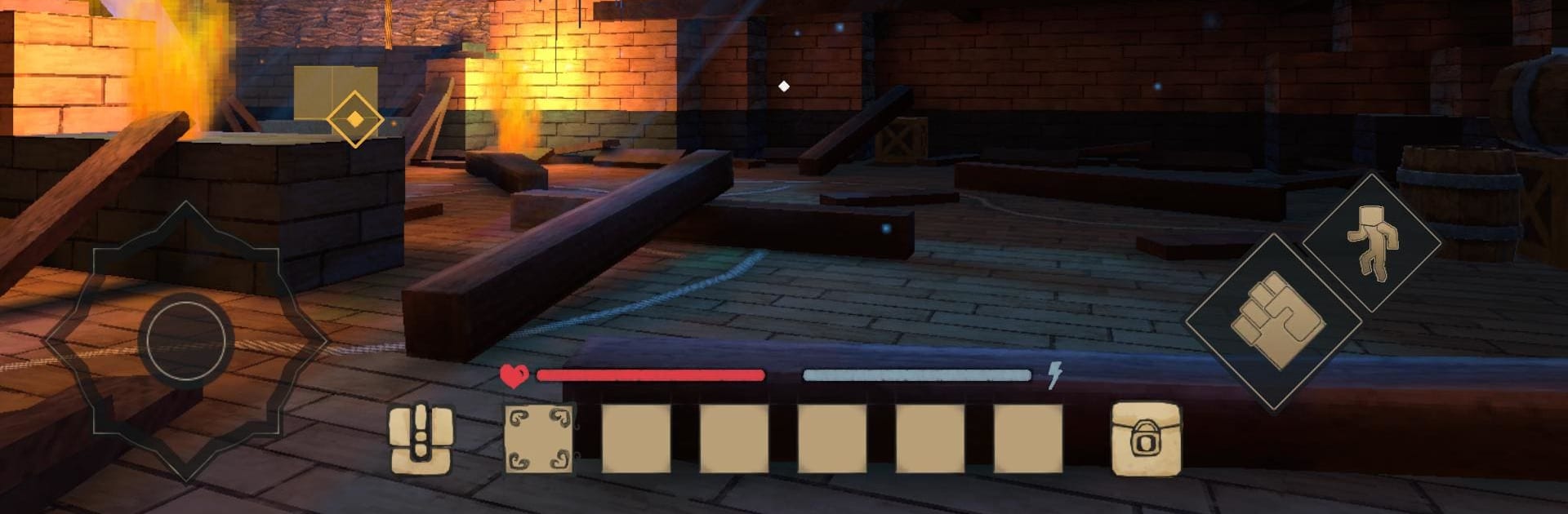
Realistic Craft feels like one of those games where you just lose track of time exploring and building whatever pops into your mind. The world is made up of islands you can actually shape, so if someone wants to dig through the ground for minerals or new blocks, that’s all fair game. There’s this satisfying loop of gathering resources, figuring out what to build next, and using the stuff you find to put your own spin on things. The quests are simple, but they’re useful for giving a sense of direction, and every now and then, a new island pops up with hidden places to check out — like old caves or random abandoned buildings that you can either strip for materials or turn into something new.

What stands out is how open it feels, without getting overwhelming. The blocks are straightforward, so anyone can just drop in and start making things — tools, shelters, even full-on designs if there’s patience. Anybody can understand what to do because there aren’t any tricky controls, especially on PC with BlueStacks. The game just lets players pick a spot, start collecting, and see where things end up. If someone enjoys sandbox games or just wants an easy way to jump into some crafting and exploring (without stressing over levels or being perfect), it’s a solid pick. There’s always something else to dig into or tweak, and there’s no rush.

Get ready for a buttery smooth, high-performance gaming action only on BlueStacks.

Game Features

Enhancements

  • Macros
  • Multi Instance
  • Multi Instance Sync
  • Eco Mode
  • Enhancements
Macros

Macros

Skip the boring parts of a game. Play Realistic Craft with Macros and get the edge. Simply record a sequence of commands and execute them at any moment.
Multi Instance

Multi Instance

Why limit to one game on your phone when you can play many on your PC? Open multiple instances of Realistic Craft at once with Multi-Instance. Leverage the power of different accounts by doing more.
Multi Instance Sync

Multi Instance Sync

Get the best out of Realistic Craft with Multi-Instance Sync. Play the game from different accounts and build your own empire. Use Multi-instance sync to repeat the action in the main BlueStacks instance on all other instances.
Eco Mode

Eco Mode

Find the rarest heroes by making multiple summons in Realistic Craft. And while you are at it, reduce your PC’s resource consumption with the Eco Mode. Farm efficiently. Get the best results.
Read More

How to Download and Play Realistic Craft on PC or Mac

  • Download and install BlueStacks on your PC or Mac

  • Complete Google sign-in to access the Play Store, or do it later

  • Look for Realistic Craft in the search bar at the top right corner

  • Click to install Realistic Craft from the search results

  • Complete Google sign-in (if you skipped step 2) to install Realistic Craft

  • Click the Realistic Craft icon on the home screen to start playing

video
Watch Video

Minimum System Requirements

With BlueStacks 5, you can get started on a PC that fulfills the following requirements.

  • Operating System

    Microsoft Windows 7 or above, macOS 11 (Big Sur) or above

  • Processor

    Intel, AMD or Apple Silicon Processor

  • RAM

    at least 4GB

  • HDD

    10GB Free Disk Space

Note:

* You must be an Administrator on your PC. Up to date graphics drivers from Microsoft or the chipset vendor.

Realistic Craft - FAQs

  • How to play Realistic Craft on Windows PC & Mac?

    Play Realistic Craft on your PC or Mac by following these simple steps.

    • Click on 'Play Realistic Craft on PC’ to download BlueStacks
    • Install it and log-in to Google Play Store
    • Launch and play the game.
  • Why is BlueStacks the fastest and safest platform to play games on PC?

    BlueStacks respects your privacy and is always safe and secure to use. It does not carry any malware, spyware, or any sort of additional software that could harm your PC.

    It is engineered to optimize speed and performance for a seamless gaming experience.

  • What are Realistic Craft PC requirements?

    Minimum requirement to run Realistic Craft on your PC

    • OS: Microsoft Windows 7 or above MacOS 11 (Big Sur) or above
    • Processor: Intel, AMD or Apple Silicon Processor
    • RAM: Your PC must have at least 4GB of RAM. (Note that having 4GB or more disk space is not a substitute for RAM)
    • HDD: 10GB Free Disk Space.
    • You must be an Administrator on your PC.