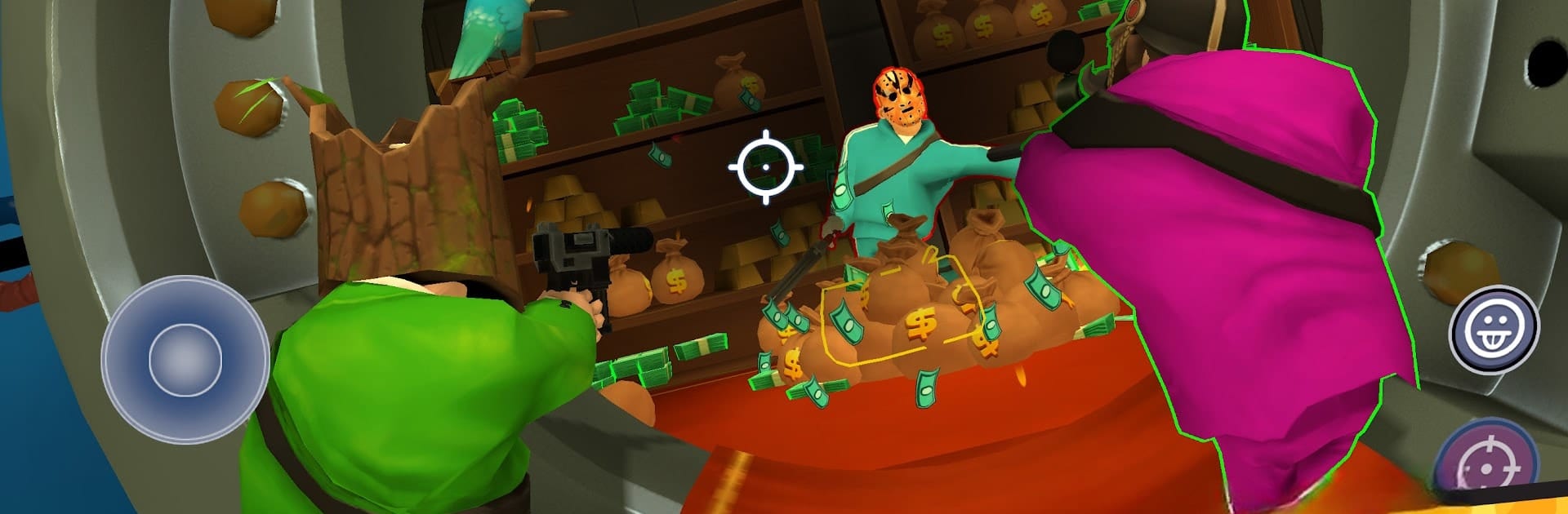
Snipers vs Thieves: The Heist!

Snipers vs Thieves: The Heist!

Action

| Playstack

Play on PC with BlueStacks or from our cloud

  • Overview
  • Game Features
  • How to Play

Page Modified On: December 15, 2025

Play Snipers vs Thieves: The Heist! on PC or Mac

Bring your A-game to Snipers vs Thieves: The Heist!, the Action game sensation from Playstack. Give your gameplay the much-needed boost with precise game controls, high FPS graphics, and top-tier features on your PC or Mac with BlueStacks.

Snipers vs Thieves: The Heist plays like a noisy little game of cat and mouse where one side lines up shots from afar and the other scrambles, hides, and scrapes together cash before bolting to safety. Matches are quick and tense. As the sniper, it is all about reading routes, tagging targets, and timing that one clean shot. As a thief, it feels scrappy and sneaky, ducking behind cars, tossing gadgets, baiting a shot, then sprinting when the window opens. The gadgets are the fun part. There are decoys, smokes, traps, oddball toys that mess with vision or movement, and a pile of guns that range from precise to loud and mean. There is a lot of silly style too, masks and outfits and weapon skins that turn wins into a bit of showing off.

It leans into team play. A crew that communicates can outsmart a sharp sniper, and a patient sniper can ruin a sloppy rush. Balance swings from round to round, which keeps it exciting, sometimes slightly frustrating in a good way. On PC with BlueStacks, mouse aim helps the sniper role feel crisp, and keymapping makes thief movement smoother, so swapping roles is not a pain. Rounds end fast so it suits quick sessions, but it is easy to queue up a few more because the near misses and last second escapes feel great when they land.

Slay your opponents with your epic moves. Play it your way on BlueStacks and dominate the battlefield.


Game Features

Enhancements

  • Macros
  • Multi Instance
  • Multi Instance Sync
  • Eco Mode
  • Enhancements
Macros

Macros

Skip the boring parts of a game. Play Snipers vs Thieves: The Heist! with Macros and get the edge. Simply record a sequence of commands and execute them at any moment.
Multi Instance

Multi Instance

Why limit to one game on your phone when you can play many on your PC? Open multiple instances of Snipers vs Thieves: The Heist! at once with Multi-Instance. Leverage the power of different accounts by doing more.
Multi Instance Sync

Multi Instance Sync

Get the best out of Snipers vs Thieves: The Heist! with Multi-Instance Sync. Play the game from different accounts and build your own empire. Use Multi-instance sync to repeat the action in the main BlueStacks instance on all other instances.
Eco Mode

Eco Mode

Find the rarest heroes by making multiple summons in Snipers vs Thieves: The Heist!. And while you are at it, reduce your PC’s resource consumption with the Eco Mode. Farm efficiently. Get the best results.
Read More

How to Download and Play Snipers vs Thieves: The Heist! on PC or Mac

  • Download and install BlueStacks on your PC or Mac

  • Complete Google sign-in to access the Play Store, or do it later

  • Look for Snipers vs Thieves: The Heist! in the search bar at the top right corner

  • Click to install Snipers vs Thieves: The Heist! from the search results

  • Complete Google sign-in (if you skipped step 2) to install Snipers vs Thieves: The Heist!

  • Click the Snipers vs Thieves: The Heist! icon on the home screen to start playing

video
Watch Video

Minimum System Requirements

With BlueStacks 5, you can get started on a PC that fulfills the following requirements.

  • Operating System

    Microsoft Windows 7 or above, macOS 11 (Big Sur) or above

  • Processor

    Intel, AMD or Apple Silicon Processor

  • RAM

    at least 4GB

  • HDD

    10GB Free Disk Space

Note:

* You must be an Administrator on your PC. Up to date graphics drivers from Microsoft or the chipset vendor.

Snipers vs Thieves: The Heist! - FAQs

  • How to play Snipers vs Thieves: The Heist! on Windows PC & Mac?

    Play Snipers vs Thieves: The Heist! on your PC or Mac by following these simple steps.

    • Click on 'Play Snipers vs Thieves: The Heist! on PC’ to download BlueStacks
    • Install it and log-in to Google Play Store
    • Launch and play the game.
  • Why is BlueStacks the fastest and safest platform to play games on PC?

    BlueStacks respects your privacy and is always safe and secure to use. It does not carry any malware, spyware, or any sort of additional software that could harm your PC.

    It is engineered to optimize speed and performance for a seamless gaming experience.

  • What are Snipers vs Thieves: The Heist! PC requirements?

    Minimum requirement to run Snipers vs Thieves: The Heist! on your PC

    • OS: Microsoft Windows 7 or above MacOS 11 (Big Sur) or above
    • Processor: Intel, AMD or Apple Silicon Processor
    • RAM: Your PC must have at least 4GB of RAM. (Note that having 4GB or more disk space is not a substitute for RAM)
    • HDD: 10GB Free Disk Space.
    • You must be an Administrator on your PC.