Sunset Riders
Sunset Riders

Sunset Riders

Action

| H-index

Play on PC with BlueStacks or from our cloud

  • Overview
  • Game Features
  • How to Play

Page Modified On: January 02, 2026

Play Sunset Riders on PC or Mac

Step into the World of Sunset Riders, a thrilling Arcade game from the house of H-index. Play this Android game on BlueStacks App Player and experience immersive gaming on PC or Mac.

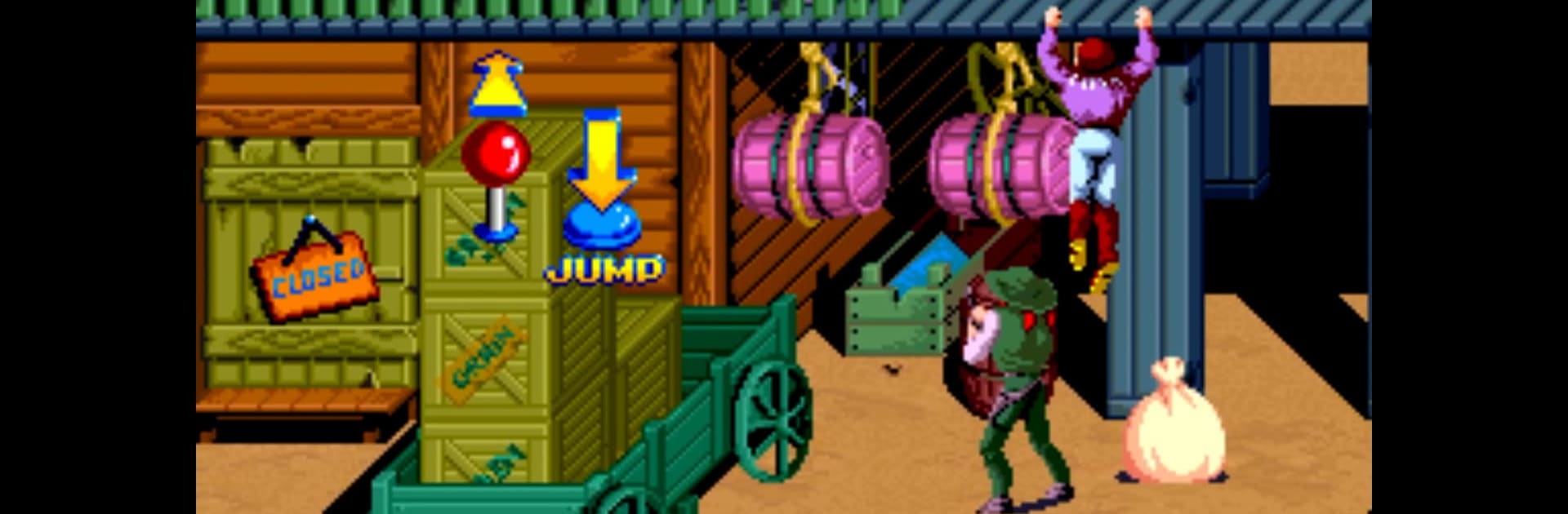
Sunset Riders on PC feels like a loud, colorful arcade shootout set in the Wild West, the kind where the screen is full of flying bullets, goofy outlaws, and quick little slides to stay alive. It is side scrolling, fast, and a bit punishing in that classic quarter-muncher way, but that is part of the charm. Stages move from dusty towns to moving trains, bosses have simple patterns that still keep the pressure on, and the power-ups make a real difference when the screen gets crowded. The game is not complicated, it is just sharp action and big, cartoon energy, and that works.

What helps a lot is the control setup. The interface can be customized, so players can shift buttons where they make sense or keep the screen clean. Gamepad support is there and feels right for this type of shooter. On BlueStacks, keyboard or controller mapping is smooth, and the higher frame rate keeps the chaos readable, so landing shots and timing slides feels fair. Two-player works over the same WiFi through netplay, which is great for quick co-op runs without a long setup. Stages are short, so a pair of friends can knock out a boss or two between other stuff, and fail a few times without it feeling like a grind. Anyone who likes old-school run-and-gun action and does not mind a little heat from the difficulty will get what this game is doing.

Slay your opponents with your epic moves. Play it your way on BlueStacks and dominate the battlefield.


Game Features

Enhancements

  • Macros
  • Multi Instance
  • Multi Instance Sync
  • Eco Mode
  • Enhancements
Macros

Macros

Skip the boring parts of a game. Play Sunset Riders with Macros and get the edge. Simply record a sequence of commands and execute them at any moment.
Multi Instance

Multi Instance

Why limit to one game on your phone when you can play many on your PC? Open multiple instances of Sunset Riders at once with Multi-Instance. Leverage the power of different accounts by doing more.
Multi Instance Sync

Multi Instance Sync

Get the best out of Sunset Riders with Multi-Instance Sync. Play the game from different accounts and build your own empire. Use Multi-instance sync to repeat the action in the main BlueStacks instance on all other instances.
Eco Mode

Eco Mode

Find the rarest heroes by making multiple summons in Sunset Riders. And while you are at it, reduce your PC’s resource consumption with the Eco Mode. Farm efficiently. Get the best results.
Read More

How to Download and Play Sunset Riders on PC or Mac

  • Download and install BlueStacks on your PC or Mac

  • Complete Google sign-in to access the Play Store, or do it later

  • Look for Sunset Riders in the search bar at the top right corner

  • Click to install Sunset Riders from the search results

  • Complete Google sign-in (if you skipped step 2) to install Sunset Riders

  • Click the Sunset Riders icon on the home screen to start playing

video
Watch Video

Minimum System Requirements

With BlueStacks 5, you can get started on a PC that fulfills the following requirements.

  • Operating System

    Microsoft Windows 7 or above, macOS 11 (Big Sur) or above

  • Processor

    Intel, AMD or Apple Silicon Processor

  • RAM

    at least 4GB

  • HDD

    10GB Free Disk Space

Note:

* You must be an Administrator on your PC. Up to date graphics drivers from Microsoft or the chipset vendor.

Sunset Riders - FAQs

  • How to play Sunset Riders on Windows PC & Mac?

    Play Sunset Riders on your PC or Mac by following these simple steps.

    • Click on 'Play Sunset Riders on PC’ to download BlueStacks
    • Install it and log-in to Google Play Store
    • Launch and play the game.
  • Why is BlueStacks the fastest and safest platform to play games on PC?

    BlueStacks respects your privacy and is always safe and secure to use. It does not carry any malware, spyware, or any sort of additional software that could harm your PC.

    It is engineered to optimize speed and performance for a seamless gaming experience.

  • What are Sunset Riders PC requirements?

    Minimum requirement to run Sunset Riders on your PC

    • OS: Microsoft Windows 7 or above MacOS 11 (Big Sur) or above
    • Processor: Intel, AMD or Apple Silicon Processor
    • RAM: Your PC must have at least 4GB of RAM. (Note that having 4GB or more disk space is not a substitute for RAM)
    • HDD: 10GB Free Disk Space.
    • You must be an Administrator on your PC.