World War: Soldier Last Stand

World War: Soldier Last Stand

Action

| NamNH

Play on PC with BlueStacks or from our cloud

  • Overview
  • Game Features
  • How to Play

Page Modified On: December 15, 2025

Play World War: Soldier Last Stand on PC or Mac

From the innovators and creators at NamNH, World War: Soldier Last Stand is another fun addition to the World of Action games. Go beyond your mobile screen and play it bigger and better on your PC or Mac. An immersive experience awaits you.

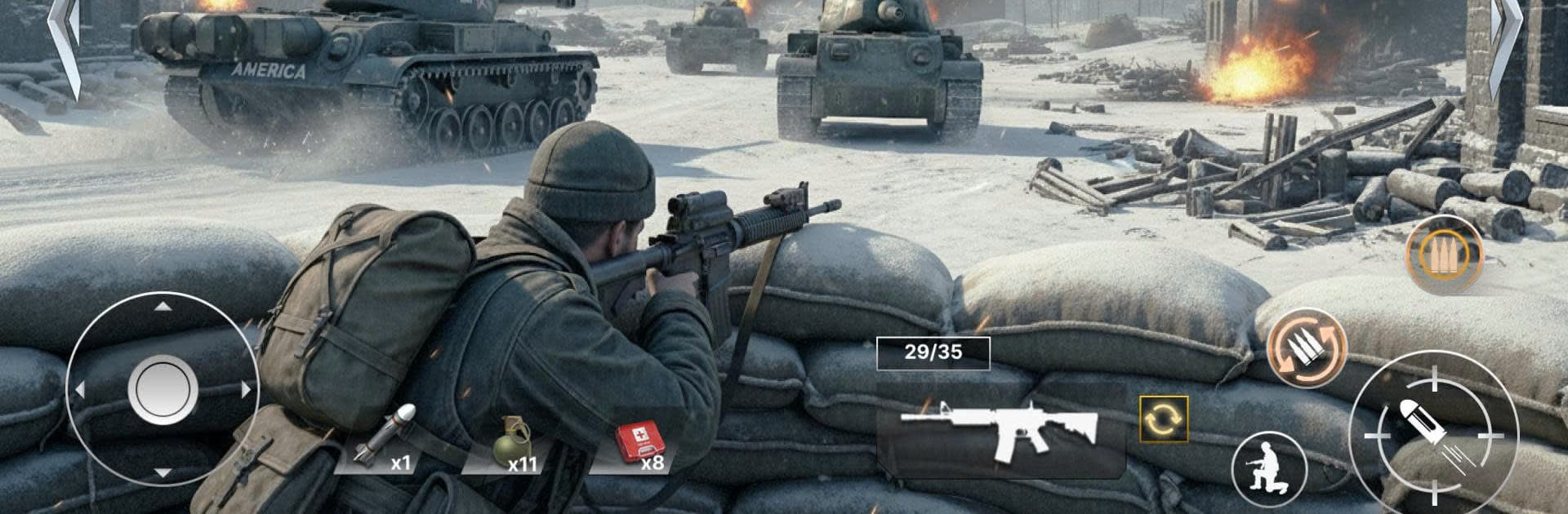
World War: Soldier Last Stand feels like an old school defensive shooter where the screen fills up with metal and smoke fast. The player sits in a tank or heavy gun position while waves roll in from land, sea, and sky. Tanks and APCs push the beach, helicopters hover and strafe, jets scream past, and ships creep in while dropping more units. It is all about quick target choices and steady aim. Swap between machine guns for soft targets and rockets or missiles for armor, and time shots so a jet goes down before it drops a bomb. Hits land with a chunky thud and explosions are loud in a good way. On PC with BlueStacks, mouse aim makes tracking helicopters and fast movers feel easier, and hotkeys help flip weapons without fumbling.

There is a big toybox of gear, from 50 mm guns and M60s to heat fuse rockets, Javelins, NLAW, Gatling style cannons, and more. Support calls from B58 bombers can clear a messy push when the line is about to crack. Maps rotate across more than ten locations, so the approach angles keep changing and rounds do not feel the same. Enemies scale up hard, so the late waves turn into a storm of tracers and smoke trails, and surviving that last thirty seconds becomes the whole story. Wins drop prizes that lead to new weapons and stronger setups, with more than fifty tank types showing up on the field. There is a built in chat if someone wants to trade tips or brag about a clutch hold. It is straightforward, loud, and very shooty, the kind of game that rewards quick thinking and clean aim without a lot of fuss.

Get ready for a buttery smooth, high-performance gaming action only on BlueStacks.

Game Features

Enhancements

  • Macros
  • Multi Instance
  • Multi Instance Sync
  • Eco Mode
  • Enhancements
Macros

Macros

Skip the boring parts of a game. Play World War: Soldier Last Stand with Macros and get the edge. Simply record a sequence of commands and execute them at any moment.
Multi Instance

Multi Instance

Why limit to one game on your phone when you can play many on your PC? Open multiple instances of World War: Soldier Last Stand at once with Multi-Instance. Leverage the power of different accounts by doing more.
Multi Instance Sync

Multi Instance Sync

Get the best out of World War: Soldier Last Stand with Multi-Instance Sync. Play the game from different accounts and build your own empire. Use Multi-instance sync to repeat the action in the main BlueStacks instance on all other instances.
Eco Mode

Eco Mode

Find the rarest heroes by making multiple summons in World War: Soldier Last Stand. And while you are at it, reduce your PC’s resource consumption with the Eco Mode. Farm efficiently. Get the best results.
Read More

How to Download and Play World War: Soldier Last Stand on PC or Mac

  • Download and install BlueStacks on your PC or Mac

  • Complete Google sign-in to access the Play Store, or do it later

  • Look for World War: Soldier Last Stand in the search bar at the top right corner

  • Click to install World War: Soldier Last Stand from the search results

  • Complete Google sign-in (if you skipped step 2) to install World War: Soldier Last Stand

  • Click the World War: Soldier Last Stand icon on the home screen to start playing

video
Watch Video

Minimum System Requirements

With BlueStacks 5, you can get started on a PC that fulfills the following requirements.

  • Operating System

    Microsoft Windows 7 or above, macOS 11 (Big Sur) or above

  • Processor

    Intel, AMD or Apple Silicon Processor

  • RAM

    at least 4GB

  • HDD

    10GB Free Disk Space

Note:

* You must be an Administrator on your PC. Up to date graphics drivers from Microsoft or the chipset vendor.

World War: Soldier Last Stand - FAQs

  • How to play World War: Soldier Last Stand on Windows PC & Mac?

    Play World War: Soldier Last Stand on your PC or Mac by following these simple steps.

    • Click on 'Play World War: Soldier Last Stand on PC’ to download BlueStacks
    • Install it and log-in to Google Play Store
    • Launch and play the game.
  • Why is BlueStacks the fastest and safest platform to play games on PC?

    BlueStacks respects your privacy and is always safe and secure to use. It does not carry any malware, spyware, or any sort of additional software that could harm your PC.

    It is engineered to optimize speed and performance for a seamless gaming experience.

  • What are World War: Soldier Last Stand PC requirements?

    Minimum requirement to run World War: Soldier Last Stand on your PC

    • OS: Microsoft Windows 7 or above MacOS 11 (Big Sur) or above
    • Processor: Intel, AMD or Apple Silicon Processor
    • RAM: Your PC must have at least 4GB of RAM. (Note that having 4GB or more disk space is not a substitute for RAM)
    • HDD: 10GB Free Disk Space.
    • You must be an Administrator on your PC.