Conflict-TY Blood War

Conflict-TY Blood War

Adventure

| Fore Dev

Play on PC with BlueStacks or from our cloud

  • Overview
  • Game Features
  • How to Play

Page Modified On: April 07, 2026

Play Conflict-TY Blood War on PC or Mac

Conflict-TY Blood War brings the Adventure genre to life, and throws up exciting challenges for gamers. Developed by Fore Dev, this Android game is best experienced on BlueStacks, the World’s #1 app player for PC and Mac users.

About the Game

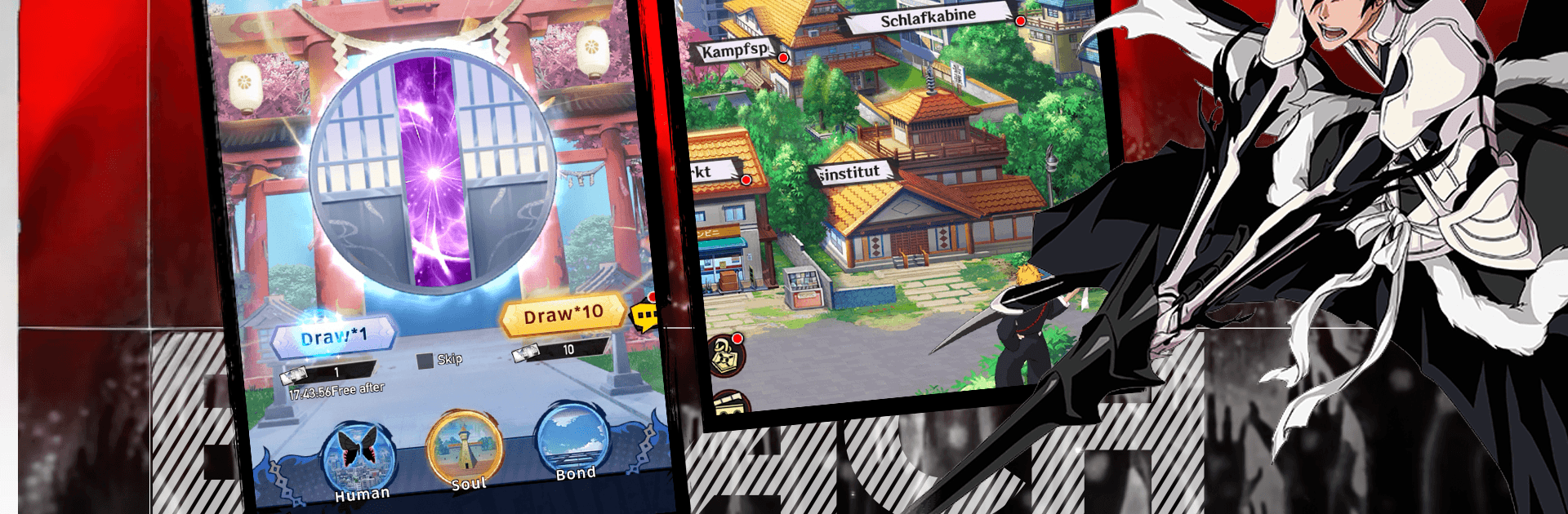
Conflict-TY Blood War from Fore Dev blends stylish, anime-inspired combat with thoughtful team-building in an Adventure package. Build a squad, fine-tune your lineup, and push through a story filled with tough encounters that reward smart planning. It’s friendly to quick sessions, but there’s plenty of depth if you like tinkering with upgrades and testing new strategies.

Game Features

  • Squad-Building Strategy: Recruit fighters with distinct roles and mix them into a lineup that actually clicks. Experiment with formations and ability pairings to cover weaknesses and amplify strengths.

  • Story-Driven Stages: Progress through chapter-based battles that escalate from skirmishes to boss showdowns. Learn attack patterns, adjust your tactics, and keep your crew growing between fights.

  • Steady Character Growth: Power up heroes over time with meaningful upgrades. Skills, enhancements, and team synergies all stack to make every win feel earned.

  • Multiple Modes to Master: Tackle PvE content for resources and narrative beats, then test your roster in competitive challenges when you’re feeling bold.

  • Tactics Over Button Mashing: Success comes from timing abilities and smart composition rather than brute force. A well-built squad can flip a fight that looks impossible.

  • Collect, Learn, Refine: Expand your roster, discover role combinations that click, and rebuild your team when a new idea sparks. There’s always another composition to try.

  • Play How You Want: Short on time? Knock out a couple of stages. Want to theorycraft? Sink in and rework your lineup until everything hums.

  • Smooth on PC with BlueStacks: Prefer a bigger screen and precise controls? Conflict-TY Blood War also plays nicely on BlueStacks without getting in your way.

Slay your opponents with your epic moves. Play it your way on BlueStacks and dominate the battlefield.


Game Features

Enhancements

  • Macros
  • Multi Instance
  • Multi Instance Sync
  • Script
  • Enhancements
Macros

Macros

Automate the predictable in Conflict-TY Blood War and transform your gameplay with Macros. Get access to inventive Macros in the BlueStacks Macro Community
Multi Instance

Multi Instance

Play Conflict-TY Blood War on one window. And chat with your friend on the other. Press CTRL + Shift + 8 to open the Multi-Instance Manager. And start creating fresh instances or clone an existing one.
Multi Instance Sync

Multi Instance Sync

Play Conflict-TY Blood War with the power of Multi-Instance Sync. Replicate what you are doing on the main instance on all other instances. Level up faster, play more.
Script

Script

Script your way to gaming glory in Conflict-TY Blood War with BlueStacks Script. Write and run a set of commands to automate repeated tasks. Trigger the command by assigning it to any key.
Read More

How to Download and Play Conflict-TY Blood War on PC or Mac

  • Download and install BlueStacks on your PC or Mac

  • Complete Google sign-in to access the Play Store, or do it later

  • Look for Conflict-TY Blood War in the search bar at the top right corner

  • Click to install Conflict-TY Blood War from the search results

  • Complete Google sign-in (if you skipped step 2) to install Conflict-TY Blood War

  • Click the Conflict-TY Blood War icon on the home screen to start playing

video
Watch Video

Minimum System Requirements

With BlueStacks 5, you can get started on a PC that fulfills the following requirements.

  • Operating System

    Microsoft Windows 7 or above, macOS 11 (Big Sur) or above

  • Processor

    Intel, AMD or Apple Silicon Processor

  • RAM

    at least 4GB

  • HDD

    10GB Free Disk Space

Note:

* You must be an Administrator on your PC. Up to date graphics drivers from Microsoft or the chipset vendor.

Conflict-TY Blood War - FAQs

  • How to play Conflict-TY Blood War on Windows PC & Mac?

    Play Conflict-TY Blood War on your PC or Mac by following these simple steps.

    • Click on 'Play Conflict-TY Blood War on PC’ to download BlueStacks
    • Install it and log-in to Google Play Store
    • Launch and play the game.
  • Why is BlueStacks the fastest and safest platform to play games on PC?

    BlueStacks respects your privacy and is always safe and secure to use. It does not carry any malware, spyware, or any sort of additional software that could harm your PC.

    It is engineered to optimize speed and performance for a seamless gaming experience.

  • What are Conflict-TY Blood War PC requirements?

    Minimum requirement to run Conflict-TY Blood War on your PC

    • OS: Microsoft Windows 7 or above MacOS 11 (Big Sur) or above
    • Processor: Intel, AMD or Apple Silicon Processor
    • RAM: Your PC must have at least 4GB of RAM. (Note that having 4GB or more disk space is not a substitute for RAM)
    • HDD: 10GB Free Disk Space.
    • You must be an Administrator on your PC.