Kaiju Brawl
Kaiju Brawl

Kaiju Brawl

Adventure

| Xadetechnologies

Play on PC with BlueStacks or from our cloud

  • Overview
  • Game Features
  • How to Play

Page Modified On: November 28, 2025

Play Kaiju Brawl on PC or Mac

Kaiju Brawl brings the Adventure genre to life, and throws up exciting challenges for gamers. Developed by Xadetechnologies, this Android game is best experienced on BlueStacks, the World’s #1 app player for PC and Mac users.

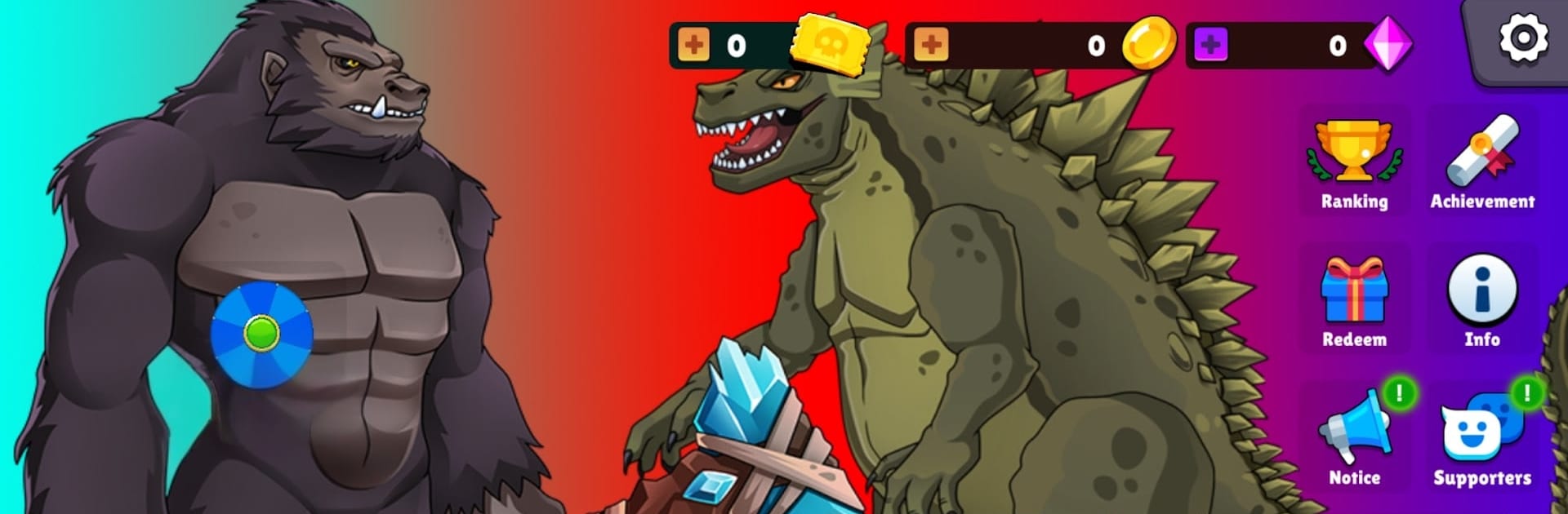
Kaiju Brawl plays like a chunky monster brawler set in a world called Albionia that got wrecked by dark forces. The player drops in as a towering kaiju and just goes to work, smashing through waves of nasty creatures while trying to push the darkness back. The combat is straight to the point, with heavy punches, big slams, and those screen-filling specials that make everything pop. Hits land with a bit of weight, enemies fly, and there is a nice rhythm of clear the group, move forward, then a bigger threat rolls in. It feels heroic in a pulpy way, not complicated, just satisfying action that keeps moving.

The presentation carries a lot. The creatures are bold and oversized, effects are bright without getting messy, and the music thumps along in a way that makes each fight feel larger than it probably is. The interface keeps things simple, menus are clean, and it is obvious where the next battle sits. Stages tend to be quick, then a boss shows up and asks for a little more focus. Playing on BlueStacks helps, since the higher resolution makes those big monsters look sharper on a monitor, and keyboard or gamepad mapping makes the attacks come out fast. For anyone who just wants to stomp through evil and feel like a force of nature, it is a very easy game to sink into, and the whole light-versus-dark setup gives the brawls a nice, clear point.

Make your gaming sessions memorable with precise controls that give you an edge in close combats and visuals that pop up, bringing every character to life.


Game Features

Enhancements

  • Macros
  • Multi Instance
  • Multi Instance Sync
  • Script
  • Enhancements
Macros

Macros

Automate the predictable in Kaiju Brawl and transform your gameplay with Macros. Get access to inventive Macros in the BlueStacks Macro Community
Multi Instance

Multi Instance

Play Kaiju Brawl on one window. And chat with your friend on the other. Press CTRL + Shift + 8 to open the Multi-Instance Manager. And start creating fresh instances or clone an existing one.
Multi Instance Sync

Multi Instance Sync

Play Kaiju Brawl with the power of Multi-Instance Sync. Replicate what you are doing on the main instance on all other instances. Level up faster, play more.
Script

Script

Script your way to gaming glory in Kaiju Brawl with BlueStacks Script. Write and run a set of commands to automate repeated tasks. Trigger the command by assigning it to any key.
Read More

How to Download and Play Kaiju Brawl on PC or Mac

  • Download and install BlueStacks on your PC or Mac

  • Complete Google sign-in to access the Play Store, or do it later

  • Look for Kaiju Brawl in the search bar at the top right corner

  • Click to install Kaiju Brawl from the search results

  • Complete Google sign-in (if you skipped step 2) to install Kaiju Brawl

  • Click the Kaiju Brawl icon on the home screen to start playing

video
Watch Video

Minimum System Requirements

With BlueStacks 5, you can get started on a PC that fulfills the following requirements.

  • Operating System

    Microsoft Windows 7 or above, macOS 11 (Big Sur) or above

  • Processor

    Intel, AMD or Apple Silicon Processor

  • RAM

    at least 4GB

  • HDD

    10GB Free Disk Space

Note:

* You must be an Administrator on your PC. Up to date graphics drivers from Microsoft or the chipset vendor.

Kaiju Brawl - FAQs

  • How to play Kaiju Brawl on Windows PC & Mac?

    Play Kaiju Brawl on your PC or Mac by following these simple steps.

    • Click on 'Play Kaiju Brawl on PC’ to download BlueStacks
    • Install it and log-in to Google Play Store
    • Launch and play the game.
  • Why is BlueStacks the fastest and safest platform to play games on PC?

    BlueStacks respects your privacy and is always safe and secure to use. It does not carry any malware, spyware, or any sort of additional software that could harm your PC.

    It is engineered to optimize speed and performance for a seamless gaming experience.

  • What are Kaiju Brawl PC requirements?

    Minimum requirement to run Kaiju Brawl on your PC

    • OS: Microsoft Windows 7 or above MacOS 11 (Big Sur) or above
    • Processor: Intel, AMD or Apple Silicon Processor
    • RAM: Your PC must have at least 4GB of RAM. (Note that having 4GB or more disk space is not a substitute for RAM)
    • HDD: 10GB Free Disk Space.
    • You must be an Administrator on your PC.