
Lokicraft 7 Crafting

Lokicraft 7 Crafting

Adventure

| dadang_studio

Play on PC with BlueStacks or from our cloud

  • Overview
  • Game Features
  • How to Play

Page Modified On: April 21, 2026

Play Lokicraft 7 Crafting on PC or Mac

Step into the World of Lokicraft 7 Crafting, a thrilling Adventure game from the house of dadang_studio. Play this Android game on BlueStacks App Player and experience immersive gaming on PC or Mac.

About the Game

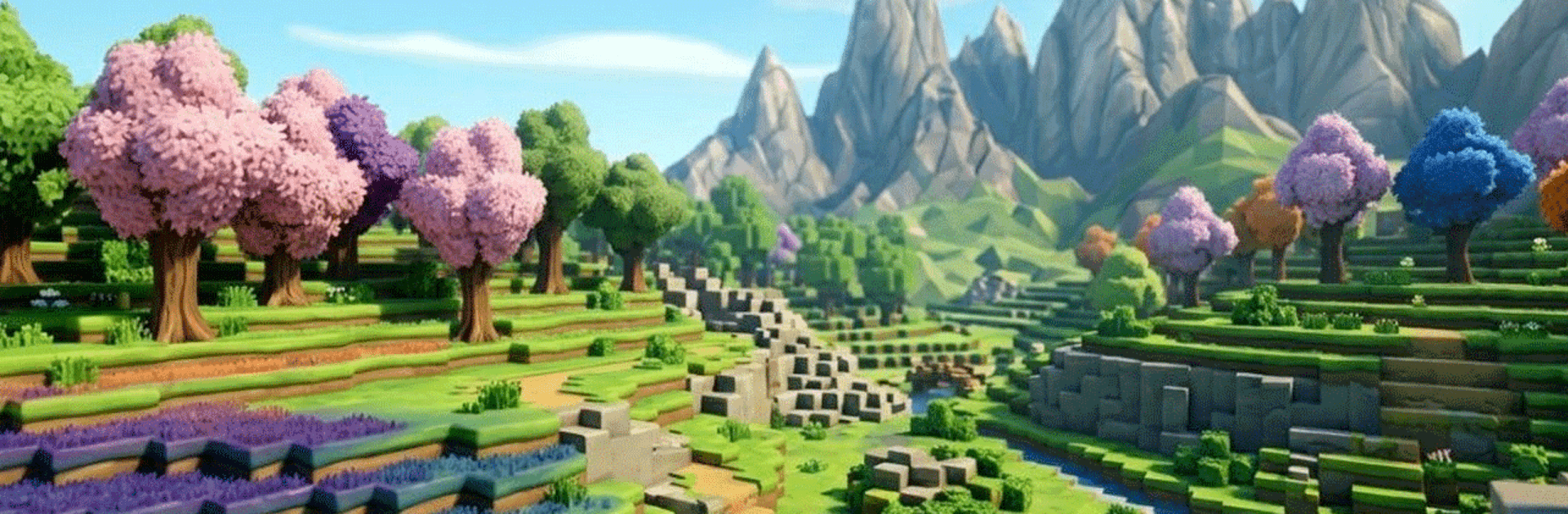
Lokicraft 7 Crafting drops you into a chunky, blocky sandbox where your ideas call the shots. Chop, mine, and piece together the world you want—whether that’s a tiny cabin, a bustling town, or something wild you sketch out on the fly. It’s an easygoing Adventure from dadang_studio that’s simple to learn and oddly addictive once you start stacking those blocks.

Game Features

  • Open-World Building: Shape the terrain, place blocks, and design anything from small hideouts to sprawling cities—no strict path, just your imagination.
  • Gather and Craft: Collect wood, stone, and other resources, then turn them into tools, décor, and building materials that make bigger projects possible.
  • Creative Freedom: Experiment without pressure. Try new layouts, tweak your designs, and rebuild whenever inspiration strikes.
  • Simple Look, Smooth Feel: Clean, straightforward visuals keep things readable, while the easy controls make building feel natural, even if you’re new to the genre.
  • Explore at Your Pace: Wander around to find new spots to mine, harvest, and build—perfect for slow sessions or quick bursts of progress.
  • For All Ages: Clear mechanics and friendly pacing make it approachable for kids, but there’s plenty of room for ambitious builds adults will love.
  • Plays Great on PC: Prefer keyboard and mouse? You can run it on BlueStacks for a comfy, big-screen building session with familiar controls.
  • Save and Expand: Start small and keep improving your world over time, adding new structures, details, and ideas as you go.

Ready to top the leaderboard? We bet you do. Let precise controls and sharp visuals optimized on BlueStacks lead you to victory.


Game Features

Enhancements

  • Macros
  • Multi Instance
  • Multi Instance Sync
  • Script
  • Enhancements
Macros

Macros

Automate the predictable in Lokicraft 7 Crafting and transform your gameplay with Macros. Get access to inventive Macros in the BlueStacks Macro Community
Multi Instance

Multi Instance

Play Lokicraft 7 Crafting on one window. And chat with your friend on the other. Press CTRL + Shift + 8 to open the Multi-Instance Manager. And start creating fresh instances or clone an existing one.
Multi Instance Sync

Multi Instance Sync

Play Lokicraft 7 Crafting with the power of Multi-Instance Sync. Replicate what you are doing on the main instance on all other instances. Level up faster, play more.
Script

Script

Script your way to gaming glory in Lokicraft 7 Crafting with BlueStacks Script. Write and run a set of commands to automate repeated tasks. Trigger the command by assigning it to any key.
Read More

How to Download and Play Lokicraft 7 Crafting on PC or Mac

  • Download and install BlueStacks on your PC or Mac

  • Complete Google sign-in to access the Play Store, or do it later

  • Look for Lokicraft 7 Crafting in the search bar at the top right corner

  • Click to install Lokicraft 7 Crafting from the search results

  • Complete Google sign-in (if you skipped step 2) to install Lokicraft 7 Crafting

  • Click the Lokicraft 7 Crafting icon on the home screen to start playing

video
Watch Video

Minimum System Requirements

With BlueStacks 5, you can get started on a PC that fulfills the following requirements.

  • Operating System

    Microsoft Windows 7 or above, macOS 11 (Big Sur) or above

  • Processor

    Intel, AMD or Apple Silicon Processor

  • RAM

    at least 4GB

  • HDD

    10GB Free Disk Space

Note:

* You must be an Administrator on your PC. Up to date graphics drivers from Microsoft or the chipset vendor.

Lokicraft 7 Crafting - FAQs

  • How to play Lokicraft 7 Crafting on Windows PC & Mac?

    Play Lokicraft 7 Crafting on your PC or Mac by following these simple steps.

    • Click on 'Play Lokicraft 7 Crafting on PC’ to download BlueStacks
    • Install it and log-in to Google Play Store
    • Launch and play the game.
  • Why is BlueStacks the fastest and safest platform to play games on PC?

    BlueStacks respects your privacy and is always safe and secure to use. It does not carry any malware, spyware, or any sort of additional software that could harm your PC.

    It is engineered to optimize speed and performance for a seamless gaming experience.

  • What are Lokicraft 7 Crafting PC requirements?

    Minimum requirement to run Lokicraft 7 Crafting on your PC

    • OS: Microsoft Windows 7 or above MacOS 11 (Big Sur) or above
    • Processor: Intel, AMD or Apple Silicon Processor
    • RAM: Your PC must have at least 4GB of RAM. (Note that having 4GB or more disk space is not a substitute for RAM)
    • HDD: 10GB Free Disk Space.
    • You must be an Administrator on your PC.







