Pirate Sea: Treasure Hunt

Pirate Sea: Treasure Hunt

Adventure

| Garden of Dreams Games

Play on PC with BlueStacks or from our cloud

  • Overview
  • Game Features
  • How to Play

Page Modified On: November 28, 2025

Play Pirate Sea: Treasure Hunt on PC or Mac

Step into the World of Pirate Sea: Treasure Hunt, a thrilling Adventure game from the house of Garden of Dreams Games. Play this Android game on BlueStacks App Player and experience immersive gaming on PC or Mac.

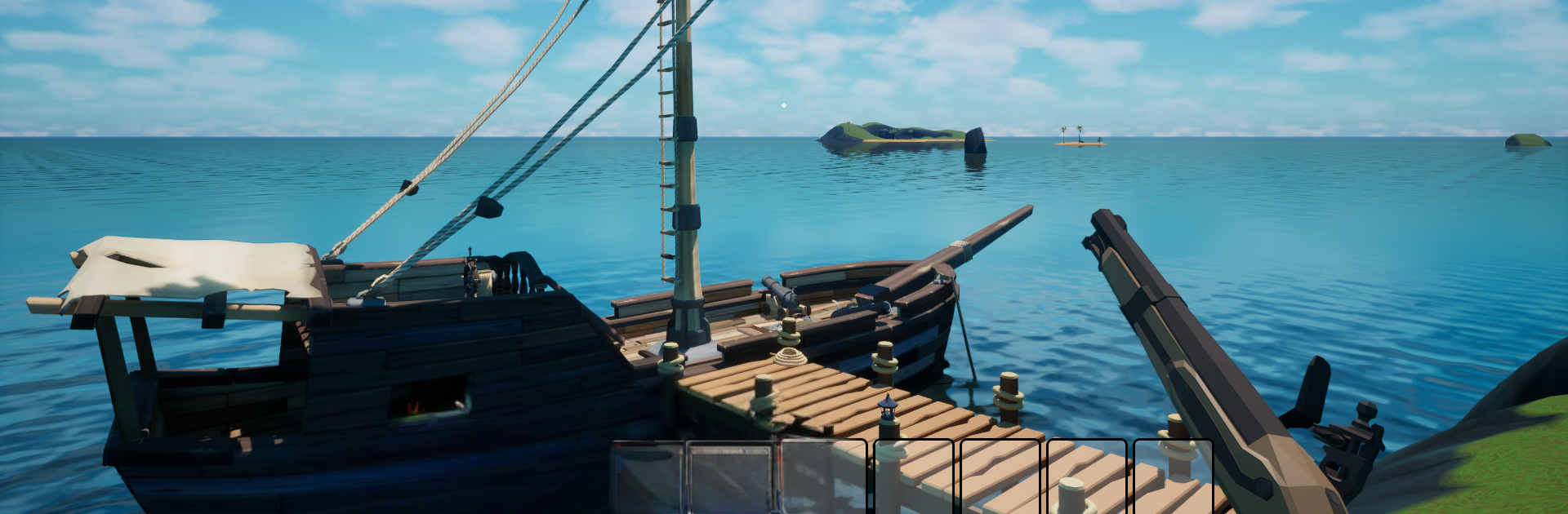
Pirate Sea: Treasure Hunt is a first person pirate game where the ship is not just a menu option, it is the star. Sailing actually has weight to it, with the wheel fighting back and waves knocking the bow around. Trips between islands feel like a small journey, watching for rocks, storms, and those shallow reef lines that love to chew a hull. The art leans stylized and clean, so the water and sunsets pop without trying to be photo real.

The loop is simple in a good way. Players pick up cryptic maps, read a few clues, count steps from weird landmarks, then dig up chests and haul them to a trader for coin. That stash goes toward making the ship feel like theirs, with tweaks and custom bits rather than wild stat math. When feet hit the sand, fights are against skeleton crews using a cutlass and a flintlock. Sword swings need timing instead of button mashing, and the musket hits hard but makes every reload matter. There are bounty contracts for tougher skeletal captains and bigger bosses, so there is always a clear target if wandering gets old. The world spreads out with small islands, hidden coves, and underwater caves, and it is single player, so the pace is relaxed and no one is stealing the loot mid dig. On PC with BlueStacks, mouse aim cleans up the shooting and keyboard steering feels steady, and the bright look holds up nicely on a monitor.

Get ready for a buttery smooth, high-performance gaming action only on BlueStacks.

Game Features

Enhancements

  • Macros
  • Multi Instance
  • Multi Instance Sync
  • Script
  • Enhancements
Macros

Macros

Automate the predictable in Pirate Sea: Treasure Hunt and transform your gameplay with Macros. Get access to inventive Macros in the BlueStacks Macro Community
Multi Instance

Multi Instance

Play Pirate Sea: Treasure Hunt on one window. And chat with your friend on the other. Press CTRL + Shift + 8 to open the Multi-Instance Manager. And start creating fresh instances or clone an existing one.
Multi Instance Sync

Multi Instance Sync

Play Pirate Sea: Treasure Hunt with the power of Multi-Instance Sync. Replicate what you are doing on the main instance on all other instances. Level up faster, play more.
Script

Script

Script your way to gaming glory in Pirate Sea: Treasure Hunt with BlueStacks Script. Write and run a set of commands to automate repeated tasks. Trigger the command by assigning it to any key.
Read More

How to Download and Play Pirate Sea: Treasure Hunt on PC or Mac

  • Download and install BlueStacks on your PC or Mac

  • Complete Google sign-in to access the Play Store, or do it later

  • Look for Pirate Sea: Treasure Hunt in the search bar at the top right corner

  • Click to install Pirate Sea: Treasure Hunt from the search results

  • Complete Google sign-in (if you skipped step 2) to install Pirate Sea: Treasure Hunt

  • Click the Pirate Sea: Treasure Hunt icon on the home screen to start playing

video
Watch Video

Minimum System Requirements

With BlueStacks 5, you can get started on a PC that fulfills the following requirements.

  • Operating System

    Microsoft Windows 7 or above, macOS 11 (Big Sur) or above

  • Processor

    Intel, AMD or Apple Silicon Processor

  • RAM

    at least 4GB

  • HDD

    10GB Free Disk Space

Note:

* You must be an Administrator on your PC. Up to date graphics drivers from Microsoft or the chipset vendor.

Pirate Sea: Treasure Hunt - FAQs

  • How to play Pirate Sea: Treasure Hunt on Windows PC & Mac?

    Play Pirate Sea: Treasure Hunt on your PC or Mac by following these simple steps.

    • Click on 'Play Pirate Sea: Treasure Hunt on PC’ to download BlueStacks
    • Install it and log-in to Google Play Store
    • Launch and play the game.
  • Why is BlueStacks the fastest and safest platform to play games on PC?

    BlueStacks respects your privacy and is always safe and secure to use. It does not carry any malware, spyware, or any sort of additional software that could harm your PC.

    It is engineered to optimize speed and performance for a seamless gaming experience.

  • What are Pirate Sea: Treasure Hunt PC requirements?

    Minimum requirement to run Pirate Sea: Treasure Hunt on your PC

    • OS: Microsoft Windows 7 or above MacOS 11 (Big Sur) or above
    • Processor: Intel, AMD or Apple Silicon Processor
    • RAM: Your PC must have at least 4GB of RAM. (Note that having 4GB or more disk space is not a substitute for RAM)
    • HDD: 10GB Free Disk Space.
    • You must be an Administrator on your PC.