The Longing
The Longing

The Longing

Adventure

| Application Systems Heidelberg Software GmbH

Play on PC with BlueStacks or from our cloud

  • Overview
  • Game Features
  • How to Play

Page Modified On: January 06, 2026

Play The Longing on PC or Mac

Explore a whole new adventure with The Longing, a Adventure game created by Application Systems Heidelberg Software GmbH. Experience great gameplay with BlueStacks, the most popular gaming platform to play Android games on your PC or Mac.

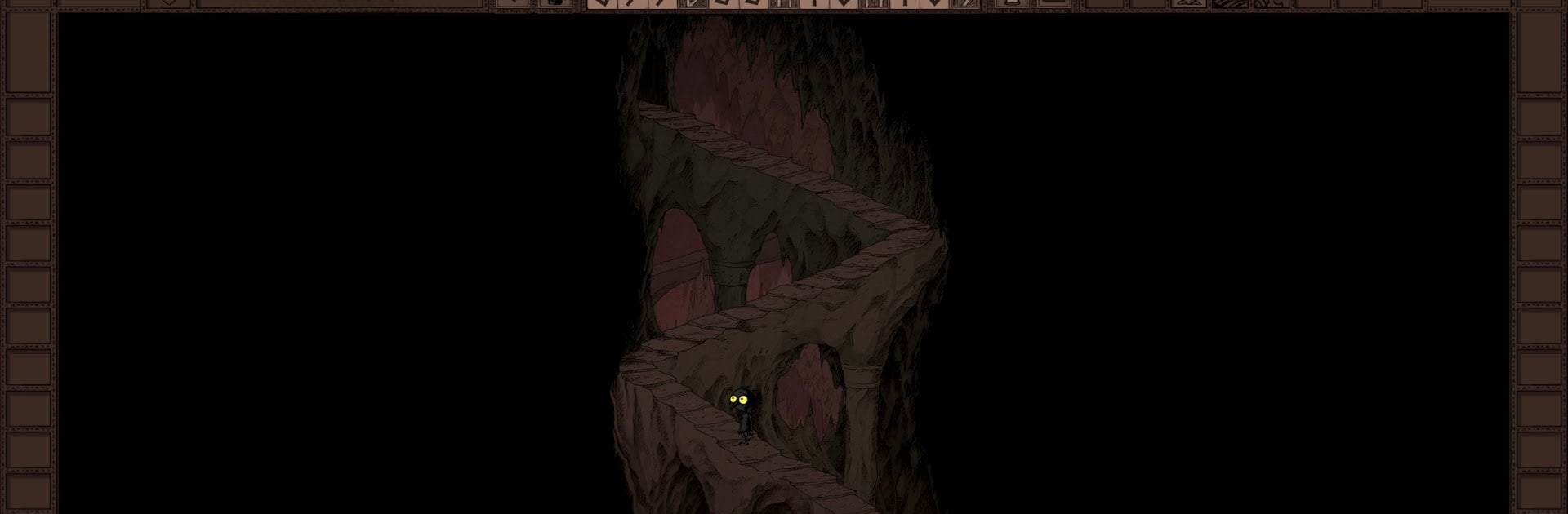
The Longing is a strange, cozy, super patient adventure where a tiny Shade waits 400 real-time days for a sleeping king to wake up. The clock never stops. It keeps counting when the game is closed, when the PC is off, when someone forgets about it for a week. That sounds intense, but it is not stressful. There is no fail state breathing down your neck, no chase scenes, just a slow world that moves at its own pace while the player decides how to spend the wait.

Walking is slow on purpose, which makes every little discovery feel deliberate. The Shade can poke around a huge hand-drawn cave, gather odd items, and turn a bare little room into something warm. There are shelves to fill with books, and the game actually lets the Shade read complete classics inside it. Some paths only open after real time passes, so a door might become reachable next week, or a drop of water might make a ledge climbable after a long while. Secrets hide in corners that are easy to miss, and choices can lead to different endings, including the risky idea of ignoring the king and pushing toward the surface.

It looks like a sketchbook come alive, and the moody dungeon synth soundtrack just sits in the background without shouting for attention. On PC with BlueStacks it is nice to leave the Shade walking to a far-off spot, check in now and then, and let that strange, lonely feeling grow on its own. There is no hurry here, only curiosity and time, lots of time.

Start your journey now. Download the game on BlueStacks, invite your friends, and march on a new adventure.


Game Features

Enhancements

  • Macros
  • Multi Instance
  • Multi Instance Sync
  • Script
  • Enhancements
Macros

Macros

Automate the predictable in The Longing and transform your gameplay with Macros. Get access to inventive Macros in the BlueStacks Macro Community
Multi Instance

Multi Instance

Play The Longing on one window. And chat with your friend on the other. Press CTRL + Shift + 8 to open the Multi-Instance Manager. And start creating fresh instances or clone an existing one.
Multi Instance Sync

Multi Instance Sync

Play The Longing with the power of Multi-Instance Sync. Replicate what you are doing on the main instance on all other instances. Level up faster, play more.
Script

Script

Script your way to gaming glory in The Longing with BlueStacks Script. Write and run a set of commands to automate repeated tasks. Trigger the command by assigning it to any key.
Read More

How to Download and Play The Longing on PC or Mac

  • Download and install BlueStacks on your PC or Mac

  • Complete Google sign-in to access the Play Store, or do it later

  • Look for The Longing in the search bar at the top right corner

  • Click to install The Longing from the search results

  • Complete Google sign-in (if you skipped step 2) to install The Longing

  • Click the The Longing icon on the home screen to start playing

video
Watch Video

Minimum System Requirements

With BlueStacks 5, you can get started on a PC that fulfills the following requirements.

  • Operating System

    Microsoft Windows 7 or above, macOS 11 (Big Sur) or above

  • Processor

    Intel, AMD or Apple Silicon Processor

  • RAM

    at least 4GB

  • HDD

    10GB Free Disk Space

Note:

* You must be an Administrator on your PC. Up to date graphics drivers from Microsoft or the chipset vendor.

The Longing - FAQs

  • How to play The Longing on Windows PC & Mac?

    Play The Longing on your PC or Mac by following these simple steps.

    • Click on 'Play The Longing on PC’ to download BlueStacks
    • Install it and log-in to Google Play Store
    • Launch and play the game.
  • Why is BlueStacks the fastest and safest platform to play games on PC?

    BlueStacks respects your privacy and is always safe and secure to use. It does not carry any malware, spyware, or any sort of additional software that could harm your PC.

    It is engineered to optimize speed and performance for a seamless gaming experience.

  • What are The Longing PC requirements?

    Minimum requirement to run The Longing on your PC

    • OS: Microsoft Windows 7 or above MacOS 11 (Big Sur) or above
    • Processor: Intel, AMD or Apple Silicon Processor
    • RAM: Your PC must have at least 4GB of RAM. (Note that having 4GB or more disk space is not a substitute for RAM)
    • HDD: 10GB Free Disk Space.
    • You must be an Administrator on your PC.