
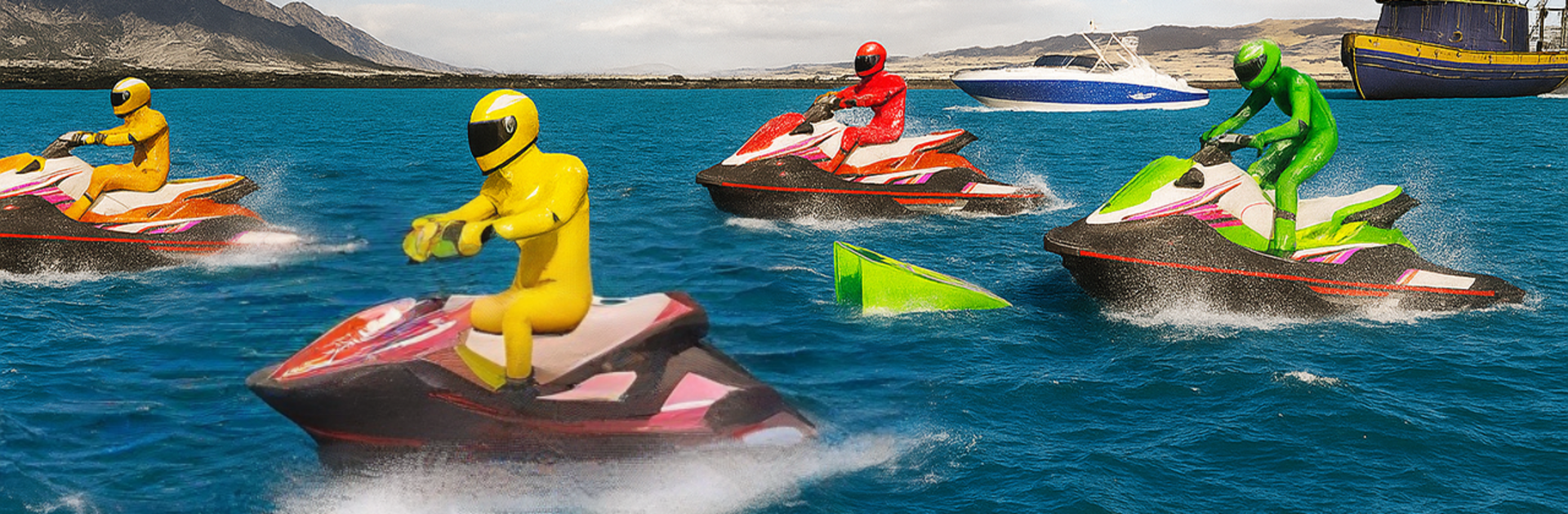
Water Jetski Boat Racing Stunt

Water Jetski Boat Racing Stunt

Adventure

| Arsl Emporium Ltd.

Play on PC with BlueStacks or from our cloud

  • Overview
  • Game Features
  • How to Play

Page Modified On: November 20, 2025

Play Water Jetski Boat Racing Stunt on PC or Mac

Water Jetski Boat Racing Stunt brings the Adventure genre to life, and throws up exciting challenges for gamers. Developed by Arsl Emporium Ltd., this Android game is best experienced on BlueStacks, the World’s #1 app player for PC and Mac users.

Water Jetski Boat Racing Stunt is an arcade-style racer where players sling fast scooters across floating tracks, hit ramps, and try to land clean while the clock and rivals are breathing down their necks. The water is not just wallpaper. Waves push the craft around, so turning feels a bit slidey in a satisfying way, and the throttle matters when cutting tight around buoys. The game leans hard into stunts. Jumps, flips, and rolls chain together for speed and bragging rights, but messy landings scrub momentum and make sharp turns tougher. Races bounce between sunny beach courses, neon channels, and those silly impossible tracks with floating platforms and moving gates, so it never sits still for long.

There is a simple upgrade-and-style layer too. Different jetskis handle differently, and cosmetics plus parts tweak acceleration, grip, and that big rooster tail spray the game seems proud of. Events are short, with checkpoint sprints, elimination runs, and championship heats against rowdy AI boats. Visuals are clean and punchy, water spray looks loud in a good way, and the audio has that buzzing engine whine players expect. Controls are easy to pick up, more about timing than perfect lines. On PC with BlueStacks, players can map keys or a controller and keep a steadier frame rate, which helps when landing big ramp jumps and threading through obstacles at high speed.

Ready to top the leaderboard? We bet you do. Let precise controls and sharp visuals optimized on BlueStacks lead you to victory.


Game Features

Enhancements

  • Macros
  • Multi Instance
  • Multi Instance Sync
  • Script
  • Enhancements
Macros

Macros

Automate the predictable in Water Jetski Boat Racing Stunt and transform your gameplay with Macros. Get access to inventive Macros in the BlueStacks Macro Community
Multi Instance

Multi Instance

Play Water Jetski Boat Racing Stunt on one window. And chat with your friend on the other. Press CTRL + Shift + 8 to open the Multi-Instance Manager. And start creating fresh instances or clone an existing one.
Multi Instance Sync

Multi Instance Sync

Play Water Jetski Boat Racing Stunt with the power of Multi-Instance Sync. Replicate what you are doing on the main instance on all other instances. Level up faster, play more.
Script

Script

Script your way to gaming glory in Water Jetski Boat Racing Stunt with BlueStacks Script. Write and run a set of commands to automate repeated tasks. Trigger the command by assigning it to any key.
Read More

How to Download and Play Water Jetski Boat Racing Stunt on PC or Mac

  • Download and install BlueStacks on your PC or Mac

  • Complete Google sign-in to access the Play Store, or do it later

  • Look for Water Jetski Boat Racing Stunt in the search bar at the top right corner

  • Click to install Water Jetski Boat Racing Stunt from the search results

  • Complete Google sign-in (if you skipped step 2) to install Water Jetski Boat Racing Stunt

  • Click the Water Jetski Boat Racing Stunt icon on the home screen to start playing

video
Watch Video

Minimum System Requirements

With BlueStacks 5, you can get started on a PC that fulfills the following requirements.

  • Operating System

    Microsoft Windows 7 or above, macOS 11 (Big Sur) or above

  • Processor

    Intel, AMD or Apple Silicon Processor

  • RAM

    at least 4GB

  • HDD

    10GB Free Disk Space

Note:

* You must be an Administrator on your PC. Up to date graphics drivers from Microsoft or the chipset vendor.

Water Jetski Boat Racing Stunt - FAQs

  • How to play Water Jetski Boat Racing Stunt on Windows PC & Mac?

    Play Water Jetski Boat Racing Stunt on your PC or Mac by following these simple steps.

    • Click on 'Play Water Jetski Boat Racing Stunt on PC’ to download BlueStacks
    • Install it and log-in to Google Play Store
    • Launch and play the game.
  • Why is BlueStacks the fastest and safest platform to play games on PC?

    BlueStacks respects your privacy and is always safe and secure to use. It does not carry any malware, spyware, or any sort of additional software that could harm your PC.

    It is engineered to optimize speed and performance for a seamless gaming experience.

  • What are Water Jetski Boat Racing Stunt PC requirements?

    Minimum requirement to run Water Jetski Boat Racing Stunt on your PC

    • OS: Microsoft Windows 7 or above MacOS 11 (Big Sur) or above
    • Processor: Intel, AMD or Apple Silicon Processor
    • RAM: Your PC must have at least 4GB of RAM. (Note that having 4GB or more disk space is not a substitute for RAM)
    • HDD: 10GB Free Disk Space.
    • You must be an Administrator on your PC.







