Brawl Quest: Roguelike Fighter

Brawl Quest: Roguelike Fighter

Arcade

| ThinkBIT

Play on PC with BlueStacks or from our cloud

  • Overview
  • Game Features
  • How to Play

Page Modified On: April 21, 2026

Play Brawl Quest: Roguelike Fighter on PC or Mac

From the innovators and creators at ThinkBIT, Brawl Quest: Roguelike Fighter is another fun addition to the World of Arcade games. Go beyond your mobile screen and play it bigger and better on your PC or Mac. An immersive experience awaits you.

About the Game

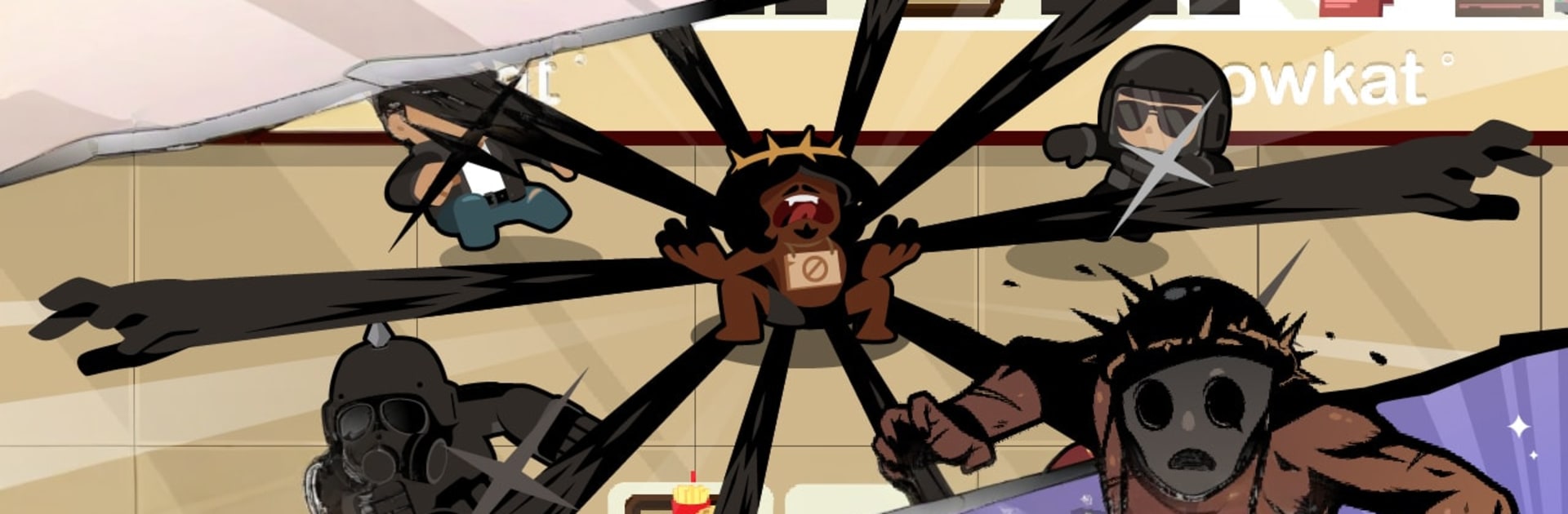
Brawl Quest: Roguelike Fighter is a scrappy, fast-hitting Arcade brawler from ThinkBIT that loves quick thumbs and bold plays. You’ll storm through ever-changing city stages, smash through street gangs, and piece together wild builds that can turn a humble jab into a screen-shaking finisher. It’s easy to pick up, tough to master, and totally fine to play on the go—or on a bigger screen with BlueStacks if that’s more your vibe.

Game Features

  • One-Hand Combat, Big Impact: Portrait play with super clean gestures—tap to strike, drag to move, and swipe to slip past danger. Trigger a burst skill when it’s time to nuke the room.
  • Fresh Runs, Every Time: Procedurally generated routes and perk picks keep each run unpredictable. Mix and match upgrades to craft builds that feel clever, risky, or just plain overpowered.
  • A City Full of Trouble: Scrap your way through gang hideouts, greasy diners, factories, sewers, highways, and more. Each area throws out new layouts, enemy types, and hazards.
  • Brawlers with Personality: Unlock a roster of unique fighters, each with distinct styles, strengths, and quirks. Even bosses can flip sides and join your crew once you crack their patterns.
  • Pets That Pack Buffs: Collect and equip dozens of adorable (and deadly) sidekicks that grant bonuses and change how you play. Stack effects to discover surprising combos.
  • Boss Fights That Matter: Learn their moves, exploit openings, and earn that knockout. These showdowns hit hard but feel fair—and super satisfying to conquer.
  • Endless Mayhem Mode: The Brawl Buffet serves nonstop waves and randomized stages. Grab random powerups and see how absurd your build can get.
  • Offline Friendly: No Wi‑Fi? No problem. Quick sessions or long hauls both work great.
  • Hand-Drawn Crunch: Crisp, frame-by-frame 2D animation gives every punch, roll, and ultimate a chunky, Saturday-morning-cartoon snap.

Get ready for a buttery smooth, high-performance gaming action only on BlueStacks.

Game Features

Enhancements

  • Macros
  • Multi Instance
  • Multi Instance Sync
  • Script
  • Enhancements
Macros

Macros

Automate the predictable in Brawl Quest: Roguelike Fighter and transform your gameplay with Macros. Get access to inventive Macros in the BlueStacks Macro Community
Multi Instance

Multi Instance

Play Brawl Quest: Roguelike Fighter on one window. And chat with your friend on the other. Press CTRL + Shift + 8 to open the Multi-Instance Manager. And start creating fresh instances or clone an existing one.
Multi Instance Sync

Multi Instance Sync

Play Brawl Quest: Roguelike Fighter with the power of Multi-Instance Sync. Replicate what you are doing on the main instance on all other instances. Level up faster, play more.
Script

Script

Script your way to gaming glory in Brawl Quest: Roguelike Fighter with BlueStacks Script. Write and run a set of commands to automate repeated tasks. Trigger the command by assigning it to any key.
Read More

How to Download and Play Brawl Quest: Roguelike Fighter on PC or Mac

  • Download and install BlueStacks on your PC or Mac

  • Complete Google sign-in to access the Play Store, or do it later

  • Look for Brawl Quest: Roguelike Fighter in the search bar at the top right corner

  • Click to install Brawl Quest: Roguelike Fighter from the search results

  • Complete Google sign-in (if you skipped step 2) to install Brawl Quest: Roguelike Fighter

  • Click the Brawl Quest: Roguelike Fighter icon on the home screen to start playing

video
Watch Video

Minimum System Requirements

With BlueStacks 5, you can get started on a PC that fulfills the following requirements.

  • Operating System

    Microsoft Windows 7 or above, macOS 11 (Big Sur) or above

  • Processor

    Intel, AMD or Apple Silicon Processor

  • RAM

    at least 4GB

  • HDD

    10GB Free Disk Space

Note:

* You must be an Administrator on your PC. Up to date graphics drivers from Microsoft or the chipset vendor.

Brawl Quest: Roguelike Fighter - FAQs

  • How to play Brawl Quest: Roguelike Fighter on Windows PC & Mac?

    Play Brawl Quest: Roguelike Fighter on your PC or Mac by following these simple steps.

    • Click on 'Play Brawl Quest: Roguelike Fighter on PC’ to download BlueStacks
    • Install it and log-in to Google Play Store
    • Launch and play the game.
  • Why is BlueStacks the fastest and safest platform to play games on PC?

    BlueStacks respects your privacy and is always safe and secure to use. It does not carry any malware, spyware, or any sort of additional software that could harm your PC.

    It is engineered to optimize speed and performance for a seamless gaming experience.

  • What are Brawl Quest: Roguelike Fighter PC requirements?

    Minimum requirement to run Brawl Quest: Roguelike Fighter on your PC

    • OS: Microsoft Windows 7 or above MacOS 11 (Big Sur) or above
    • Processor: Intel, AMD or Apple Silicon Processor
    • RAM: Your PC must have at least 4GB of RAM. (Note that having 4GB or more disk space is not a substitute for RAM)
    • HDD: 10GB Free Disk Space.
    • You must be an Administrator on your PC.