Delver
Delver

Delver

Arcade

| Priority Interrupt LLC

Play on PC with BlueStacks or from our cloud

  • Overview
  • Game Features
  • How to Play

Page Modified On: December 15, 2025

Play Delver on PC or Mac

Bring your A-game to Delver, the Arcade game sensation from Priority Interrupt LLC. Give your gameplay the much-needed boost with precise game controls, high FPS graphics, and top-tier features on your PC or Mac with BlueStacks.

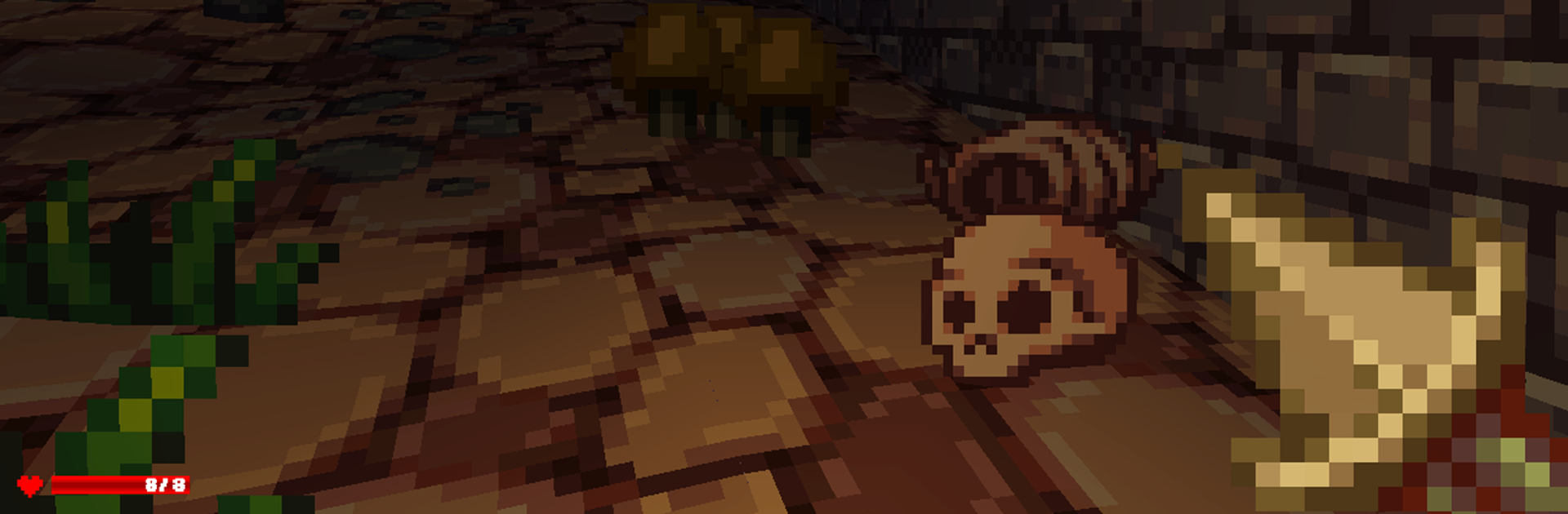
Delver plays like a scrappy first person roguelike where the player sneaks through dark, maze-like dungeons full of chunky pixels and nasty surprises. Every floor is randomized, so hallways twist in new ways, loot changes spots, and enemies do not always show up where expected. It has real permadeath, so one greedy chest or bad swing can end a run, but restarts are quick and it never feels like a huge time sink. Combat is simple and punchy: stab with a short blade, swap to a bow, throw a wand blast, back up through a doorway and watch timing. Potions and scrolls are unidentified until tested, which gives that fun little gamble of drinking something and hoping it is not trouble. Gear finds and stat boosts make runs feel stronger without turning it into a spreadsheet.

The goal is straightforward and mean: reach the deepest level, grab the Yithidian orb, then actually get out with it. Going down feels manageable; climbing back up with everything hunting the player is the part that tightens the shoulders. Inventory space is tight, so hoarding feels like a mini game of its own. On PC with BlueStacks, mouse aim and quick keys help a lot, and the chunky art scales nicely on a bigger screen. It is great for short sessions, one more try, then probably one more after that. If constant tension, surprise rooms, and a little old-school jank sound good, this hits that spot.

Start your journey now. Download the game on BlueStacks, invite your friends, and march on a new adventure.


Game Features

Enhancements

  • Macros
  • Multi Instance
  • Multi Instance Sync
  • Script
  • Enhancements
Macros

Macros

Automate the predictable in Delver and transform your gameplay with Macros. Get access to inventive Macros in the BlueStacks Macro Community
Multi Instance

Multi Instance

Play Delver on one window. And chat with your friend on the other. Press CTRL + Shift + 8 to open the Multi-Instance Manager. And start creating fresh instances or clone an existing one.
Multi Instance Sync

Multi Instance Sync

Play Delver with the power of Multi-Instance Sync. Replicate what you are doing on the main instance on all other instances. Level up faster, play more.
Script

Script

Script your way to gaming glory in Delver with BlueStacks Script. Write and run a set of commands to automate repeated tasks. Trigger the command by assigning it to any key.
Read More

How to Download and Play Delver on PC or Mac

  • Download and install BlueStacks on your PC or Mac

  • Complete Google sign-in to access the Play Store, or do it later

  • Look for Delver in the search bar at the top right corner

  • Click to install Delver from the search results

  • Complete Google sign-in (if you skipped step 2) to install Delver

  • Click the Delver icon on the home screen to start playing

video
Watch Video

Minimum System Requirements

With BlueStacks 5, you can get started on a PC that fulfills the following requirements.

  • Operating System

    Microsoft Windows 7 or above, macOS 11 (Big Sur) or above

  • Processor

    Intel, AMD or Apple Silicon Processor

  • RAM

    at least 4GB

  • HDD

    10GB Free Disk Space

Note:

* You must be an Administrator on your PC. Up to date graphics drivers from Microsoft or the chipset vendor.

Delver - FAQs

  • How to play Delver on Windows PC & Mac?

    Play Delver on your PC or Mac by following these simple steps.

    • Click on 'Play Delver on PC’ to download BlueStacks
    • Install it and log-in to Google Play Store
    • Launch and play the game.
  • Why is BlueStacks the fastest and safest platform to play games on PC?

    BlueStacks respects your privacy and is always safe and secure to use. It does not carry any malware, spyware, or any sort of additional software that could harm your PC.

    It is engineered to optimize speed and performance for a seamless gaming experience.

  • What are Delver PC requirements?

    Minimum requirement to run Delver on your PC

    • OS: Microsoft Windows 7 or above MacOS 11 (Big Sur) or above
    • Processor: Intel, AMD or Apple Silicon Processor
    • RAM: Your PC must have at least 4GB of RAM. (Note that having 4GB or more disk space is not a substitute for RAM)
    • HDD: 10GB Free Disk Space.
    • You must be an Administrator on your PC.