Draw Monowheel 3D
Draw Monowheel 3D

Draw Monowheel 3D

Arcade

| Deli ventures

Play on PC with BlueStacks or from our cloud

  • Overview
  • Game Features
  • How to Play

Page Modified On: April 13, 2026

Play Draw Monowheel 3D on PC or Mac

Step into the World of Draw Monowheel 3D, a thrilling Arcade game from the house of Deli ventures. Play this Android game on BlueStacks App Player and experience immersive gaming on PC or Mac.

About the Game

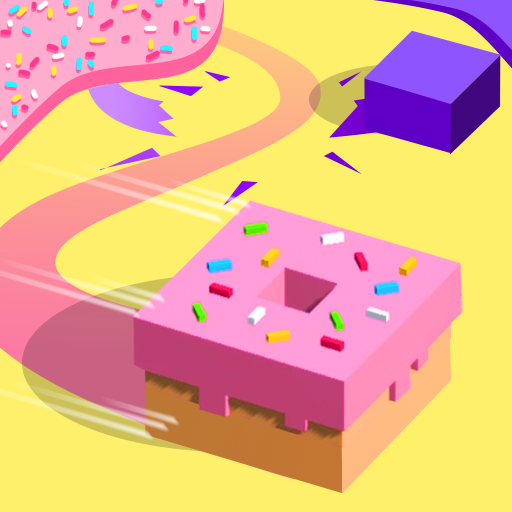
From Deli ventures, Draw Monowheel 3D is an Arcade physics challenge where your doodles turn into the wheel beneath your rider. You sketch a shape, set it rolling, and try to outsmart a rival while tackling bumps, ramps, and awkward angles. It’s easy to pick up, but the “wait, will this weird shape actually work?” feeling keeps every run interesting.

Game Features

  • Draw-to-move: Your wheel is whatever you draw. Circles, squares, stars—if it rolls, it’s fair game. Some shapes grip better, some bounce, and some are just hilarious.
  • Physics that matters: Weight, balance, and contact points actually affect how you move. A bulky sketch might power over a ramp; a thin one could slip through a tight spot.
  • Head-to-head racing: It’s you versus a rival, and the fastest sketch wins. Read the track, adjust your plan, and outsmart their line.
  • Quick, satisfying runs: Races are short and focused, perfect for a few attempts whenever you’ve got a minute.
  • Learn by experimenting: Try a bold idea, see what happens, tweak, and try again. There’s no single “right” solution—just whatever gets you across the finish line.
  • Simple, tactile controls: Draw with your finger and watch your creation come alive in clean, readable 3D courses.
  • Optional PC play with BlueStacks: Prefer drawing with a mouse? You can play Draw Monowheel 3D on BlueStacks for crisp control without changing how the game feels.

Start your journey now. Download the game on BlueStacks, invite your friends, and march on a new adventure.


Game Features

Enhancements

  • Macros
  • Multi Instance
  • Multi Instance Sync
  • Script
  • Enhancements
Macros

Macros

Automate the predictable in Draw Monowheel 3D and transform your gameplay with Macros. Get access to inventive Macros in the BlueStacks Macro Community
Multi Instance

Multi Instance

Play Draw Monowheel 3D on one window. And chat with your friend on the other. Press CTRL + Shift + 8 to open the Multi-Instance Manager. And start creating fresh instances or clone an existing one.
Multi Instance Sync

Multi Instance Sync

Play Draw Monowheel 3D with the power of Multi-Instance Sync. Replicate what you are doing on the main instance on all other instances. Level up faster, play more.
Script

Script

Script your way to gaming glory in Draw Monowheel 3D with BlueStacks Script. Write and run a set of commands to automate repeated tasks. Trigger the command by assigning it to any key.
Read More

How to Download and Play Draw Monowheel 3D on PC or Mac

  • Download and install BlueStacks on your PC or Mac

  • Complete Google sign-in to access the Play Store, or do it later

  • Look for Draw Monowheel 3D in the search bar at the top right corner

  • Click to install Draw Monowheel 3D from the search results

  • Complete Google sign-in (if you skipped step 2) to install Draw Monowheel 3D

  • Click the Draw Monowheel 3D icon on the home screen to start playing

video
Watch Video

Minimum System Requirements

With BlueStacks 5, you can get started on a PC that fulfills the following requirements.

  • Operating System

    Microsoft Windows 7 or above, macOS 11 (Big Sur) or above

  • Processor

    Intel, AMD or Apple Silicon Processor

  • RAM

    at least 4GB

  • HDD

    10GB Free Disk Space

Note:

* You must be an Administrator on your PC. Up to date graphics drivers from Microsoft or the chipset vendor.

Draw Monowheel 3D - FAQs

  • How to play Draw Monowheel 3D on Windows PC & Mac?

    Play Draw Monowheel 3D on your PC or Mac by following these simple steps.

    • Click on 'Play Draw Monowheel 3D on PC’ to download BlueStacks
    • Install it and log-in to Google Play Store
    • Launch and play the game.
  • Why is BlueStacks the fastest and safest platform to play games on PC?

    BlueStacks respects your privacy and is always safe and secure to use. It does not carry any malware, spyware, or any sort of additional software that could harm your PC.

    It is engineered to optimize speed and performance for a seamless gaming experience.

  • What are Draw Monowheel 3D PC requirements?

    Minimum requirement to run Draw Monowheel 3D on your PC

    • OS: Microsoft Windows 7 or above MacOS 11 (Big Sur) or above
    • Processor: Intel, AMD or Apple Silicon Processor
    • RAM: Your PC must have at least 4GB of RAM. (Note that having 4GB or more disk space is not a substitute for RAM)
    • HDD: 10GB Free Disk Space.
    • You must be an Administrator on your PC.