Zombie Royale
Zombie Royale

Zombie Royale

Arcade

| Ketchapp

Play on PC with BlueStacks or from our cloud

  • Overview
  • Game Features
  • How to Play

Page Modified On: November 10, 2025

Play Zombie Royale on PC or Mac

Zombie Royale brings the Arcade genre to life, and throws up exciting challenges for gamers. Developed by Ketchapp, this Android game is best experienced on BlueStacks, the World’s #1 app player for PC and Mac users.

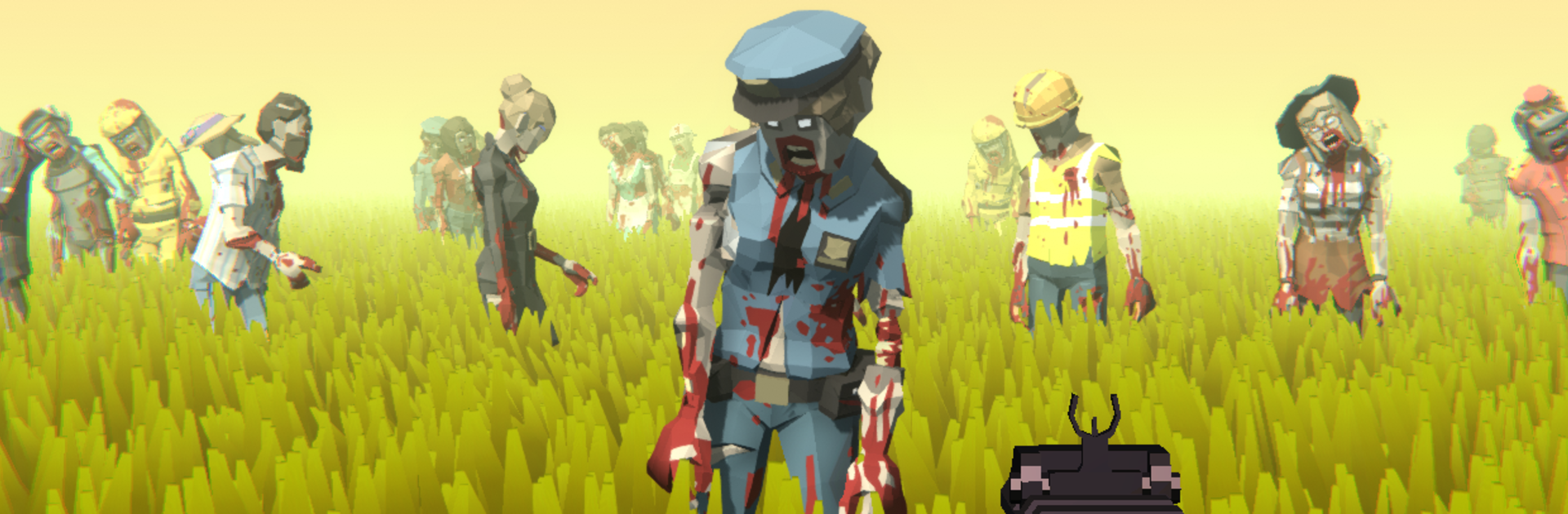
Zombie Royale feels like a fast top down run and gun set in a messy, cartoonish apocalypse. A round drops the player into streets or little arenas swarming with zombies, and the whole thing becomes a dance of moving, kiting, and unloading whatever weapon is in hand. Shots pop with a chunky sound, enemies bunch up into goofy piles, and there is that little rush when a tight corner gets cleared with a last second blast. It is simple to learn, the fun comes from weaving through crowds and swapping weapons at the right moment, shotgun for close calls, rifle for lines, rockets for oh no situations. Runs are short, coins and parts feed into new gear, and the next try starts almost right away, which keeps the loop snappy and hard to put down.

What stands out is the arsenal and how reactive it feels. Even basic guns hit hard, then it moves into bigger toys that shred groups and leave alot of splats behind. Difficulty climbs but it stays fair, more bodies, trickier layouts, occasional mini bosses that soak damage and force movement. On BlueStacks, mouse aim makes circles and dodge shots smoother and the bigger screen helps track the crowd, so it plays cleaner without changing the arcade feel. It is not deep tactics, just fast choices and a steady drip of upgrades, which fits the whole vibe perfectly, a noisy little zombie blender that keeps asking for one more run.

Ready to top the leaderboard? We bet you do. Let precise controls and sharp visuals optimized on BlueStacks lead you to victory.


Game Features

Enhancements

  • Macros
  • Multi Instance
  • Multi Instance Sync
  • Script
  • Enhancements
Macros

Macros

Automate the predictable in Zombie Royale and transform your gameplay with Macros. Get access to inventive Macros in the BlueStacks Macro Community
Multi Instance

Multi Instance

Play Zombie Royale on one window. And chat with your friend on the other. Press CTRL + Shift + 8 to open the Multi-Instance Manager. And start creating fresh instances or clone an existing one.
Multi Instance Sync

Multi Instance Sync

Play Zombie Royale with the power of Multi-Instance Sync. Replicate what you are doing on the main instance on all other instances. Level up faster, play more.
Script

Script

Script your way to gaming glory in Zombie Royale with BlueStacks Script. Write and run a set of commands to automate repeated tasks. Trigger the command by assigning it to any key.
Read More

How to Download and Play Zombie Royale on PC or Mac

  • Download and install BlueStacks on your PC or Mac

  • Complete Google sign-in to access the Play Store, or do it later

  • Look for Zombie Royale in the search bar at the top right corner

  • Click to install Zombie Royale from the search results

  • Complete Google sign-in (if you skipped step 2) to install Zombie Royale

  • Click the Zombie Royale icon on the home screen to start playing

video
Watch Video

Minimum System Requirements

With BlueStacks 5, you can get started on a PC that fulfills the following requirements.

  • Operating System

    Microsoft Windows 7 or above, macOS 11 (Big Sur) or above

  • Processor

    Intel, AMD or Apple Silicon Processor

  • RAM

    at least 4GB

  • HDD

    10GB Free Disk Space

Note:

* You must be an Administrator on your PC. Up to date graphics drivers from Microsoft or the chipset vendor.

Zombie Royale - FAQs

  • How to play Zombie Royale on Windows PC & Mac?

    Play Zombie Royale on your PC or Mac by following these simple steps.

    • Click on 'Play Zombie Royale on PC’ to download BlueStacks
    • Install it and log-in to Google Play Store
    • Launch and play the game.
  • Why is BlueStacks the fastest and safest platform to play games on PC?

    BlueStacks respects your privacy and is always safe and secure to use. It does not carry any malware, spyware, or any sort of additional software that could harm your PC.

    It is engineered to optimize speed and performance for a seamless gaming experience.

  • What are Zombie Royale PC requirements?

    Minimum requirement to run Zombie Royale on your PC

    • OS: Microsoft Windows 7 or above MacOS 11 (Big Sur) or above
    • Processor: Intel, AMD or Apple Silicon Processor
    • RAM: Your PC must have at least 4GB of RAM. (Note that having 4GB or more disk space is not a substitute for RAM)
    • HDD: 10GB Free Disk Space.
    • You must be an Administrator on your PC.