Backgammon Arena
Backgammon Arena

Backgammon Arena

Board

| LazyLand SA

Play on PC with BlueStacks or from our cloud

  • Overview
  • Game Features
  • How to Play

Page Modified On: October 10, 2025

Play Backgammon Arena on PC or Mac

From the innovators and creators at LazyLand SA, Backgammon Arena is another fun addition to the World of Board games. Go beyond your mobile screen and play it bigger and better on your PC or Mac. An immersive experience awaits you.

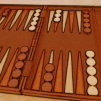
Backgammon Arena feels like classic backgammon with a slick online twist. Players roll, move, try not to leave singles hanging, and race to bear off before the other side does. Blots matter, doubles feel great, and a clean gammon stings in the best way. The game splits matches into themed rooms that open up as someone progresses, starting calm and getting tougher and faster. Higher rooms shorten the turn timer and raise the stakes, so decisions have weight and there is that little knot in the stomach when a risky hit could swing everything.

It is all live opponents, not bots, and the dice use a serious random system, the kind people know from OpenSSL, so the rolls feel fair even when luck laughs. There are tournaments, daily coin drops, and a straight play-with-friends option that is perfect for quick grudge matches. There is in-game chat, leaderboards that reset daily, weekly, and monthly, and goofy fireworks when a match ends, which is silly but fun. The board is clean and readable, the chips snap into place nicely, and on PC through BlueStacks the mouse drag is smooth and the bigger screen helps spot safe points. Everything can be unlocked just by playing, no real money wins or casino stuff, and the community pulls in fans from places where backgammon is basically a daily ritual, so queues are quick and matches have personality.

Get ready for a buttery smooth, high-performance gaming action only on BlueStacks.

Game Features

Enhancements

  • Macros
  • Multi Instance
  • Multi Instance Sync
  • Script
  • Enhancements
Macros

Macros

Automate the predictable in Backgammon Arena and transform your gameplay with Macros. Get access to inventive Macros in the BlueStacks Macro Community
Multi Instance

Multi Instance

Play Backgammon Arena on one window. And chat with your friend on the other. Press CTRL + Shift + 8 to open the Multi-Instance Manager. And start creating fresh instances or clone an existing one.
Multi Instance Sync

Multi Instance Sync

Play Backgammon Arena with the power of Multi-Instance Sync. Replicate what you are doing on the main instance on all other instances. Level up faster, play more.
Script

Script

Script your way to gaming glory in Backgammon Arena with BlueStacks Script. Write and run a set of commands to automate repeated tasks. Trigger the command by assigning it to any key.
Read More

How to Download and Play Backgammon Arena on PC or Mac

  • Download and install BlueStacks on your PC or Mac

  • Complete Google sign-in to access the Play Store, or do it later

  • Look for Backgammon Arena in the search bar at the top right corner

  • Click to install Backgammon Arena from the search results

  • Complete Google sign-in (if you skipped step 2) to install Backgammon Arena

  • Click the Backgammon Arena icon on the home screen to start playing

video
Watch Video

Minimum System Requirements

With BlueStacks 5, you can get started on a PC that fulfills the following requirements.

  • Operating System

    Microsoft Windows 7 or above, macOS 11 (Big Sur) or above

  • Processor

    Intel, AMD or Apple Silicon Processor

  • RAM

    at least 4GB

  • HDD

    10GB Free Disk Space

Note:

* You must be an Administrator on your PC. Up to date graphics drivers from Microsoft or the chipset vendor.

Backgammon Arena - FAQs

  • How to play Backgammon Arena on Windows PC & Mac?

    Play Backgammon Arena on your PC or Mac by following these simple steps.

    • Click on 'Play Backgammon Arena on PC’ to download BlueStacks
    • Install it and log-in to Google Play Store
    • Launch and play the game.
  • Why is BlueStacks the fastest and safest platform to play games on PC?

    BlueStacks respects your privacy and is always safe and secure to use. It does not carry any malware, spyware, or any sort of additional software that could harm your PC.

    It is engineered to optimize speed and performance for a seamless gaming experience.

  • What are Backgammon Arena PC requirements?

    Minimum requirement to run Backgammon Arena on your PC

    • OS: Microsoft Windows 7 or above MacOS 11 (Big Sur) or above
    • Processor: Intel, AMD or Apple Silicon Processor
    • RAM: Your PC must have at least 4GB of RAM. (Note that having 4GB or more disk space is not a substitute for RAM)
    • HDD: 10GB Free Disk Space.
    • You must be an Administrator on your PC.