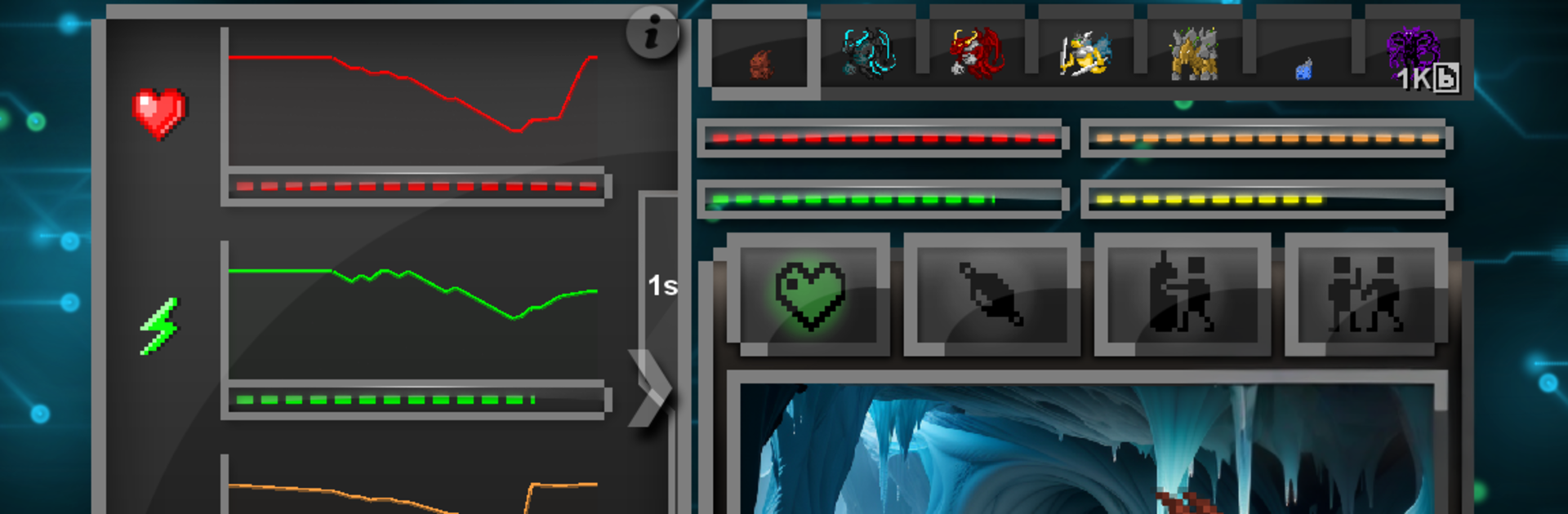
EvoPet: Virtual Monster Battle

EvoPet: Virtual Monster Battle

Card

| Jamie Ford

Play on PC with BlueStacks or from our cloud

  • Overview
  • Game Features
  • How to Play

Page Modified On: October 23, 2025

Play EvoPet: Virtual Monster Battle on PC or Mac

Join millions to experience EvoPet: Virtual Monster Battle, an exciting Card game from Jamie Ford. With BlueStacks App Player, you are always a step ahead of your opponent, ready to outplay them with faster gameplay and better control with the mouse and keyboard on your PC or Mac.

About the Game

EvoPet: Virtual Monster Battle brings that nostalgic pet-raising itch into a modern Card experience. Hatch quirky little creatures, care for them, and push them through branching evolutions while building a smart deck that makes your team shine. It’s part creature care, part tactical card battler, and all about finding combos that feel just right. Created by Jamie Ford, it’s tuned for players who like tinkering, testing, and winning on their own terms.

Game Features

  • Hatch, raise, evolve: Start with tiny monsters and guide them through multiple generations, unlocking new forms and chasing powerful mega evolutions along the way.
  • Deep deck strategy: Build a deck that fits your playstyle. With over 190 cards, there’s room for clever synergies, counters, and unexpected plays.
  • Care and training that matter: Foods and habitats shape how your monsters grow. Jump into five bite-size training minigames to sharpen stats before big fights.
  • Solo, co-op, or versus: Go it alone, team up for PvE runs, or throw down in local PvP. Everything works over a Local Wi‑Fi network for smooth, fuss-free matches with friends.
  • A world to collect: Discover 78 monsters, experiment with 50 types of food, and test strategies across 20 environments. Later, manage up to 7 monsters at once for flexible team builds.
  • Fair model, no noise: No ads and no freemium grind. A one-time purchase unlocks higher-tier tournaments, a slick Pro Dark Theme, and an endgame Card Buyback option. Two optional one-time resource packs can speed things up if you want, but they’re not required.
  • Multilingual support: Play comfortably with support for 7 languages.
  • Plays great on PC: Prefer a bigger screen? EvoPet: Virtual Monster Battle runs nicely through BlueStacks when you want that desktop feel.

Get ready for a buttery smooth, high-performance gaming action only on BlueStacks.

Game Features

Enhancements

  • Macros
  • Multi Instance
  • Multi Instance Sync
  • Script
  • Enhancements
Macros

Macros

Automate the predictable in EvoPet: Virtual Monster Battle and transform your gameplay with Macros. Get access to inventive Macros in the BlueStacks Macro Community
Multi Instance

Multi Instance

Play EvoPet: Virtual Monster Battle on one window. And chat with your friend on the other. Press CTRL + Shift + 8 to open the Multi-Instance Manager. And start creating fresh instances or clone an existing one.
Multi Instance Sync

Multi Instance Sync

Play EvoPet: Virtual Monster Battle with the power of Multi-Instance Sync. Replicate what you are doing on the main instance on all other instances. Level up faster, play more.
Script

Script

Script your way to gaming glory in EvoPet: Virtual Monster Battle with BlueStacks Script. Write and run a set of commands to automate repeated tasks. Trigger the command by assigning it to any key.
Read More

How to Download and Play EvoPet: Virtual Monster Battle on PC or Mac

  • Download and install BlueStacks on your PC or Mac

  • Complete Google sign-in to access the Play Store, or do it later

  • Look for EvoPet: Virtual Monster Battle in the search bar at the top right corner

  • Click to install EvoPet: Virtual Monster Battle from the search results

  • Complete Google sign-in (if you skipped step 2) to install EvoPet: Virtual Monster Battle

  • Click the EvoPet: Virtual Monster Battle icon on the home screen to start playing

video
Watch Video

Minimum System Requirements

With BlueStacks 5, you can get started on a PC that fulfills the following requirements.

  • Operating System

    Microsoft Windows 7 or above, macOS 11 (Big Sur) or above

  • Processor

    Intel, AMD or Apple Silicon Processor

  • RAM

    at least 4GB

  • HDD

    10GB Free Disk Space

Note:

* You must be an Administrator on your PC. Up to date graphics drivers from Microsoft or the chipset vendor.

EvoPet: Virtual Monster Battle - FAQs

  • How to play EvoPet: Virtual Monster Battle on Windows PC & Mac?

    Play EvoPet: Virtual Monster Battle on your PC or Mac by following these simple steps.

    • Click on 'Play EvoPet: Virtual Monster Battle on PC’ to download BlueStacks
    • Install it and log-in to Google Play Store
    • Launch and play the game.
  • Why is BlueStacks the fastest and safest platform to play games on PC?

    BlueStacks respects your privacy and is always safe and secure to use. It does not carry any malware, spyware, or any sort of additional software that could harm your PC.

    It is engineered to optimize speed and performance for a seamless gaming experience.

  • What are EvoPet: Virtual Monster Battle PC requirements?

    Minimum requirement to run EvoPet: Virtual Monster Battle on your PC

    • OS: Microsoft Windows 7 or above MacOS 11 (Big Sur) or above
    • Processor: Intel, AMD or Apple Silicon Processor
    • RAM: Your PC must have at least 4GB of RAM. (Note that having 4GB or more disk space is not a substitute for RAM)
    • HDD: 10GB Free Disk Space.
    • You must be an Administrator on your PC.