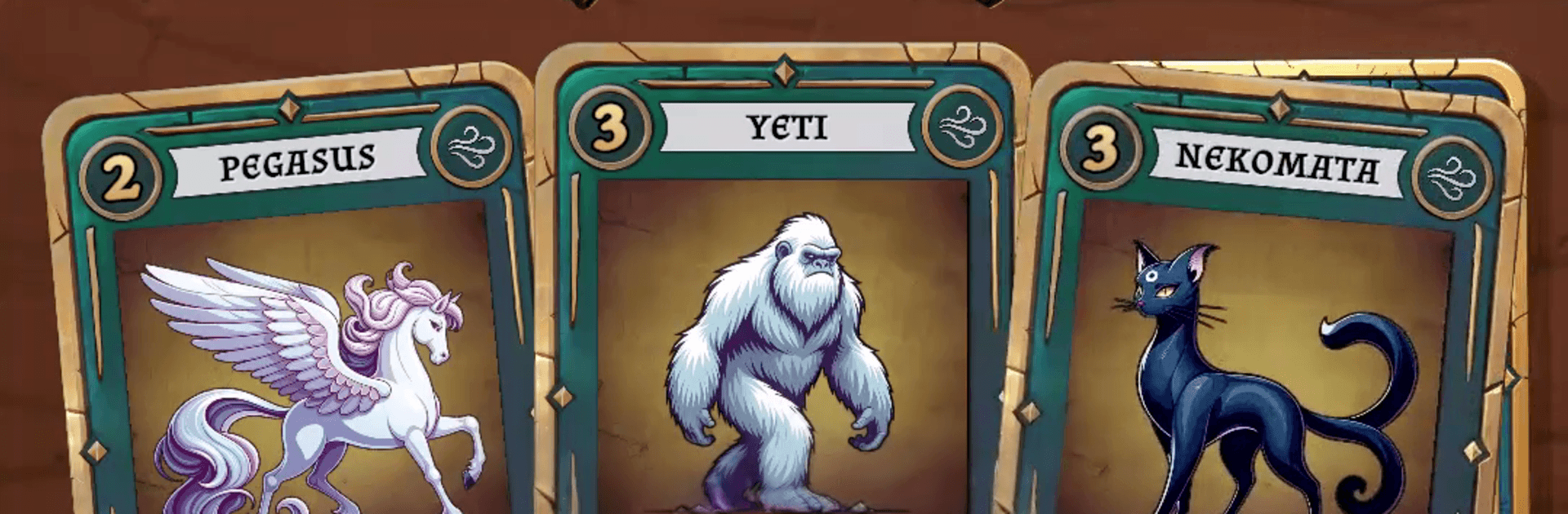
Grimoria: Online Card Game

Grimoria: Online Card Game

Card

| EmberVeil Games - Online Card Games, GPS Game

Play on PC with BlueStacks or from our cloud

  • Overview
  • Game Features
  • How to Play

Page Modified On: April 07, 2026

Play Grimoria: Online Card Game on PC or Mac

Step into the World of Grimoria: Online Card Game, a thrilling Card game from the house of EmberVeil Games – Online Card Games, GPS Game. Play this Android game on BlueStacks App Player and experience immersive gaming on PC or Mac.

About the Game

Grimoria: Online Card Game is a quick, head-to-head Card battler where smart plays beat big numbers. Matches are short, the mind games are real, and every choice matters—from what you put in your deck to when you reveal a clutch card. Built for competitive play by EmberVeil Games – Online Card Games, GPS Game, it’s easy to learn yet has plenty of depth once you start reading opponents and stringing combos.

Game Features

  • Modes for every mood: Hop into Classic 1v1, queue with a buddy for 2v2 Duo, or throw yourself into a 4-player Battle Royale. Each mode pushes your strategy in a different way.
  • Snappy matches: Games wrap up in about 2–5 minutes, so you can squeeze in a round on a break or between errands without feeling rushed.
  • Craft a 14-card deck: Pick a tight lineup that fits your plan, balancing raw power with utility while keeping an eye on your Deck Strength cap. Aggro, turtle, or somewhere in between—it’s your call.
  • Real mind games: Time your reveals, bluff with face-down plays, and use abilities like Shields, Negates, Extra Damage, and turn-order tricks to flip a round on its head.
  • True co-op in Duo: Share Life and Shields with your partner and chain abilities to cover each other’s weaknesses. Good communication wins games here.
  • Battle Royale mayhem: Four enter, one walks away. Manage resources, read the table, and pick your moments to survive the free-for-all.
  • Friends and private lobbies: Challenge friends, run custom duels, queue together, and toss out emotes—whether it’s strategy or a little playful trash talk.
  • Mythical collection and style: Unlock 25+ creatures—think Golem, Phoenix, Dragon—and personalize everything with Card Skins, Card Backs, Icons, Emotes, and Board backgrounds.
  • Mobile-first comfort: Designed for one-handed portrait play with a small install size and light data use.
  • Always evolving: Expect new cards, balance tweaks, and competitive seasons to keep the meta fresh.
  • Flexible play: Prefer a keyboard and big screen? It also feels great on PC with BlueStacks.

Get ready for a buttery smooth, high-performance gaming action only on BlueStacks.

Game Features

Enhancements

  • Macros
  • Multi Instance
  • Multi Instance Sync
  • Script
  • Enhancements
Macros

Macros

Automate the predictable in Grimoria: Online Card Game and transform your gameplay with Macros. Get access to inventive Macros in the BlueStacks Macro Community
Multi Instance

Multi Instance

Play Grimoria: Online Card Game on one window. And chat with your friend on the other. Press CTRL + Shift + 8 to open the Multi-Instance Manager. And start creating fresh instances or clone an existing one.
Multi Instance Sync

Multi Instance Sync

Play Grimoria: Online Card Game with the power of Multi-Instance Sync. Replicate what you are doing on the main instance on all other instances. Level up faster, play more.
Script

Script

Script your way to gaming glory in Grimoria: Online Card Game with BlueStacks Script. Write and run a set of commands to automate repeated tasks. Trigger the command by assigning it to any key.
Read More

How to Download and Play Grimoria: Online Card Game on PC or Mac

  • Download and install BlueStacks on your PC or Mac

  • Complete Google sign-in to access the Play Store, or do it later

  • Look for Grimoria: Online Card Game in the search bar at the top right corner

  • Click to install Grimoria: Online Card Game from the search results

  • Complete Google sign-in (if you skipped step 2) to install Grimoria: Online Card Game

  • Click the Grimoria: Online Card Game icon on the home screen to start playing

video
Watch Video

Minimum System Requirements

With BlueStacks 5, you can get started on a PC that fulfills the following requirements.

  • Operating System

    Microsoft Windows 7 or above, macOS 11 (Big Sur) or above

  • Processor

    Intel, AMD or Apple Silicon Processor

  • RAM

    at least 4GB

  • HDD

    10GB Free Disk Space

Note:

* You must be an Administrator on your PC. Up to date graphics drivers from Microsoft or the chipset vendor.

Grimoria: Online Card Game - FAQs

  • How to play Grimoria: Online Card Game on Windows PC & Mac?

    Play Grimoria: Online Card Game on your PC or Mac by following these simple steps.

    • Click on 'Play Grimoria: Online Card Game on PC’ to download BlueStacks
    • Install it and log-in to Google Play Store
    • Launch and play the game.
  • Why is BlueStacks the fastest and safest platform to play games on PC?

    BlueStacks respects your privacy and is always safe and secure to use. It does not carry any malware, spyware, or any sort of additional software that could harm your PC.

    It is engineered to optimize speed and performance for a seamless gaming experience.

  • What are Grimoria: Online Card Game PC requirements?

    Minimum requirement to run Grimoria: Online Card Game on your PC

    • OS: Microsoft Windows 7 or above MacOS 11 (Big Sur) or above
    • Processor: Intel, AMD or Apple Silicon Processor
    • RAM: Your PC must have at least 4GB of RAM. (Note that having 4GB or more disk space is not a substitute for RAM)
    • HDD: 10GB Free Disk Space.
    • You must be an Administrator on your PC.