Magic Evoker
Magic Evoker

Magic Evoker

Card

| Evoker Studios

Play on PC with BlueStacks or from our cloud

  • Overview
  • Game Features
  • How to Play

Page Modified On: August 17, 2026

Play Magic Evoker on PC or Mac

Bring your A-game to Magic Evoker, the Card game sensation from Evoker Studios. Give your gameplay the much-needed boost with precise game controls, high FPS graphics, and top-tier features on your PC or Mac with BlueStacks.

About the Game

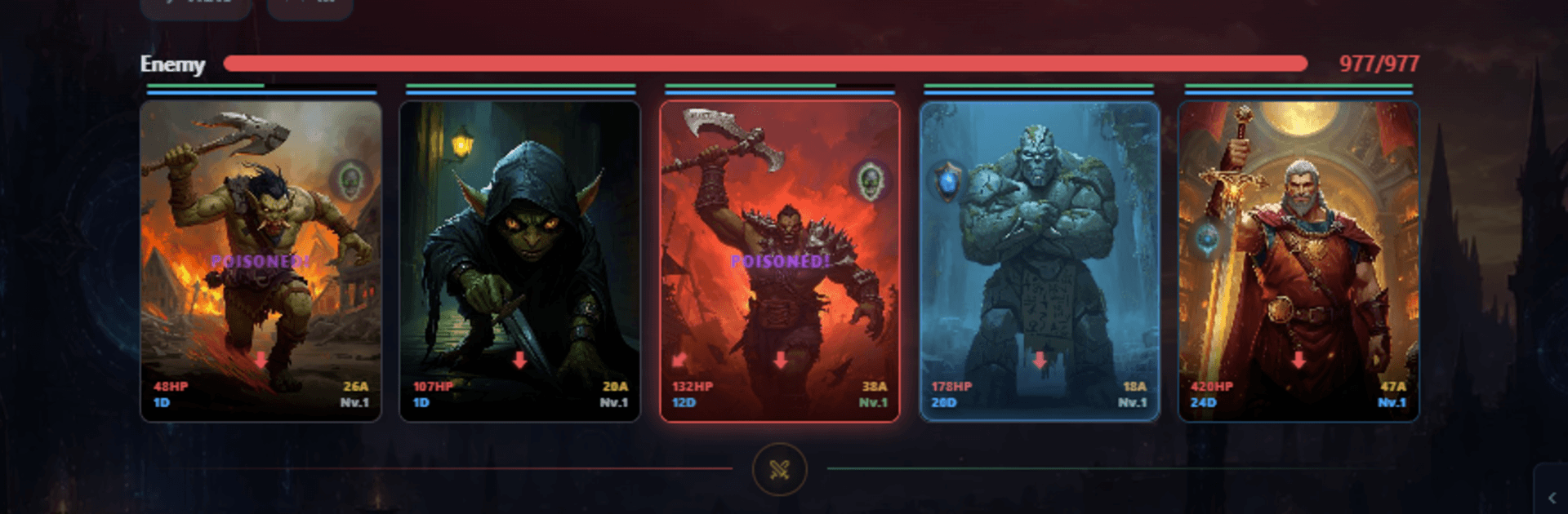
Magic Evoker is a tactical Card battler where smart planning matters as much as bold moves. You’ll collect powerful pieces, craft a deck that fits your style, and square off against real opponents in quick, competitive showdowns. If you like a comfy setup, it plays nicely on BlueStacks too.

Game Features

  • Build a Smarter Deck: Handpick a tight lineup and tune it to your strategy—aggro, control, or somewhere in between. Mix staples with rare finds to keep opponents guessing.
  • Place, Don’t Pray: Bring up to four picks into each match and decide exactly where they go. Balancing attack, defense, and HP turns the board into a puzzle you can outthink.
  • Play on Your Schedule: Asynchronous PvP means you can challenge real players without waiting around. Your turns resolve fast, so battles stay brisk and tense.
  • Climb Seasonal Leagues: Earn points, move through Bronze, Silver, Gold, and Diamond, and face tougher rivals as you rise. Top performers get promoted when the weekly reset hits.
  • Practice in Story Mode: Test lineups against AI, learn new synergies, and sharpen tactics before jumping back into competitive play.
  • Team Up with Clans: Join a group to share tips, swap strategies, and coordinate. Global chat keeps the social vibe going between matches.
  • Make It Yours: Customize your profile with borders and exclusive titles, then show off your style in every matchup.
  • Cosmetic Shop: Pick up purely visual flair to refresh your look without changing how your deck performs.
  • Steady Progression: Play regularly to open chests, gather shards, and power up your collection. Stronger builds help you punch into higher brackets and stay there.

Get ready for a buttery smooth, high-performance gaming action only on BlueStacks.

Game Features

Enhancements

  • Macros
  • Multi Instance
  • Multi Instance Sync
  • Script
  • Enhancements
Macros

Macros

Automate the predictable in Magic Evoker and transform your gameplay with Macros. Get access to inventive Macros in the BlueStacks Macro Community
Multi Instance

Multi Instance

Play Magic Evoker on one window. And chat with your friend on the other. Press CTRL + Shift + 8 to open the Multi-Instance Manager. And start creating fresh instances or clone an existing one.
Multi Instance Sync

Multi Instance Sync

Play Magic Evoker with the power of Multi-Instance Sync. Replicate what you are doing on the main instance on all other instances. Level up faster, play more.
Script

Script

Script your way to gaming glory in Magic Evoker with BlueStacks Script. Write and run a set of commands to automate repeated tasks. Trigger the command by assigning it to any key.
Read More

How to Download and Play Magic Evoker on PC or Mac

  • Download and install BlueStacks on your PC or Mac

  • Complete Google sign-in to access the Play Store, or do it later

  • Look for Magic Evoker in the search bar at the top right corner

  • Click to install Magic Evoker from the search results

  • Complete Google sign-in (if you skipped step 2) to install Magic Evoker

  • Click the Magic Evoker icon on the home screen to start playing

video
Watch Video

Minimum System Requirements

With BlueStacks 5, you can get started on a PC that fulfills the following requirements.

  • Operating System

    Microsoft Windows 7 or above, macOS 11 (Big Sur) or above

  • Processor

    Intel, AMD or Apple Silicon Processor

  • RAM

    at least 4GB

  • HDD

    10GB Free Disk Space

Note:

* You must be an Administrator on your PC. Up to date graphics drivers from Microsoft or the chipset vendor.

Magic Evoker - FAQs

  • How to play Magic Evoker on Windows PC & Mac?

    Play Magic Evoker on your PC or Mac by following these simple steps.

    • Click on 'Play Magic Evoker on PC’ to download BlueStacks
    • Install it and log-in to Google Play Store
    • Launch and play the game.
  • Why is BlueStacks the fastest and safest platform to play games on PC?

    BlueStacks respects your privacy and is always safe and secure to use. It does not carry any malware, spyware, or any sort of additional software that could harm your PC.

    It is engineered to optimize speed and performance for a seamless gaming experience.

  • What are Magic Evoker PC requirements?

    Minimum requirement to run Magic Evoker on your PC

    • OS: Microsoft Windows 7 or above MacOS 11 (Big Sur) or above
    • Processor: Intel, AMD or Apple Silicon Processor
    • RAM: Your PC must have at least 4GB of RAM. (Note that having 4GB or more disk space is not a substitute for RAM)
    • HDD: 10GB Free Disk Space.
    • You must be an Administrator on your PC.