Mech Core: Battle Surge

Mech Core: Battle Surge

Card

| ramonontoa

Play on PC with BlueStacks or from our cloud

  • Overview
  • Game Features
  • How to Play

Page Modified On: October 24, 2025

Play Mech Core: Battle Surge on PC or Mac

Bring your A-game to Mech Core: Battle Surge, the Card game sensation from ramonontoa. Give your gameplay the much-needed boost with precise game controls, high FPS graphics, and top-tier features on your PC or Mac with BlueStacks.

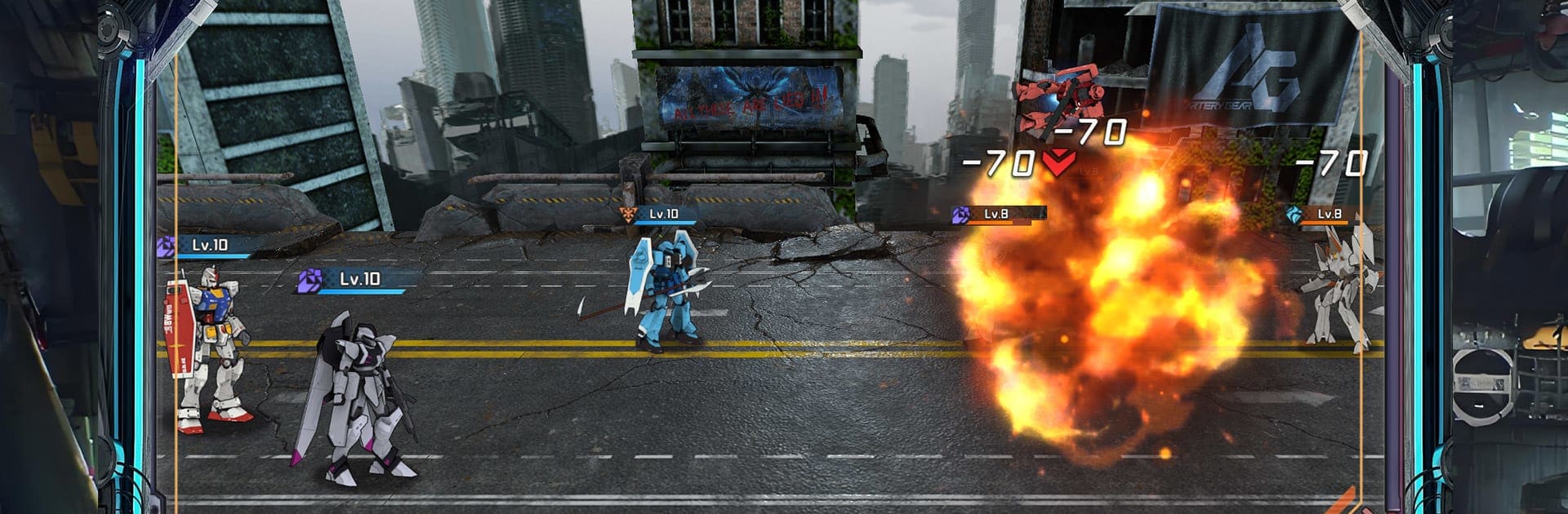
Mech Core: Battle Surge plays like a classic mech show turned into a tactical RPG. Battles are squad based with chunky lasers, missile swarms, and those big metal frames crashing into each other while the camera swings around for the impact. Visuals are clean and shiny, with sharp textures and bright lighting that makes every blast look loud. Each chassis has a different look and role, so swapping parts actually changes how a team works, not just the color of it. Combat leans on timing skills, syncing cooldowns, and lining up combos, so a good plan can carry a weaker roster if the pieces fit.

Progress is all about building a stable of mechs and tuning their cores, unlocking skills, and nudging stats until a lineup clicks. There are story missions, space dungeons, and limited events for rare parts, then co-op raids and guild skirmishes where coordination matters. The game pushes you to mix tanks, burst damage, and support tools, then rewards clean execution when a boss flips phases. There are daily rewards and supply drops that lower the upgrade grind a bit, so it does not feel like a wall every time a new frame shows up. On PC with BlueStacks, menus scroll smoother, mouse targeting makes team setup faster, and the big screen does the explosions justice. Anyone who enjoys tinkering with builds and seeing the results blow up in bright, messy fights will get what this is doing.

Start your journey now. Download the game on BlueStacks, invite your friends, and march on a new adventure.


Game Features

Enhancements

  • Macros
  • Multi Instance
  • Multi Instance Sync
  • Script
  • Enhancements
Macros

Macros

Automate the predictable in Mech Core: Battle Surge and transform your gameplay with Macros. Get access to inventive Macros in the BlueStacks Macro Community
Multi Instance

Multi Instance

Play Mech Core: Battle Surge on one window. And chat with your friend on the other. Press CTRL + Shift + 8 to open the Multi-Instance Manager. And start creating fresh instances or clone an existing one.
Multi Instance Sync

Multi Instance Sync

Play Mech Core: Battle Surge with the power of Multi-Instance Sync. Replicate what you are doing on the main instance on all other instances. Level up faster, play more.
Script

Script

Script your way to gaming glory in Mech Core: Battle Surge with BlueStacks Script. Write and run a set of commands to automate repeated tasks. Trigger the command by assigning it to any key.
Read More

How to Download and Play Mech Core: Battle Surge on PC or Mac

  • Download and install BlueStacks on your PC or Mac

  • Complete Google sign-in to access the Play Store, or do it later

  • Look for Mech Core: Battle Surge in the search bar at the top right corner

  • Click to install Mech Core: Battle Surge from the search results

  • Complete Google sign-in (if you skipped step 2) to install Mech Core: Battle Surge

  • Click the Mech Core: Battle Surge icon on the home screen to start playing

video
Watch Video

Minimum System Requirements

With BlueStacks 5, you can get started on a PC that fulfills the following requirements.

  • Operating System

    Microsoft Windows 7 or above, macOS 11 (Big Sur) or above

  • Processor

    Intel, AMD or Apple Silicon Processor

  • RAM

    at least 4GB

  • HDD

    10GB Free Disk Space

Note:

* You must be an Administrator on your PC. Up to date graphics drivers from Microsoft or the chipset vendor.

Mech Core: Battle Surge - FAQs

  • How to play Mech Core: Battle Surge on Windows PC & Mac?

    Play Mech Core: Battle Surge on your PC or Mac by following these simple steps.

    • Click on 'Play Mech Core: Battle Surge on PC’ to download BlueStacks
    • Install it and log-in to Google Play Store
    • Launch and play the game.
  • Why is BlueStacks the fastest and safest platform to play games on PC?

    BlueStacks respects your privacy and is always safe and secure to use. It does not carry any malware, spyware, or any sort of additional software that could harm your PC.

    It is engineered to optimize speed and performance for a seamless gaming experience.

  • What are Mech Core: Battle Surge PC requirements?

    Minimum requirement to run Mech Core: Battle Surge on your PC

    • OS: Microsoft Windows 7 or above MacOS 11 (Big Sur) or above
    • Processor: Intel, AMD or Apple Silicon Processor
    • RAM: Your PC must have at least 4GB of RAM. (Note that having 4GB or more disk space is not a substitute for RAM)
    • HDD: 10GB Free Disk Space.
    • You must be an Administrator on your PC.