Solitaire Forever II

Solitaire Forever II

Card

| Solitaire Forever

Play on PC with BlueStacks or from our cloud

  • Overview
  • Game Features
  • How to Play

Page Modified On: September 19, 2025

Play Solitaire Forever II on PC or Mac

Explore a whole new adventure with Solitaire Forever II, a Card game created by Solitaire Forever. Experience great gameplay with BlueStacks, the most popular gaming platform to play Android games on your PC or Mac.

About the Game

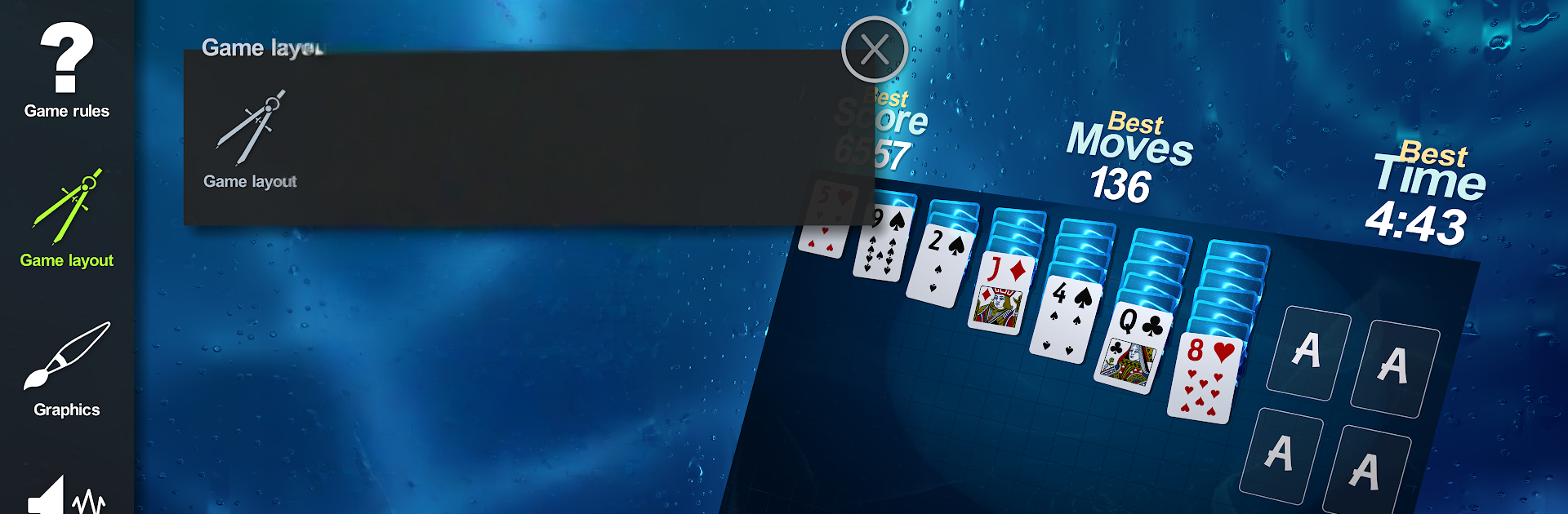
Solitaire Forever II is a modern take on solo card play from Solitaire Forever. This Card game starts you off with seven distinct variations and gives you a glimpse at a huge library waiting behind the curtain. Smooth 3D visuals, quick controls, and tons of customization make it easy to settle in for a round—whether it’s a quick break or a longer session.

Game Features

  • Seven ready-to-play styles: A curated set that covers different moods and difficulty levels right from the start.
  • A peek at a massive library: Browse previews for 300+ additional variants that can be added over time.
  • Lifelike 3D presentation: Clean animations and subtle depth make stacks easy to read and moves satisfying.
  • Play that feels natural: Drag cards, flick them across the table, or tap once to send them to the right spot.
  • Personalize the table: Choose card layouts and tweak graphics to match your style and setup.
  • Favorite what you love: Rate each game up to 5 stars so your go-tos are easy to find later.
  • Smart assist when you want it: Hints and smart auto-play that moves cards to the foundations without taking control away.
  • Undo without limits: Undo and redo as much as you like, with clear stats tracking your progress over time.
  • Fine-grained options: Adjust spacing and even a “messiness” slider to mimic a real deck on a real table.
  • For the purists: Pro Mode turns up the challenge and rewards careful planning and clean execution.
  • Rules with history: Each variation includes notes, trivia, and citations drawn from sources dating back to the 1800s.
  • Streamlined interface: A simple, flexible UI that stays out of the way while giving you lots of control.
  • Plays great beyond mobile: Prefer a bigger screen? Run it on your PC with BlueStacks for the same smooth feel.

Make your gaming sessions memorable with precise controls that give you an edge in close combats and visuals that pop up, bringing every character to life.


Game Features

Enhancements

  • Macros
  • Multi Instance
  • Multi Instance Sync
  • Script
  • Enhancements
Macros

Macros

Automate the predictable in Solitaire Forever II and transform your gameplay with Macros. Get access to inventive Macros in the BlueStacks Macro Community
Multi Instance

Multi Instance

Play Solitaire Forever II on one window. And chat with your friend on the other. Press CTRL + Shift + 8 to open the Multi-Instance Manager. And start creating fresh instances or clone an existing one.
Multi Instance Sync

Multi Instance Sync

Play Solitaire Forever II with the power of Multi-Instance Sync. Replicate what you are doing on the main instance on all other instances. Level up faster, play more.
Script

Script

Script your way to gaming glory in Solitaire Forever II with BlueStacks Script. Write and run a set of commands to automate repeated tasks. Trigger the command by assigning it to any key.
Read More

How to Download and Play Solitaire Forever II on PC or Mac

  • Download and install BlueStacks on your PC or Mac

  • Complete Google sign-in to access the Play Store, or do it later

  • Look for Solitaire Forever II in the search bar at the top right corner

  • Click to install Solitaire Forever II from the search results

  • Complete Google sign-in (if you skipped step 2) to install Solitaire Forever II

  • Click the Solitaire Forever II icon on the home screen to start playing

video
Watch Video

Minimum System Requirements

With BlueStacks 5, you can get started on a PC that fulfills the following requirements.

  • Operating System

    Microsoft Windows 7 or above, macOS 11 (Big Sur) or above

  • Processor

    Intel, AMD or Apple Silicon Processor

  • RAM

    at least 4GB

  • HDD

    10GB Free Disk Space

Note:

* You must be an Administrator on your PC. Up to date graphics drivers from Microsoft or the chipset vendor.

Solitaire Forever II - FAQs

  • How to play Solitaire Forever II on Windows PC & Mac?

    Play Solitaire Forever II on your PC or Mac by following these simple steps.

    • Click on 'Play Solitaire Forever II on PC’ to download BlueStacks
    • Install it and log-in to Google Play Store
    • Launch and play the game.
  • Why is BlueStacks the fastest and safest platform to play games on PC?

    BlueStacks respects your privacy and is always safe and secure to use. It does not carry any malware, spyware, or any sort of additional software that could harm your PC.

    It is engineered to optimize speed and performance for a seamless gaming experience.

  • What are Solitaire Forever II PC requirements?

    Minimum requirement to run Solitaire Forever II on your PC

    • OS: Microsoft Windows 7 or above MacOS 11 (Big Sur) or above
    • Processor: Intel, AMD or Apple Silicon Processor
    • RAM: Your PC must have at least 4GB of RAM. (Note that having 4GB or more disk space is not a substitute for RAM)
    • HDD: 10GB Free Disk Space.
    • You must be an Administrator on your PC.