Spider Solitaire - Card Games

Spider Solitaire - Card Games

Card

| Fun Solitaire Card Games Ltd.

Play on PC with BlueStacks or from our cloud

  • Overview
  • Game Features
  • How to Play

Page Modified On: December 05, 2025

Play Spider Solitaire - Card Games on PC or Mac

Bring your A-game to Spider Solitaire – Card Games, the Card game sensation from Fun Solitaire Card Games Ltd.. Give your gameplay the much-needed boost with precise game controls, high FPS graphics, and top-tier features on your PC or Mac with BlueStacks.

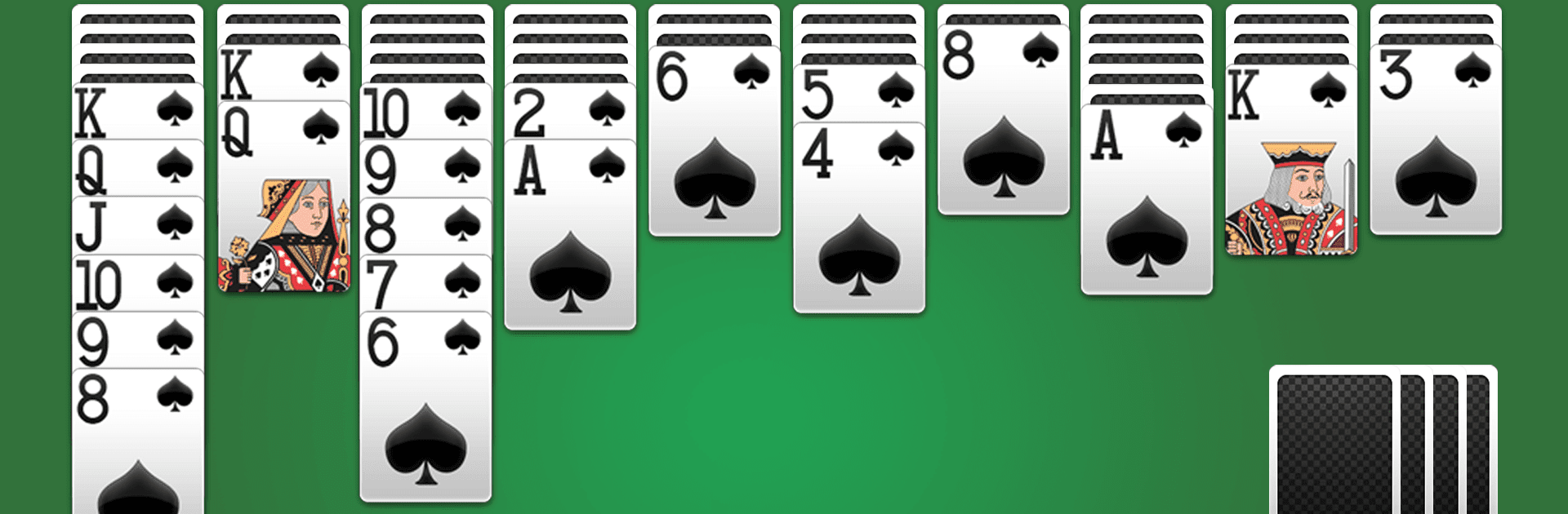
Spider Solitaire here sticks to the classic formula, which is exactly why it works. The goal is simple enough to explain to anyone: build runs in descending order within the same suit, clear the tableau, feel that neat little rush when a full stack disappears. It looks simple, but it can be sneaky tough. There are three flavors to pick from, one suit for an easy warm up, two suits for a nice tug on the brain, and four suits for when patience and planning actually matter. The game tracks time and moves, has undo if a plan goes sideways, plus hints and a smart tap that picks a reasonable move when the board gets messy. Daily Challenges toss in a fresh layout every day and hand out crowns and trophies, which gives a reason to check back even when there is only a few minutes to spare.

Presentation is clean and readable, with big cards that do not strain the eyes, smooth animations, and customizable backgrounds and card backs. Controls are simple, click or drag, right or left-handed layout if that feels better. Sounds are mild, the whole thing runs offline, and it never gets in the way of the puzzle. On PC with BlueStacks it feels especially comfortable because the larger screen makes planning columns easier, and dragging with a mouse is precise. Fans of Klondike, FreeCell, Pyramid, or even the usual tabletop stuff like Spades and Hearts will know the rhythm here. It suits quick breaks or long, stubborn sessions where four suits fights back and the undo button gets a real workout.

Get ready for a buttery smooth, high-performance gaming action only on BlueStacks.

Game Features

Enhancements

  • Macros
  • Multi Instance
  • Multi Instance Sync
  • Script
  • Enhancements
Macros

Macros

Automate the predictable in Spider Solitaire - Card Games and transform your gameplay with Macros. Get access to inventive Macros in the BlueStacks Macro Community
Multi Instance

Multi Instance

Play Spider Solitaire - Card Games on one window. And chat with your friend on the other. Press CTRL + Shift + 8 to open the Multi-Instance Manager. And start creating fresh instances or clone an existing one.
Multi Instance Sync

Multi Instance Sync

Play Spider Solitaire - Card Games with the power of Multi-Instance Sync. Replicate what you are doing on the main instance on all other instances. Level up faster, play more.
Script

Script

Script your way to gaming glory in Spider Solitaire - Card Games with BlueStacks Script. Write and run a set of commands to automate repeated tasks. Trigger the command by assigning it to any key.
Read More

How to Download and Play Spider Solitaire - Card Games on PC or Mac

  • Download and install BlueStacks on your PC or Mac

  • Complete Google sign-in to access the Play Store, or do it later

  • Look for Spider Solitaire - Card Games in the search bar at the top right corner

  • Click to install Spider Solitaire - Card Games from the search results

  • Complete Google sign-in (if you skipped step 2) to install Spider Solitaire - Card Games

  • Click the Spider Solitaire - Card Games icon on the home screen to start playing

video
Watch Video

Minimum System Requirements

With BlueStacks 5, you can get started on a PC that fulfills the following requirements.

  • Operating System

    Microsoft Windows 7 or above, macOS 11 (Big Sur) or above

  • Processor

    Intel, AMD or Apple Silicon Processor

  • RAM

    at least 4GB

  • HDD

    10GB Free Disk Space

Note:

* You must be an Administrator on your PC. Up to date graphics drivers from Microsoft or the chipset vendor.

Spider Solitaire - Card Games - FAQs

  • How to play Spider Solitaire - Card Games on Windows PC & Mac?

    Play Spider Solitaire - Card Games on your PC or Mac by following these simple steps.

    • Click on 'Play Spider Solitaire - Card Games on PC’ to download BlueStacks
    • Install it and log-in to Google Play Store
    • Launch and play the game.
  • Why is BlueStacks the fastest and safest platform to play games on PC?

    BlueStacks respects your privacy and is always safe and secure to use. It does not carry any malware, spyware, or any sort of additional software that could harm your PC.

    It is engineered to optimize speed and performance for a seamless gaming experience.

  • What are Spider Solitaire - Card Games PC requirements?

    Minimum requirement to run Spider Solitaire - Card Games on your PC

    • OS: Microsoft Windows 7 or above MacOS 11 (Big Sur) or above
    • Processor: Intel, AMD or Apple Silicon Processor
    • RAM: Your PC must have at least 4GB of RAM. (Note that having 4GB or more disk space is not a substitute for RAM)
    • HDD: 10GB Free Disk Space.
    • You must be an Administrator on your PC.