
Angrymals: aim, smash, repeat

Angrymals: aim, smash, repeat

Casual

| Sionera Entertainment

Play on PC with BlueStacks or from our cloud

  • Overview
  • Game Features
  • How to Play

Page Modified On: November 20, 2025

Play Angrymals: aim, smash, repeat on PC or Mac

Angrymals: aim, smash, repeat brings the Casual genre to life, and throws up exciting challenges for gamers. Developed by Sionera Entertainment, this Android game is best experienced on BlueStacks, the World’s #1 app player for PC and Mac users.

About the Game

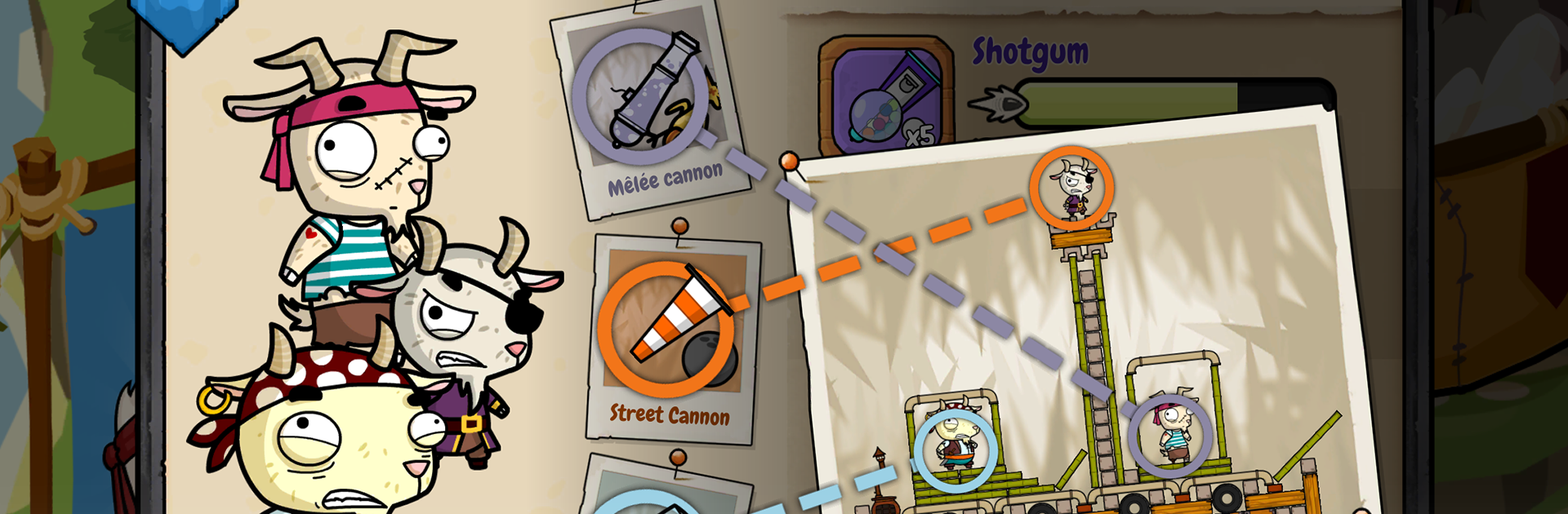
Angrymals: aim, smash, repeat is pure slapstick chaos wrapped in a slick Casual package from Sionera Entertainment. You build funky forts, pick three oddball critters, and chuck the most ridiculous gadgets imaginable at your opponent—while they hurl nonsense right back at you. It’s fast, silly, strategic in all the right ways, and even better if you hop on with friends. Prefer a bigger screen? It runs great on PC with BlueStacks.

Game Features

  • Real-time duels: Go head-to-head in live 1v1 matches where every shot, whiff, and perfect hit lands in the moment.
  • Ridiculous weapons: Carrot exhausts, eel-powered blenders, sky-whale flowers—yeah, it gets weird, and that’s the point.
  • Wild species and supers: Pick from quirky races, each with a special attack—earthquakes, storm bursts, fiery meatball showers, and more.
  • Global matchmaking: Jump into quick Arena bouts or push your luck on a ranked climb that gets tougher the higher you go.
  • Progress that feels good: Earn XP, unlock fresh island spots, and keep expanding your bag of tricks.
  • Four ways to play: Need a quick smash session? Hit Quick Brawl. Want depth and mind games? Warfare is your arena.
  • Bring your crew: Add friends by nickname, then ping them for instant grudge matches.
  • Build-your-own fortress: Craft clever defenses with an editor that lets you go pretty or practical—or both.
  • Player marketplace: Not in the mood to build? Browse and buy community-made forts in the Bazaar.
  • Junkyard décor: TVs, washing machines, bamboo, garden gnomes—stack oddities and bolt them together with hinges and boards.
  • Talk smack nicely: Push-to-talk and emotes make it easy to tease, cheer, or gasp together.
  • Make it yours: Create a custom banner and show off your emblem in every match.
  • Daily and weekly missions: Short challenges with treasure-filled rewards to keep things fresh.
  • Watch and share replays: Nailed a miracle shot? Rewatch it and share the moment.
  • Fair free-to-play: Play to unlock every weapon, race, and block—no must-buy walls.
  • Skins with attitude: Pirate goats, medieval pigs, prehistoric koalas—dress your squad for maximum chaos.

Slay your opponents with your epic moves. Play it your way on BlueStacks and dominate the battlefield.


Game Features

Enhancements

  • Macros
  • Multi Instance
  • Script
  • Repeated Tap
  • Enhancements
Macros

Macros

Automate the predictable in Angrymals: aim, smash, repeat and transform your gameplay with Macros. Get access to inventive Macros in the BlueStacks Macro Community
Multi Instance

Multi Instance

Play Angrymals: aim, smash, repeat on one window. And chat with your friend on the other. Press CTRL + Shift + 8 to open the Multi-Instance Manager. And start creating fresh instances or clone an existing one.
Script

Script

Script your way to gaming glory in Angrymals: aim, smash, repeat with BlueStacks Script. Write and run a set of commands to automate repeated tasks. Trigger the command by assigning it to any key.
Repeated Tap

Repeated Tap

BlueStacks lets you master Angrymals: aim, smash, repeat with useful features like the Repeated Tap. Now you do not have to press the same key repeatedly to initiate an action. Just assign it to one key and you are good to go.
Read More

How to Download and Play Angrymals: aim, smash, repeat on PC or Mac

  • Download and install BlueStacks on your PC or Mac

  • Complete Google sign-in to access the Play Store, or do it later

  • Look for Angrymals: aim, smash, repeat in the search bar at the top right corner

  • Click to install Angrymals: aim, smash, repeat from the search results

  • Complete Google sign-in (if you skipped step 2) to install Angrymals: aim, smash, repeat

  • Click the Angrymals: aim, smash, repeat icon on the home screen to start playing

video
Watch Video

Minimum System Requirements

With BlueStacks 5, you can get started on a PC that fulfills the following requirements.

  • Operating System

    Microsoft Windows 7 or above, macOS 11 (Big Sur) or above

  • Processor

    Intel, AMD or Apple Silicon Processor

  • RAM

    at least 4GB

  • HDD

    10GB Free Disk Space

Note:

* You must be an Administrator on your PC. Up to date graphics drivers from Microsoft or the chipset vendor.

Angrymals: aim, smash, repeat - FAQs

  • How to play Angrymals: aim, smash, repeat on Windows PC & Mac?

    Play Angrymals: aim, smash, repeat on your PC or Mac by following these simple steps.

    • Click on 'Play Angrymals: aim, smash, repeat on PC’ to download BlueStacks
    • Install it and log-in to Google Play Store
    • Launch and play the game.
  • Why is BlueStacks the fastest and safest platform to play games on PC?

    BlueStacks respects your privacy and is always safe and secure to use. It does not carry any malware, spyware, or any sort of additional software that could harm your PC.

    It is engineered to optimize speed and performance for a seamless gaming experience.

  • What are Angrymals: aim, smash, repeat PC requirements?

    Minimum requirement to run Angrymals: aim, smash, repeat on your PC

    • OS: Microsoft Windows 7 or above MacOS 11 (Big Sur) or above
    • Processor: Intel, AMD or Apple Silicon Processor
    • RAM: Your PC must have at least 4GB of RAM. (Note that having 4GB or more disk space is not a substitute for RAM)
    • HDD: 10GB Free Disk Space.
    • You must be an Administrator on your PC.






