Barber Shop Simulator 3D

Barber Shop Simulator 3D

Casual

| ubiloft games

Play on PC with BlueStacks or from our cloud

  • Overview
  • Game Features
  • How to Play

Page Modified On: January 08, 2026

Play Barber Shop Simulator 3D on PC or Mac

Barber Shop Simulator 3D brings the Casual genre to life, and throws up exciting challenges for gamers. Developed by ubiloft games, this Android game is best experienced on BlueStacks, the World’s #1 app player for PC and Mac users.

About the Game

Barber Shop Simulator 3D from ubiloft games turns your phone into a bustling chair at a neighborhood shop. This Casual game is all about steady hands, sharp tools, and reading a client’s reference photo like your paycheck depends on it—because it does. Each visit brings a new face, a tighter timer, and the kind of “don’t mess it up” pressure that’s weirdly satisfying when you nail it.

Game Features

  • Precision Shaving: Glide a straight razor along cheeks and under noses, keeping every stroke clean. Go too deep or lop off a line and you’ll see it on the score—and the tip.
  • 40 Crafted Stages: Work through 40 increasingly tricky jobs where difficulty ramps up, timers shrink, and expectations climb.
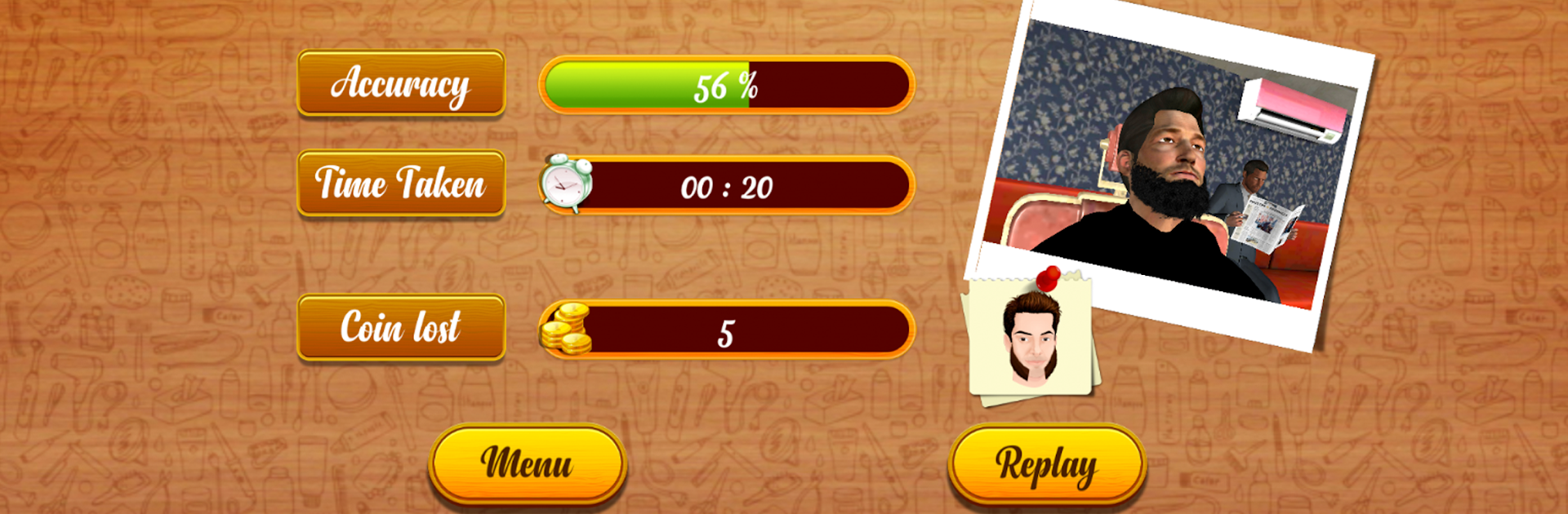
  • Accuracy + Speed Scoring: Your payout hangs on two things: how closely you match the guide and how fast you finish. Perfectionists are rewarded; guesswork isn’t.
  • Iconic Mustache Styles: Handlebar, Horseshoe, Pencil, Toothbrush, Walrus, Pyramid—learn the shapes, follow the contours, and bring classic looks to life.
  • Guided Cuts: Each client shows a target style. You get a clear outline to trace, but the execution is all about your control and composure.
  • Tool Upgrades: Spend hard-earned cash on better razors that cut cleaner and faster—great gear helps, but only if your hands are steady.
  • Real Barber Tension: Clients react to your work. A tiny nick? They notice. A flawless finish? They notice that, too.
  • Smooth on PC with BlueStacks: Prefer working the chair with a mouse? Barber Shop Simulator 3D plays comfortably on PC using BlueStacks for precise control without changing the vibe.

Slay your opponents with your epic moves. Play it your way on BlueStacks and dominate the battlefield.


Game Features

Enhancements

  • Macros
  • Multi Instance
  • Script
  • Repeated Tap
  • Enhancements
Macros

Macros

Automate the predictable in Barber Shop Simulator 3D and transform your gameplay with Macros. Get access to inventive Macros in the BlueStacks Macro Community
Multi Instance

Multi Instance

Play Barber Shop Simulator 3D on one window. And chat with your friend on the other. Press CTRL + Shift + 8 to open the Multi-Instance Manager. And start creating fresh instances or clone an existing one.
Script

Script

Script your way to gaming glory in Barber Shop Simulator 3D with BlueStacks Script. Write and run a set of commands to automate repeated tasks. Trigger the command by assigning it to any key.
Repeated Tap

Repeated Tap

BlueStacks lets you master Barber Shop Simulator 3D with useful features like the Repeated Tap. Now you do not have to press the same key repeatedly to initiate an action. Just assign it to one key and you are good to go.
Read More

How to Download and Play Barber Shop Simulator 3D on PC or Mac

  • Download and install BlueStacks on your PC or Mac

  • Complete Google sign-in to access the Play Store, or do it later

  • Look for Barber Shop Simulator 3D in the search bar at the top right corner

  • Click to install Barber Shop Simulator 3D from the search results

  • Complete Google sign-in (if you skipped step 2) to install Barber Shop Simulator 3D

  • Click the Barber Shop Simulator 3D icon on the home screen to start playing

video
Watch Video

Minimum System Requirements

With BlueStacks 5, you can get started on a PC that fulfills the following requirements.

  • Operating System

    Microsoft Windows 7 or above, macOS 11 (Big Sur) or above

  • Processor

    Intel, AMD or Apple Silicon Processor

  • RAM

    at least 4GB

  • HDD

    10GB Free Disk Space

Note:

* You must be an Administrator on your PC. Up to date graphics drivers from Microsoft or the chipset vendor.

Barber Shop Simulator 3D - FAQs

  • How to play Barber Shop Simulator 3D on Windows PC & Mac?

    Play Barber Shop Simulator 3D on your PC or Mac by following these simple steps.

    • Click on 'Play Barber Shop Simulator 3D on PC’ to download BlueStacks
    • Install it and log-in to Google Play Store
    • Launch and play the game.
  • Why is BlueStacks the fastest and safest platform to play games on PC?

    BlueStacks respects your privacy and is always safe and secure to use. It does not carry any malware, spyware, or any sort of additional software that could harm your PC.

    It is engineered to optimize speed and performance for a seamless gaming experience.

  • What are Barber Shop Simulator 3D PC requirements?

    Minimum requirement to run Barber Shop Simulator 3D on your PC

    • OS: Microsoft Windows 7 or above MacOS 11 (Big Sur) or above
    • Processor: Intel, AMD or Apple Silicon Processor
    • RAM: Your PC must have at least 4GB of RAM. (Note that having 4GB or more disk space is not a substitute for RAM)
    • HDD: 10GB Free Disk Space.
    • You must be an Administrator on your PC.