Creature Hunter-Monster Sniper

Creature Hunter-Monster Sniper

Casual

| NT Golden Island

Play on PC with BlueStacks or from our cloud

  • Overview
  • Game Features
  • How to Play

Page Modified On: January 09, 2026

Play Creature Hunter-Monster Sniper on PC or Mac

Step into the World of Creature Hunter-Monster Sniper, a thrilling Casual game from the house of NT Golden Island. Play this Android game on BlueStacks App Player and experience immersive gaming on PC or Mac.

About the Game

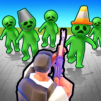
Creature Hunter-Monster Sniper drops you into the scope of an elite sharpshooter who’s got one job: keep Earth safe when monsters and aliens show up uninvited. It’s a snappy, action-first Casual shooter from NT Golden Island with a smart twist—your gear isn’t just found, it’s built. You’ll gather resources, fuse and upgrade weapons, and unlock wild abilities that make each run feel stronger than the last. Prefer a bigger screen? It plays smoothly on PC with BlueStacks, too.

Game Features

  • Evolving Arsenal: Start with modest gear and grow it into heavy hitters. Fuse similar guns to craft higher-tier weapons with better stats and unique perks.
  • Weapon Fusion Made Simple: The merge system is quick and satisfying—collect parts, combine them, and step into the next fight with fresh firepower.
  • Special Abilities: Equip active skills and passives that change how you play, from burst damage and crowd control to survival boosts when things get messy.
  • Varied Enemies: Face everything from freaky mutations to full-on alien squads. Each type attacks differently, so you’ll adjust tactics on the fly.
  • Fast, Tactical Combat: It’s not just point-and-shoot. Positioning, timing your skills, and choosing the right gun for the wave make all the difference.
  • Resource Loop That Feels Good: Clear stages, grab materials, and push upgrades that actually matter—no busywork, just meaningful progress between battles.
  • Pick-Up-and-Play Casual Feel: Sessions are tight and focused, perfect for quick bursts or longer streaks when you’re in the zone.

Get ready for a buttery smooth, high-performance gaming action only on BlueStacks.

Game Features

Enhancements

  • Macros
  • Multi Instance
  • Script
  • Repeated Tap
  • Enhancements
Macros

Macros

Automate the predictable in Creature Hunter-Monster Sniper and transform your gameplay with Macros. Get access to inventive Macros in the BlueStacks Macro Community
Multi Instance

Multi Instance

Play Creature Hunter-Monster Sniper on one window. And chat with your friend on the other. Press CTRL + Shift + 8 to open the Multi-Instance Manager. And start creating fresh instances or clone an existing one.
Script

Script

Script your way to gaming glory in Creature Hunter-Monster Sniper with BlueStacks Script. Write and run a set of commands to automate repeated tasks. Trigger the command by assigning it to any key.
Repeated Tap

Repeated Tap

BlueStacks lets you master Creature Hunter-Monster Sniper with useful features like the Repeated Tap. Now you do not have to press the same key repeatedly to initiate an action. Just assign it to one key and you are good to go.
Read More

How to Download and Play Creature Hunter-Monster Sniper on PC or Mac

  • Download and install BlueStacks on your PC or Mac

  • Complete Google sign-in to access the Play Store, or do it later

  • Look for Creature Hunter-Monster Sniper in the search bar at the top right corner

  • Click to install Creature Hunter-Monster Sniper from the search results

  • Complete Google sign-in (if you skipped step 2) to install Creature Hunter-Monster Sniper

  • Click the Creature Hunter-Monster Sniper icon on the home screen to start playing

video
Watch Video

Minimum System Requirements

With BlueStacks 5, you can get started on a PC that fulfills the following requirements.

  • Operating System

    Microsoft Windows 7 or above, macOS 11 (Big Sur) or above

  • Processor

    Intel, AMD or Apple Silicon Processor

  • RAM

    at least 4GB

  • HDD

    10GB Free Disk Space

Note:

* You must be an Administrator on your PC. Up to date graphics drivers from Microsoft or the chipset vendor.

Creature Hunter-Monster Sniper - FAQs

  • How to play Creature Hunter-Monster Sniper on Windows PC & Mac?

    Play Creature Hunter-Monster Sniper on your PC or Mac by following these simple steps.

    • Click on 'Play Creature Hunter-Monster Sniper on PC’ to download BlueStacks
    • Install it and log-in to Google Play Store
    • Launch and play the game.
  • Why is BlueStacks the fastest and safest platform to play games on PC?

    BlueStacks respects your privacy and is always safe and secure to use. It does not carry any malware, spyware, or any sort of additional software that could harm your PC.

    It is engineered to optimize speed and performance for a seamless gaming experience.

  • What are Creature Hunter-Monster Sniper PC requirements?

    Minimum requirement to run Creature Hunter-Monster Sniper on your PC

    • OS: Microsoft Windows 7 or above MacOS 11 (Big Sur) or above
    • Processor: Intel, AMD or Apple Silicon Processor
    • RAM: Your PC must have at least 4GB of RAM. (Note that having 4GB or more disk space is not a substitute for RAM)
    • HDD: 10GB Free Disk Space.
    • You must be an Administrator on your PC.