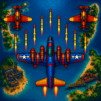
Drone Attack 3D: Sea Warfare

Drone Attack 3D: Sea Warfare

Casual

| LC GAMES

Play on PC with BlueStacks or from our cloud

  • Overview
  • Game Features
  • How to Play

Page Modified On: July 04, 2025

Play Drone Attack 3D: Sea Warfare on PC or Mac

Explore a whole new adventure with Drone Attack 3D: Sea Warfare, a Casual game created by LC GAMES. Experience great gameplay with BlueStacks, the most popular gaming platform to play Android games on your PC or Mac.

About the Game

Jump into the chaos of Drone Attack 3D: Sea Warfare, a wild ride where you’re not just piloting powerful fighter jets but also commanding an arsenal of drones and warships. Developed by LC GAMES, this casual game drops you smack in the middle of high-stakes sea battles and explosive sky skirmishes, with a ton of action and chances to outsmart the enemy. If you’re after a mix of strategy, fast-paced combat, and a few “whoa, did I just do that?” moments, this one’s for you. You can play it smoothly on BlueStacks, too, if you feel like upping your game on a bigger screen.

Game Features

  • Weapon Upgrades
    Trick out your jets with better missiles, stronger bombs, and souped-up cannons. Four upgrade levels let you transform your basic gear into something truly terrifying for your opponents.

  • Drone Attacks
    Send out your drones to deliver pinpoint strikes. You get three different drone modes, each great for wrecking enemy ships, bases, or whatever’s standing in your way.

  • Multiple Battlefronts
    The action isn’t limited—fight across land, sea, and air as you take on a variety of missions. Sometimes you’re stopping invasions, other times you’re pulling off daring rescues or sneaky sabotage.

  • Sky Warriors Team
    Build up a crew of elite pilots to fly alongside you. Each member of your squad brings their own flavor and talents to every dogfight and mission.

  • Naval Combat
    Command four different battleships and let loose with heavy firepower. Outmaneuver rival fleets and blast enemy fortresses from the waves.

  • Epic Locations
    Be ready to battle in some seriously cool places—crystal-clear Pacific Rim waters, hidden island bases, and more. The scenery’s almost as jaw-dropping as the combat.

  • Nuclear Bombs
    Feeling desperate? Go nuclear! When things get tough, unleash a massive bomb (but try not to nuke yourself by accident).

  • Alliances
    Team up with other pilots. Share resources, hatch battle plans, and take on big challenges together—because it’s always more fun with backup.

  • Fighter Jets
    Pick from three unique jets and practice your ace pilot moves. Whether you’re evading missiles or chasing down enemy squadrons, you’ll have plenty of chances to show off.

Slay your opponents with your epic moves. Play it your way on BlueStacks and dominate the battlefield.


Game Features

Enhancements

  • Macros
  • Multi Instance
  • Script
  • Repeated Tap
  • Enhancements
Macros

Macros

Automate the predictable in Drone Attack 3D: Sea Warfare and transform your gameplay with Macros. Get access to inventive Macros in the BlueStacks Macro Community
Multi Instance

Multi Instance

Play Drone Attack 3D: Sea Warfare on one window. And chat with your friend on the other. Press CTRL + Shift + 8 to open the Multi-Instance Manager. And start creating fresh instances or clone an existing one.
Script

Script

Script your way to gaming glory in Drone Attack 3D: Sea Warfare with BlueStacks Script. Write and run a set of commands to automate repeated tasks. Trigger the command by assigning it to any key.
Repeated Tap

Repeated Tap

BlueStacks lets you master Drone Attack 3D: Sea Warfare with useful features like the Repeated Tap. Now you do not have to press the same key repeatedly to initiate an action. Just assign it to one key and you are good to go.
Read More

How to Download and Play Drone Attack 3D: Sea Warfare on PC or Mac

  • Download and install BlueStacks on your PC or Mac

  • Complete Google sign-in to access the Play Store, or do it later

  • Look for Drone Attack 3D: Sea Warfare in the search bar at the top right corner

  • Click to install Drone Attack 3D: Sea Warfare from the search results

  • Complete Google sign-in (if you skipped step 2) to install Drone Attack 3D: Sea Warfare

  • Click the Drone Attack 3D: Sea Warfare icon on the home screen to start playing

video
Watch Video

Minimum System Requirements

With BlueStacks 5, you can get started on a PC that fulfills the following requirements.

  • Operating System

    Microsoft Windows 7 or above, macOS 11 (Big Sur) or above

  • Processor

    Intel, AMD or Apple Silicon Processor

  • RAM

    at least 4GB

  • HDD

    10GB Free Disk Space

Note:

* You must be an Administrator on your PC. Up to date graphics drivers from Microsoft or the chipset vendor.

Drone Attack 3D: Sea Warfare - FAQs

  • How to play Drone Attack 3D: Sea Warfare on Windows PC & Mac?

    Play Drone Attack 3D: Sea Warfare on your PC or Mac by following these simple steps.

    • Click on 'Play Drone Attack 3D: Sea Warfare on PC’ to download BlueStacks
    • Install it and log-in to Google Play Store
    • Launch and play the game.
  • Why is BlueStacks the fastest and safest platform to play games on PC?

    BlueStacks respects your privacy and is always safe and secure to use. It does not carry any malware, spyware, or any sort of additional software that could harm your PC.

    It is engineered to optimize speed and performance for a seamless gaming experience.

  • What are Drone Attack 3D: Sea Warfare PC requirements?

    Minimum requirement to run Drone Attack 3D: Sea Warfare on your PC

    • OS: Microsoft Windows 7 or above MacOS 11 (Big Sur) or above
    • Processor: Intel, AMD or Apple Silicon Processor
    • RAM: Your PC must have at least 4GB of RAM. (Note that having 4GB or more disk space is not a substitute for RAM)
    • HDD: 10GB Free Disk Space.
    • You must be an Administrator on your PC.