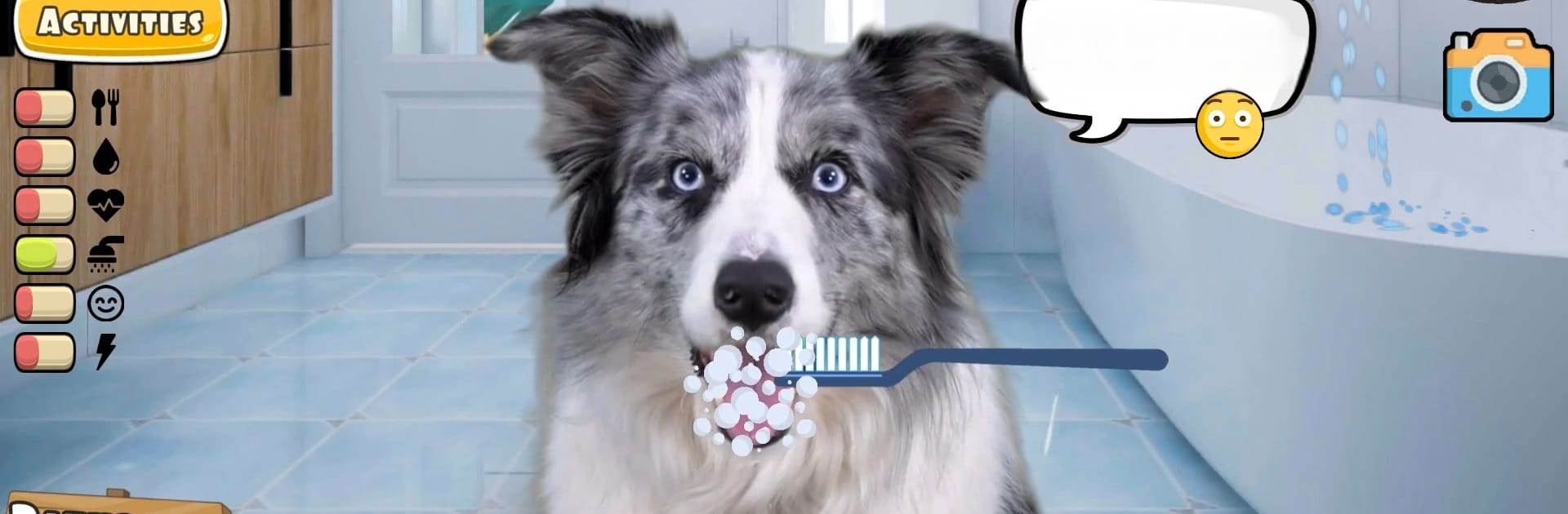
Fruwee: My Pet Dog Simulator

Fruwee: My Pet Dog Simulator

Casual

| Fruwee

Play on PC with BlueStacks or from our cloud

  • Overview
  • Game Features
  • How to Play

Page Modified On: August 22, 2025

Play Fruwee: My Pet Dog Simulator on PC or Mac

Step into the World of Fruwee: My Pet Dog Simulator, a thrilling Casual game from the house of Fruwee. Play this Android game on BlueStacks App Player and experience immersive gaming on PC or Mac.

About the Game

Fruwee: My Pet Dog Simulator offers a laid-back, playful take on pet ownership—right in your pocket. If you’ve ever wished for a pup (or a kitten) to hang out with at any time, here’s your chance to adopt, play, and care for all sorts of furry friends, all without a single scratch on your furniture. You can live out the joys and little chaos of a real pet, from silly antics to sweet bonding moments, with the added twist of seeing your pets run around your world thanks to some wild AR magic.

Game Features

  • Meet Real-Life Pets
    Every animal in Fruwee: My Pet Dog Simulator is based on actual footage, so you’re not just seeing a cartoon—you’re interacting with playful dogs, charming cats, and all their entertaining habits.

  • Loads of Activities
    Take your pet on walks, give them a spa day with grooming sessions, play puzzle games, or try out agility training. There’s no shortage of things to do if your virtual companion’s got energy to burn.

  • Total Customization
    Fancy dressing your husky in a hat? Want a bowtie for your kitten? There are loads of dress-up options so you can give your pet a unique vibe.

  • Pet Breeds Galore
    Whether you’re bundled up with a fluffy Shiba Inu, training a Border Collie, or chilling with a British shorthair kitten, there’s a huge selection of breeds—and more keep showing up.

  • Augmented Reality Fun
    Thanks to AR, your pets can “explore” your living room, backyard, or wherever you choose. Watch your puppy fetch or your kitten chase virtual toys as if they’re right there with you.

  • Mini-Games and Extras
    Take on silly piano challenges, pet sports, or tamagotchi-style care routines if nostalgia’s your thing. There are even rescue missions and pet adoption quests tucked in.

  • Keep Tabs on Your Pet
    A built-in diary lets you record memories, check out your pet’s ancestry, or even keep up with health and wellness tips—all neatly organized.

  • Join the Pet Community
    Share stories, swap care advice, and chat with other pet lovers in the game’s friendly online space.

Fruwee: My Pet Dog Simulator really shines on BlueStacks if you want a bigger screen and smoother controls, but wherever you play, it’s all about bringing those adorable pet moments closer to home.

Make your gaming sessions memorable with precise controls that give you an edge in close combats and visuals that pop up, bringing every character to life.


Game Features

Enhancements

  • Macros
  • Multi Instance
  • Script
  • Repeated Tap
  • Enhancements
Macros

Macros

Automate the predictable in Fruwee: My Pet Dog Simulator and transform your gameplay with Macros. Get access to inventive Macros in the BlueStacks Macro Community
Multi Instance

Multi Instance

Play Fruwee: My Pet Dog Simulator on one window. And chat with your friend on the other. Press CTRL + Shift + 8 to open the Multi-Instance Manager. And start creating fresh instances or clone an existing one.
Script

Script

Script your way to gaming glory in Fruwee: My Pet Dog Simulator with BlueStacks Script. Write and run a set of commands to automate repeated tasks. Trigger the command by assigning it to any key.
Repeated Tap

Repeated Tap

BlueStacks lets you master Fruwee: My Pet Dog Simulator with useful features like the Repeated Tap. Now you do not have to press the same key repeatedly to initiate an action. Just assign it to one key and you are good to go.
Read More

How to Download and Play Fruwee: My Pet Dog Simulator on PC or Mac

  • Download and install BlueStacks on your PC or Mac

  • Complete Google sign-in to access the Play Store, or do it later

  • Look for Fruwee: My Pet Dog Simulator in the search bar at the top right corner

  • Click to install Fruwee: My Pet Dog Simulator from the search results

  • Complete Google sign-in (if you skipped step 2) to install Fruwee: My Pet Dog Simulator

  • Click the Fruwee: My Pet Dog Simulator icon on the home screen to start playing

video
Watch Video

Minimum System Requirements

With BlueStacks 5, you can get started on a PC that fulfills the following requirements.

  • Operating System

    Microsoft Windows 7 or above, macOS 11 (Big Sur) or above

  • Processor

    Intel, AMD or Apple Silicon Processor

  • RAM

    at least 4GB

  • HDD

    10GB Free Disk Space

Note:

* You must be an Administrator on your PC. Up to date graphics drivers from Microsoft or the chipset vendor.

Fruwee: My Pet Dog Simulator - FAQs

  • How to play Fruwee: My Pet Dog Simulator on Windows PC & Mac?

    Play Fruwee: My Pet Dog Simulator on your PC or Mac by following these simple steps.

    • Click on 'Play Fruwee: My Pet Dog Simulator on PC’ to download BlueStacks
    • Install it and log-in to Google Play Store
    • Launch and play the game.
  • Why is BlueStacks the fastest and safest platform to play games on PC?

    BlueStacks respects your privacy and is always safe and secure to use. It does not carry any malware, spyware, or any sort of additional software that could harm your PC.

    It is engineered to optimize speed and performance for a seamless gaming experience.

  • What are Fruwee: My Pet Dog Simulator PC requirements?

    Minimum requirement to run Fruwee: My Pet Dog Simulator on your PC

    • OS: Microsoft Windows 7 or above MacOS 11 (Big Sur) or above
    • Processor: Intel, AMD or Apple Silicon Processor
    • RAM: Your PC must have at least 4GB of RAM. (Note that having 4GB or more disk space is not a substitute for RAM)
    • HDD: 10GB Free Disk Space.
    • You must be an Administrator on your PC.