Ghost Hunter:Master
Ghost Hunter:Master

Ghost Hunter:Master

Casual

| HAPPY TIME GAMES

BlueStacks Verified

Play on PC with BlueStacks or from our cloud

  • Overview
  • Game Features
  • How to Play

Page Modified On: March 24, 2026

Play Ghost Hunter:Master on PC or Mac

Join millions to experience Ghost Hunter:Master, an exciting Casual game from HAPPY TIME GAMES. With BlueStacks App Player, you are always a step ahead of your opponent, ready to outplay them with faster gameplay and better control with the mouse and keyboard on your PC or Mac.

About the Game

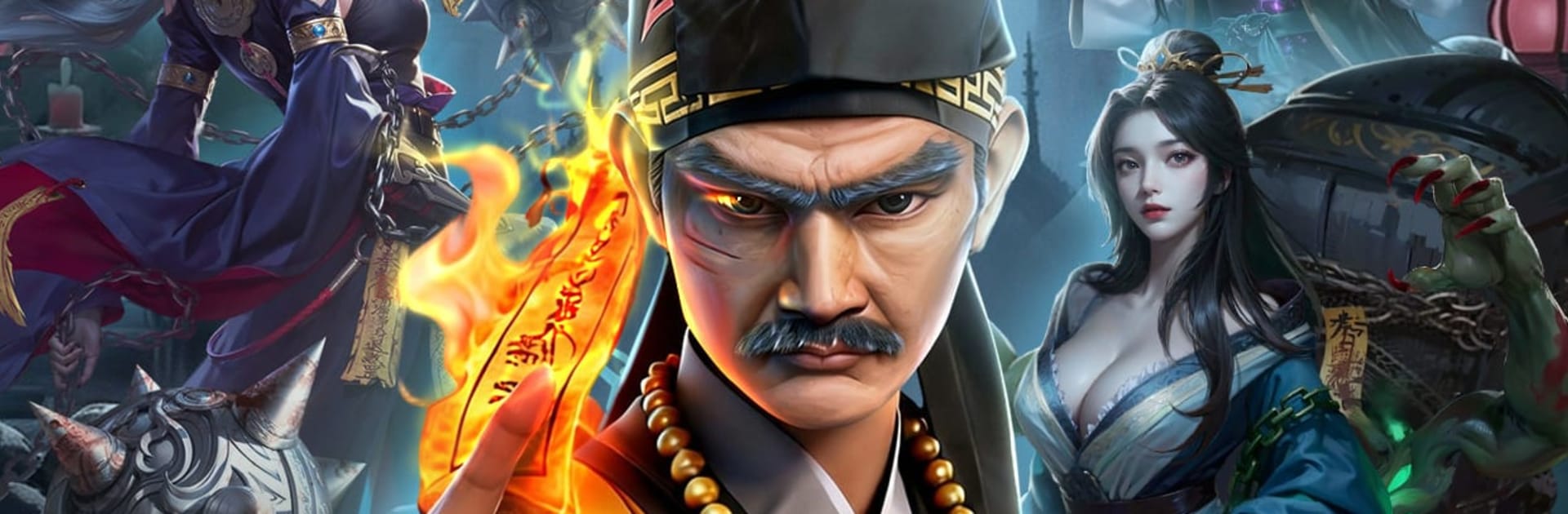
Ghost Hunter:Master from HAPPY TIME GAMES is a Casual, card-driven adventure rooted in Taoist exorcism and gritty Hong Kong ghost tales. You’re the heir of Maoshan, working cases that swing from creepy to heartfelt as you calm vengeful spirits, tackle jiangshi, and take on notorious bosses. Want a bigger view and easy controls? It runs nicely on BlueStacks, too.

Game Features

  • Investigate the unquiet: Explore haunted towns and borderlands, chat with NPCs, and piece together chilling cases like the Ghost Bride, an ancient tomb gone wrong, and the cursed streets of Death Town.
  • Build a five-faction squad: Draft heroes and fiends from Mortals, Fiends, the Nether, Celestials, and Demonic, with four distinct roles to mix and match. Create clever synergies and bring icons like Zhong Kui, the Monkey King, and the Zombie King into your lineup.
  • Idle gains, fast fights: Set training to idle for steady growth, then jump into speedy auto-battles with 3x tempo to clear stages, farm resources, and test fresh comps without the grind.
  • Alchemy and sacred relics: Brew elixirs to sharpen your skills, then kit yourself out with Taoist tools—coin swords, warden bells, and more—to suppress evil and tip tough encounters in your favor.
  • Raise Ghost Deputies: Recruit and train adorable little zombies and other undead helpers. Stack their buffs to reinforce your team and unlock quirky, surprisingly strong builds.
  • Allies, debates, and arena: Form alliances with fellow warlocks to face down Chi, Mei, and Moryo together. Jump into sect debates for bragging rights, or head to the PvP Duel Arena to climb the Investiture Board.
  • Trials across a haunted map: Tackle challenge modes like Requiem Towers, the Heaven–Earth Gauntlet, and Malridge Caves. Farm rare artifacts, gather ghostly experience, and push your crew toward true mastery.

Get ready for a buttery smooth, high-performance gaming action only on BlueStacks.

Game Features

Enhancements

  • Macros
  • Multi Instance
  • Script
  • Repeated Tap
  • Enhancements
Macros

Macros

Automate the predictable in Ghost Hunter:Master and transform your gameplay with Macros. Get access to inventive Macros in the BlueStacks Macro Community
Multi Instance

Multi Instance

Play Ghost Hunter:Master on one window. And chat with your friend on the other. Press CTRL + Shift + 8 to open the Multi-Instance Manager. And start creating fresh instances or clone an existing one.
Script

Script

Script your way to gaming glory in Ghost Hunter:Master with BlueStacks Script. Write and run a set of commands to automate repeated tasks. Trigger the command by assigning it to any key.
Repeated Tap

Repeated Tap

BlueStacks lets you master Ghost Hunter:Master with useful features like the Repeated Tap. Now you do not have to press the same key repeatedly to initiate an action. Just assign it to one key and you are good to go.
Read More

How to Download and Play Ghost Hunter:Master on PC or Mac

  • Download and install BlueStacks on your PC or Mac

  • Complete Google sign-in to access the Play Store, or do it later

  • Look for Ghost Hunter:Master in the search bar at the top right corner

  • Click to install Ghost Hunter:Master from the search results

  • Complete Google sign-in (if you skipped step 2) to install Ghost Hunter:Master

  • Click the Ghost Hunter:Master icon on the home screen to start playing

video
Watch Video

Minimum System Requirements

With BlueStacks 5, you can get started on a PC that fulfills the following requirements.

  • Operating System

    Microsoft Windows 7 or above, macOS 11 (Big Sur) or above

  • Processor

    Intel, AMD or Apple Silicon Processor

  • RAM

    at least 4GB

  • HDD

    10GB Free Disk Space

Note:

* You must be an Administrator on your PC. Up to date graphics drivers from Microsoft or the chipset vendor.

Ghost Hunter:Master - FAQs

  • How to play Ghost Hunter:Master on Windows PC & Mac?

    Play Ghost Hunter:Master on your PC or Mac by following these simple steps.

    • Click on 'Play Ghost Hunter:Master on PC’ to download BlueStacks
    • Install it and log-in to Google Play Store
    • Launch and play the game.
  • Why is BlueStacks the fastest and safest platform to play games on PC?

    BlueStacks respects your privacy and is always safe and secure to use. It does not carry any malware, spyware, or any sort of additional software that could harm your PC.

    It is engineered to optimize speed and performance for a seamless gaming experience.

  • What are Ghost Hunter:Master PC requirements?

    Minimum requirement to run Ghost Hunter:Master on your PC

    • OS: Microsoft Windows 7 or above MacOS 11 (Big Sur) or above
    • Processor: Intel, AMD or Apple Silicon Processor
    • RAM: Your PC must have at least 4GB of RAM. (Note that having 4GB or more disk space is not a substitute for RAM)
    • HDD: 10GB Free Disk Space.
    • You must be an Administrator on your PC.