Ghost Hunter:Master
Ghost Hunter:Master

Ghost Hunter:Master

Casual

| HAPPY TIME GAMES

BlueStacks Verified

Play on PC with BlueStacks or from our cloud

  • Overview
  • Tips & Tricks
  • Game Features
  • How to Play

Page Modified On: October 28, 2026

Play Ghost Hunter:Master on PC or Mac

Play Ghost Hunter:Master by HAPPY TIME GAMES on PC or Mac with BlueStacks. Use a bigger screen, mouse and keyboard controls, and smoother performance while you play.

About the Game

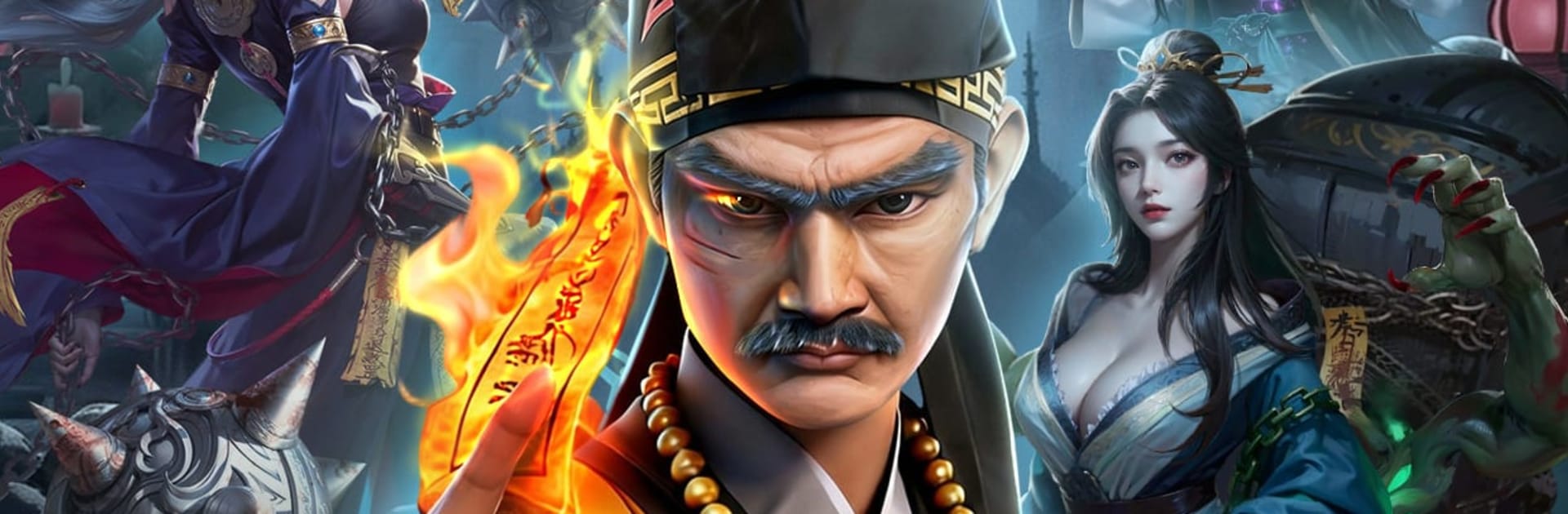
Ghost Hunter:Master is a Casual exorcism adventure with an easygoing rhythm and a seriously eerie vibe. You’re the Maoshan heir walking straight into a world choked with wraiths and zombies, building a crew of deities and spirits to cleanse the living realm. It blends story, strategy, and hands-off progress in a way that’s chill to play anywhere—and especially comfy on BlueStacks when you want more room to focus.

Game Features

  • First-person hauntings: Step into cursed locales and investigate from a first-person view, chat with locals, gather clues, and piece together unsettling tales like the Ghost Bride, the Ancient Tomb, and Death Town to set restless spirits free.
  • Flexible summoning and factions: Call on icons like Zhong Kui, the Monkey King, and the notorious Zombie King, then mix a lineup drawn from five distinct factions—Mortals, Fiends, the Nether, Celestials, and Demonic—plus four combat roles for clever synergy.
  • Idle growth and quick fights: Let progress roll while you’re away, then return to speedy auto-battles with up to 3x pace to clear hurdles and test new team ideas without the grind.
  • Alchemy, relics, and soulcraft: Brew elixirs to refine aptitude, equip classic talismans like Coin-swords and Warden Bells, and train adorable little zombies as Ghost Deputies whose stackable buffs make your squad punch above its weight.
  • Allies and competitive play: Team up with fellow warlocks to tackle Chi, Mei, and Moryo, join Debate Conferences to boost your sect’s standing, and prove your style in the PvP Duel Arena as you chase a coveted spot on the Investiture Board.
  • Treacherous dungeons and loot: Face the Requiem Towers, Heaven-Earth Gauntlets, and Malridge Caves—dense with malevolent spirits and rare treasures—to earn artifacts, spectral experience, and the power needed for a true path toward immortality.

Get ready for a buttery smooth, high-performance gaming action only on BlueStacks.

Game Features

Enhancements

  • Macros
  • Multi Instance
  • Script
  • Repeated Tap
  • Enhancements
Macros

Macros

Automate the predictable in Ghost Hunter:Master and transform your gameplay with Macros. Get access to inventive Macros in the BlueStacks Macro Community
Multi Instance

Multi Instance

Play Ghost Hunter:Master on one window. And chat with your friend on the other. Press CTRL + Shift + 8 to open the Multi-Instance Manager. And start creating fresh instances or clone an existing one.
Script

Script

Script your way to gaming glory in Ghost Hunter:Master with BlueStacks Script. Write and run a set of commands to automate repeated tasks. Trigger the command by assigning it to any key.
Repeated Tap

Repeated Tap

BlueStacks lets you master Ghost Hunter:Master with useful features like the Repeated Tap. Now you do not have to press the same key repeatedly to initiate an action. Just assign it to one key and you are good to go.
Read More

How to Download and Play Ghost Hunter:Master on PC or Mac

  • Download and install BlueStacks on your PC or Mac

  • Complete Google sign-in to access the Play Store, or do it later

  • Look for Ghost Hunter:Master in the search bar at the top right corner

  • Click to install Ghost Hunter:Master from the search results

  • Complete Google sign-in (if you skipped step 2) to install Ghost Hunter:Master

  • Click the Ghost Hunter:Master icon on the home screen to start playing

video
Watch Video

Minimum System Requirements

With BlueStacks 5, you can get started on a PC that fulfills the following requirements.

  • Operating System

    Microsoft Windows 7 or above, macOS 11 (Big Sur) or above

  • Processor

    Intel, AMD or Apple Silicon Processor

  • RAM

    at least 4GB

  • HDD

    10GB Free Disk Space

Note:

* You must be an Administrator on your PC. Up to date graphics drivers from Microsoft or the chipset vendor.

Ghost Hunter:Master - FAQs

  • How to play Ghost Hunter:Master on Windows PC & Mac?

    Play Ghost Hunter:Master on your PC or Mac by following these simple steps.

    • Click on 'Play Ghost Hunter:Master on PC’ to download BlueStacks
    • Install it and log-in to Google Play Store
    • Launch and play the game.
  • Why is BlueStacks the fastest and safest platform to play games on PC?

    BlueStacks respects your privacy and is always safe and secure to use. It does not carry any malware, spyware, or any sort of additional software that could harm your PC.

    It is engineered to optimize speed and performance for a seamless gaming experience.

  • What are Ghost Hunter:Master PC requirements?

    Minimum requirement to run Ghost Hunter:Master on your PC

    • OS: Microsoft Windows 7 or above MacOS 11 (Big Sur) or above
    • Processor: Intel, AMD or Apple Silicon Processor
    • RAM: Your PC must have at least 4GB of RAM. (Note that having 4GB or more disk space is not a substitute for RAM)
    • HDD: 10GB Free Disk Space.
    • You must be an Administrator on your PC.