One More Question
One More Question

One More Question

Casual

| Genuine Studio Ltd

Play on PC with BlueStacks or from our cloud

  • Overview
  • Game Features
  • How to Play

Page Modified On: December 22, 2025

Play One More Question on PC or Mac

Join millions to experience One More Question, an exciting Casual game from Genuine Studio Ltd. With BlueStacks App Player, you are always a step ahead of your opponent, ready to outplay them with faster gameplay and better control with the mouse and keyboard on your PC or Mac.

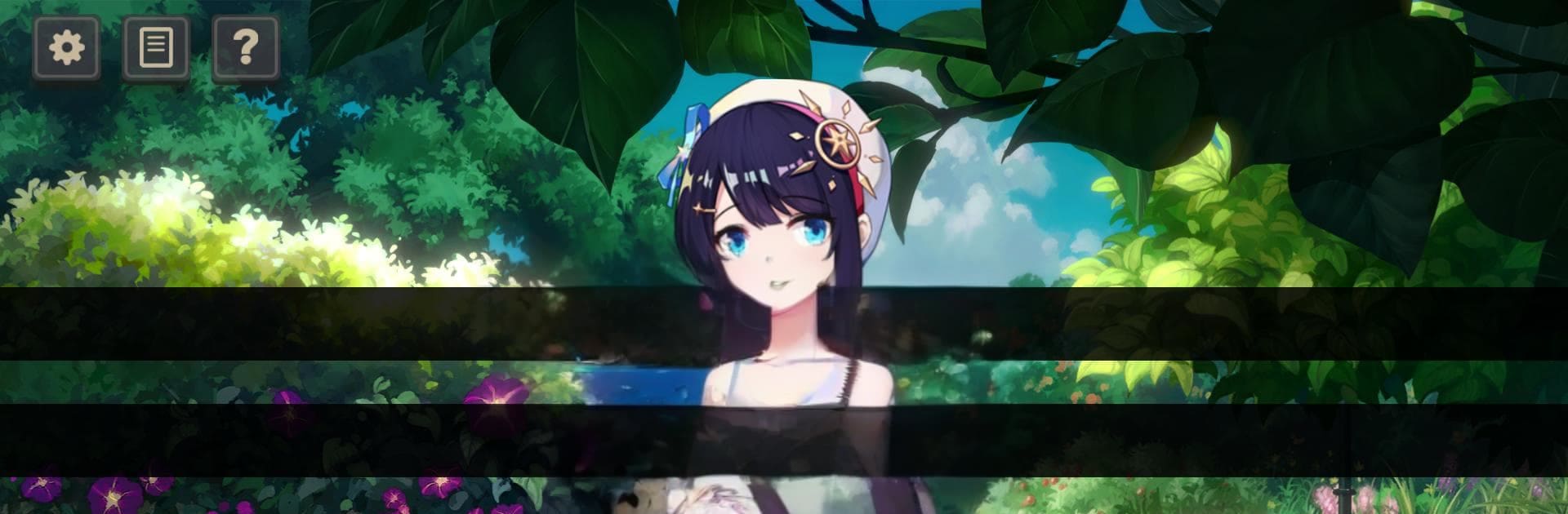
One More Question is a lateral thinking game wrapped in a small visual novel. A host tells a strange story that sounds wrong on purpose, then answers questions with only Yes, No, or Irrelevant. The trick is spotting the right key words and inching closer to the hidden truth. It plays like twenty questions with a calm storyteller who knows more than they let on. Some stories lean dark, some feel warm and cozy, a few go for a joke, and a couple flirt with ghosts. There are 64 puzzle stories to crack, plus two extra chapters, all tied to a light island mystery about a castaway with no memories. That plot is not huge, but it does branch into three endings and comes with a small cast with full voice work, clean backgrounds, CGs, and a diary that fills in details after each run. On BlueStacks the reading and clicking feels relaxed on a monitor, and headphones make the voice acting pop a bit more.

There is also a workshop where the community posts their own puzzles, and a built in editor for making new ones when ideas start sparking. An extras section tracks side events, art, little collectibles, and dialogue so nothing feels lost. The soundtrack is original and sits in the background without getting in the way. The loop stays simple and satisfying. Read the case, target the key words, ask a question, adjust the theory, repeat. When the answer is almost there but not quite, the game nudges the player to ask one more question.

Ready to top the leaderboard? We bet you do. Let precise controls and sharp visuals optimized on BlueStacks lead you to victory.


Game Features

Enhancements

  • Macros
  • Multi Instance
  • Script
  • Repeated Tap
  • Enhancements
Macros

Macros

Automate the predictable in One More Question and transform your gameplay with Macros. Get access to inventive Macros in the BlueStacks Macro Community
Multi Instance

Multi Instance

Play One More Question on one window. And chat with your friend on the other. Press CTRL + Shift + 8 to open the Multi-Instance Manager. And start creating fresh instances or clone an existing one.
Script

Script

Script your way to gaming glory in One More Question with BlueStacks Script. Write and run a set of commands to automate repeated tasks. Trigger the command by assigning it to any key.
Repeated Tap

Repeated Tap

BlueStacks lets you master One More Question with useful features like the Repeated Tap. Now you do not have to press the same key repeatedly to initiate an action. Just assign it to one key and you are good to go.
Read More

How to Download and Play One More Question on PC or Mac

  • Download and install BlueStacks on your PC or Mac

  • Complete Google sign-in to access the Play Store, or do it later

  • Look for One More Question in the search bar at the top right corner

  • Click to install One More Question from the search results

  • Complete Google sign-in (if you skipped step 2) to install One More Question

  • Click the One More Question icon on the home screen to start playing

video
Watch Video

Minimum System Requirements

With BlueStacks 5, you can get started on a PC that fulfills the following requirements.

  • Operating System

    Microsoft Windows 7 or above, macOS 11 (Big Sur) or above

  • Processor

    Intel, AMD or Apple Silicon Processor

  • RAM

    at least 4GB

  • HDD

    10GB Free Disk Space

Note:

* You must be an Administrator on your PC. Up to date graphics drivers from Microsoft or the chipset vendor.

One More Question - FAQs

  • How to play One More Question on Windows PC & Mac?

    Play One More Question on your PC or Mac by following these simple steps.

    • Click on 'Play One More Question on PC’ to download BlueStacks
    • Install it and log-in to Google Play Store
    • Launch and play the game.
  • Why is BlueStacks the fastest and safest platform to play games on PC?

    BlueStacks respects your privacy and is always safe and secure to use. It does not carry any malware, spyware, or any sort of additional software that could harm your PC.

    It is engineered to optimize speed and performance for a seamless gaming experience.

  • What are One More Question PC requirements?

    Minimum requirement to run One More Question on your PC

    • OS: Microsoft Windows 7 or above MacOS 11 (Big Sur) or above
    • Processor: Intel, AMD or Apple Silicon Processor
    • RAM: Your PC must have at least 4GB of RAM. (Note that having 4GB or more disk space is not a substitute for RAM)
    • HDD: 10GB Free Disk Space.
    • You must be an Administrator on your PC.