Idle Magic:Builder,Miner,Farmer at Click Away City

Idle Magic:Builder,Miner,Farmer at Click Away City

Casual

| foranj

Play on PC with BlueStacks or from our cloud

  • Overview
  • Game Features
  • How to Play

Page Modified On: January 02, 2026

Play Idle Magic:Builder,Miner,Farmer at Click Away City on PC or Mac

Step into the World of Idle Magic:Builder,Miner,Farmer at Click Away City, a thrilling Casual game from the house of foranj. Play this Android game on BlueStacks App Player and experience immersive gaming on PC or Mac.

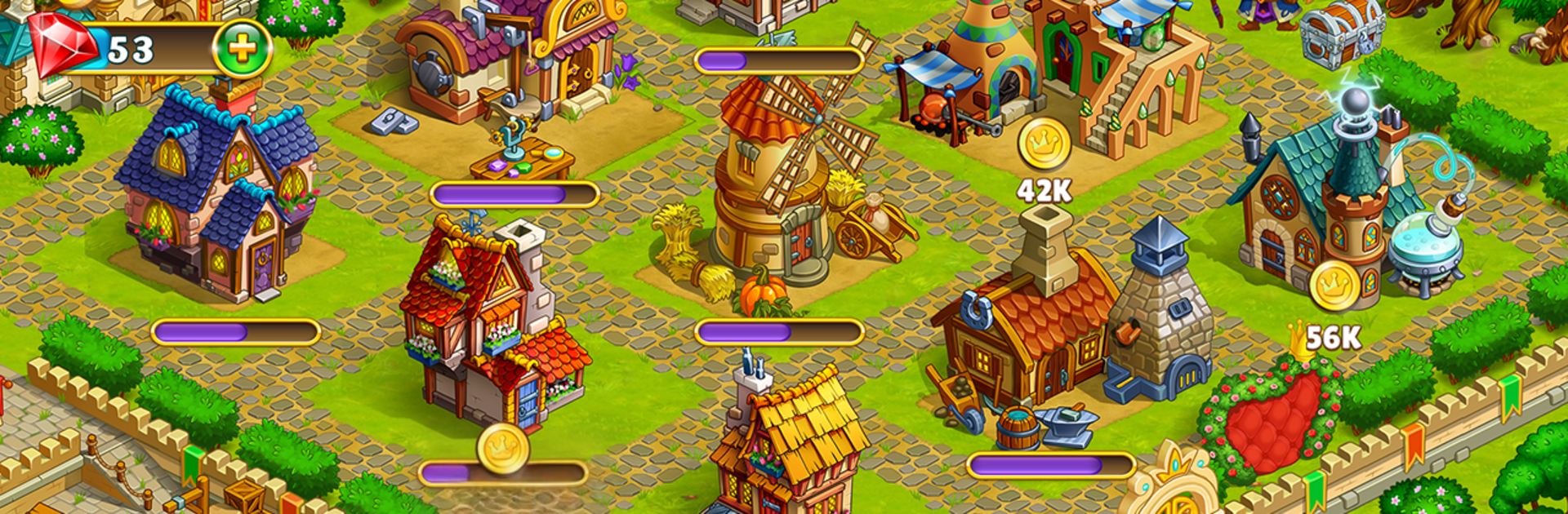
This one is an idle builder set in a bright fairy world, the kind with wizards, witches, dragons, elves, goblins, and other storybook folks wandering around asking for help. It starts small, a farm with a few plots and simple tasks, then grows into a busy town and eventually a whole little city of workshops. The loop is simple to follow. farm magical hay, mine stuff, feed it into buildings, craft shiny artifacts, and use all that to expand more buildings. Characters pop up with quests, some silly, some tied to a light story about a sleeping princess and a prince trying to break a spell, so there is always a direction without feeling bossy.

It plays relaxed. Timers tick along, production chains build on each other, and planning which workshop to upgrade next is the small puzzle. The art is cheerful without being noisy, and the sounds lean cozy, more fairy tale than heavy fantasy. On PC with BlueStacks, it is nice to click around with a mouse, place buildings neatly, and keep a few windows open while resources roll in. The game works well as a check in, queue a batch, come back later kind of thing. For anyone who likes watching a town come to life piece by piece, with a bunch of magical creatures to befriend and a gentle story threading through it, it hits that chill itch.

Slay your opponents with your epic moves. Play it your way on BlueStacks and dominate the battlefield.


Game Features

Enhancements

  • Macros
  • Multi Instance
  • Script
  • Repeated Tap
  • Enhancements
Macros

Macros

Automate the predictable in Idle Magic:Builder,Miner,Farmer at Click Away City and transform your gameplay with Macros. Get access to inventive Macros in the BlueStacks Macro Community
Multi Instance

Multi Instance

Play Idle Magic:Builder,Miner,Farmer at Click Away City on one window. And chat with your friend on the other. Press CTRL + Shift + 8 to open the Multi-Instance Manager. And start creating fresh instances or clone an existing one.
Script

Script

Script your way to gaming glory in Idle Magic:Builder,Miner,Farmer at Click Away City with BlueStacks Script. Write and run a set of commands to automate repeated tasks. Trigger the command by assigning it to any key.
Repeated Tap

Repeated Tap

BlueStacks lets you master Idle Magic:Builder,Miner,Farmer at Click Away City with useful features like the Repeated Tap. Now you do not have to press the same key repeatedly to initiate an action. Just assign it to one key and you are good to go.
Read More

How to Download and Play Idle Magic:Builder,Miner,Farmer at Click Away City on PC or Mac

  • Download and install BlueStacks on your PC or Mac

  • Complete Google sign-in to access the Play Store, or do it later

  • Look for Idle Magic:Builder,Miner,Farmer at Click Away City in the search bar at the top right corner

  • Click to install Idle Magic:Builder,Miner,Farmer at Click Away City from the search results

  • Complete Google sign-in (if you skipped step 2) to install Idle Magic:Builder,Miner,Farmer at Click Away City

  • Click the Idle Magic:Builder,Miner,Farmer at Click Away City icon on the home screen to start playing

video
Watch Video

Minimum System Requirements

With BlueStacks 5, you can get started on a PC that fulfills the following requirements.

  • Operating System

    Microsoft Windows 7 or above, macOS 11 (Big Sur) or above

  • Processor

    Intel, AMD or Apple Silicon Processor

  • RAM

    at least 4GB

  • HDD

    10GB Free Disk Space

Note:

* You must be an Administrator on your PC. Up to date graphics drivers from Microsoft or the chipset vendor.

Idle Magic:Builder,Miner,Farmer at Click Away City - FAQs

  • How to play Idle Magic:Builder,Miner,Farmer at Click Away City on Windows PC & Mac?

    Play Idle Magic:Builder,Miner,Farmer at Click Away City on your PC or Mac by following these simple steps.

    • Click on 'Play Idle Magic:Builder,Miner,Farmer at Click Away City on PC’ to download BlueStacks
    • Install it and log-in to Google Play Store
    • Launch and play the game.
  • Why is BlueStacks the fastest and safest platform to play games on PC?

    BlueStacks respects your privacy and is always safe and secure to use. It does not carry any malware, spyware, or any sort of additional software that could harm your PC.

    It is engineered to optimize speed and performance for a seamless gaming experience.

  • What are Idle Magic:Builder,Miner,Farmer at Click Away City PC requirements?

    Minimum requirement to run Idle Magic:Builder,Miner,Farmer at Click Away City on your PC

    • OS: Microsoft Windows 7 or above MacOS 11 (Big Sur) or above
    • Processor: Intel, AMD or Apple Silicon Processor
    • RAM: Your PC must have at least 4GB of RAM. (Note that having 4GB or more disk space is not a substitute for RAM)
    • HDD: 10GB Free Disk Space.
    • You must be an Administrator on your PC.