Match 3 Universe - multiplayer

Match 3 Universe - multiplayer

Casual

| Enchanted Pixel

Play on PC with BlueStacks or from our cloud

  • Overview
  • Game Features
  • How to Play

Page Modified On: April 24, 2026

Play Match 3 Universe - multiplayer on PC or Mac

From the innovators and creators at Enchanted Pixel, Match 3 Universe – multiplayer is another fun addition to the World of Casual games. Go beyond your mobile screen and play it bigger and better on your PC or Mac. An immersive experience awaits you.

About the Game

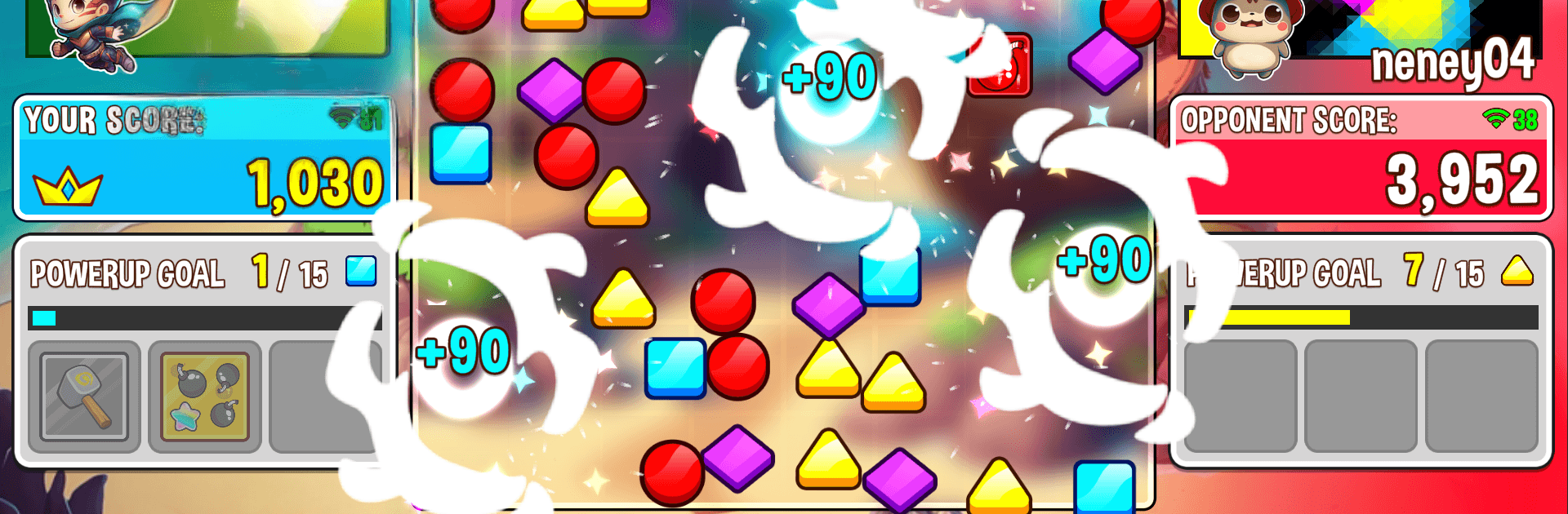
Match 3 Universe – multiplayer takes the comfy match-3 idea and turns it into a tense, head-to-head showdown. Every swap boosts your score, sure—but it might also hand your opponent an outrageous setup if you’re not careful. Built by Enchanted Pixel, this Casual battler throws you into quick, turn-based matches against friends or players around the globe, and it feels right at home on mobile or on a bigger screen with BlueStacks.

Game Features

  • Shared Board PvP: You and your opponent play on the same board, taking turns and weighing every move. Score big while blocking those juicy chains you just know they’re waiting for.

  • Live, Turn-Based Matches: Queue up for fast online games or send a quick invite to a friend. Short turn limits keep the pressure high and the pace snappy.

  • Strategy Over Luck: It’s not just about finding a match—it’s about reading the board and denying setups. Take points now, or break a pattern before it turns into your rival’s mega combo?

  • Powerup Meter: Break specific gems to fill your meter, then unleash random powerups that can swing momentum your way. They stack, so smart timing and combos can snowball into a match winner.

  • Counterplay Moments: Use powerups to disrupt the board, protect a lead, or create a scoring window your opponent can’t easily answer.

  • Custom Profile Flair: Unlock avatars, banners, and tags just by playing. Trade up for rarer, animated looks and craft a style that’s unmistakably yours.

  • Pick-Up-and-Play Flow: Matches are compact and competitive—easy to hop in, hard to put down—whether you’re climbing against global opponents or squaring off with friends.

Slay your opponents with your epic moves. Play it your way on BlueStacks and dominate the battlefield.


Game Features

Enhancements

  • Macros
  • Multi Instance
  • Script
  • Repeated Tap
  • Enhancements
Macros

Macros

Automate the predictable in Match 3 Universe - multiplayer and transform your gameplay with Macros. Get access to inventive Macros in the BlueStacks Macro Community
Multi Instance

Multi Instance

Play Match 3 Universe - multiplayer on one window. And chat with your friend on the other. Press CTRL + Shift + 8 to open the Multi-Instance Manager. And start creating fresh instances or clone an existing one.
Script

Script

Script your way to gaming glory in Match 3 Universe - multiplayer with BlueStacks Script. Write and run a set of commands to automate repeated tasks. Trigger the command by assigning it to any key.
Repeated Tap

Repeated Tap

BlueStacks lets you master Match 3 Universe - multiplayer with useful features like the Repeated Tap. Now you do not have to press the same key repeatedly to initiate an action. Just assign it to one key and you are good to go.
Read More

How to Download and Play Match 3 Universe - multiplayer on PC or Mac

  • Download and install BlueStacks on your PC or Mac

  • Complete Google sign-in to access the Play Store, or do it later

  • Look for Match 3 Universe - multiplayer in the search bar at the top right corner

  • Click to install Match 3 Universe - multiplayer from the search results

  • Complete Google sign-in (if you skipped step 2) to install Match 3 Universe - multiplayer

  • Click the Match 3 Universe - multiplayer icon on the home screen to start playing

video
Watch Video

Minimum System Requirements

With BlueStacks 5, you can get started on a PC that fulfills the following requirements.

  • Operating System

    Microsoft Windows 7 or above, macOS 11 (Big Sur) or above

  • Processor

    Intel, AMD or Apple Silicon Processor

  • RAM

    at least 4GB

  • HDD

    10GB Free Disk Space

Note:

* You must be an Administrator on your PC. Up to date graphics drivers from Microsoft or the chipset vendor.

Match 3 Universe - multiplayer - FAQs

  • How to play Match 3 Universe - multiplayer on Windows PC & Mac?

    Play Match 3 Universe - multiplayer on your PC or Mac by following these simple steps.

    • Click on 'Play Match 3 Universe - multiplayer on PC’ to download BlueStacks
    • Install it and log-in to Google Play Store
    • Launch and play the game.
  • Why is BlueStacks the fastest and safest platform to play games on PC?

    BlueStacks respects your privacy and is always safe and secure to use. It does not carry any malware, spyware, or any sort of additional software that could harm your PC.

    It is engineered to optimize speed and performance for a seamless gaming experience.

  • What are Match 3 Universe - multiplayer PC requirements?

    Minimum requirement to run Match 3 Universe - multiplayer on your PC

    • OS: Microsoft Windows 7 or above MacOS 11 (Big Sur) or above
    • Processor: Intel, AMD or Apple Silicon Processor
    • RAM: Your PC must have at least 4GB of RAM. (Note that having 4GB or more disk space is not a substitute for RAM)
    • HDD: 10GB Free Disk Space.
    • You must be an Administrator on your PC.