
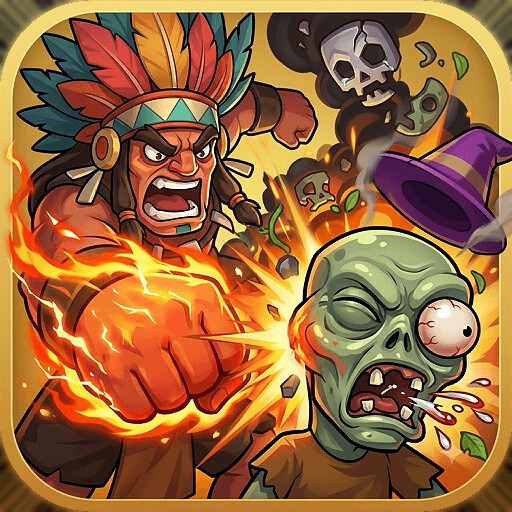
MergePlants: ZombieWar

MergePlants: ZombieWar

Casual

| FingerFun

BlueStacks Verified

Play on PC with BlueStacks or from our cloud

  • Overview
  • Game Features
  • How to Play

Page Modified On: August 25, 2026

Play MergePlants: ZombieWar on PC or Mac

Explore a whole new adventure with MergePlants: ZombieWar, a Casual game created by FingerFun. Experience great gameplay with BlueStacks, the most popular gaming platform to play Android games on your PC or Mac.

About the Game

MergePlants: ZombieWar is a fast, punchy Casual defense mashup where your garden isn’t just cute—it’s armed and ready. You’ll grow, merge, and shuffle plants on the fly to hold back hungry waves of zombies, balancing snap decisions with smart planning. Runs are short, tense, and surprisingly strategic; it also plays comfortably on BlueStacks if you like a bigger view and crisp controls.

Game Features

  • Merge-powered growth: Combine matching plants to instantly evolve stronger defenders, stacking damage and special traits without fussy menus.
  • Five-minute runs: Each battle is a bite-sized session—perfect when you’ve got a few spare minutes and want that “one more try” rush.
  • On-the-board tactics: Drag and reposition plants mid-fight to plug gaps, cover lanes, and react when a fresh zombie type shows up.
  • Roguelike twists: Unlock pots, discover plant combos, and adapt to shifting challenges—no two attempts feel quite the same.
  • Deep upgrade paths: Boost attack speed, range, and power with quick upgrades that make your lineup feel noticeably meaner.
  • Varied plant roster: Mix hard hitters, splash attackers, and support plants to build a squad that fits your style.
  • Escalating waves: Zombies arrive in relentless surges with new behaviors, forcing you to rethink placements and merges on the spot.
  • Snappy resource flow: Earn, spend, and reinvest between waves to keep momentum—merge fast or risk getting overrun.

BlueStacks gives you more room to focus on the game and less time adjusting around mobile limitations.

Game Features

Enhancements

  • Macros
  • Multi Instance
  • Script
  • Repeated Tap
  • Enhancements
Macros

Macros

Automate the predictable in MergePlants: ZombieWar and transform your gameplay with Macros. Get access to inventive Macros in the BlueStacks Macro Community
Multi Instance

Multi Instance

Play MergePlants: ZombieWar on one window. And chat with your friend on the other. Press CTRL + Shift + 8 to open the Multi-Instance Manager. And start creating fresh instances or clone an existing one.
Script

Script

Script your way to gaming glory in MergePlants: ZombieWar with BlueStacks Script. Write and run a set of commands to automate repeated tasks. Trigger the command by assigning it to any key.
Repeated Tap

Repeated Tap

BlueStacks lets you master MergePlants: ZombieWar with useful features like the Repeated Tap. Now you do not have to press the same key repeatedly to initiate an action. Just assign it to one key and you are good to go.
Read More

How to Download and Play MergePlants: ZombieWar on PC or Mac

  • Download and install BlueStacks on your PC or Mac

  • Complete Google sign-in to access the Play Store, or do it later

  • Look for MergePlants: ZombieWar in the search bar at the top right corner

  • Click to install MergePlants: ZombieWar from the search results

  • Complete Google sign-in (if you skipped step 2) to install MergePlants: ZombieWar

  • Click the MergePlants: ZombieWar icon on the home screen to start playing

video
Watch Video

Minimum System Requirements

With BlueStacks 5, you can get started on a PC that fulfills the following requirements.

  • Operating System

    Microsoft Windows 7 or above, macOS 11 (Big Sur) or above

  • Processor

    Intel, AMD or Apple Silicon Processor

  • RAM

    at least 4GB

  • HDD

    10GB Free Disk Space

Note:

* You must be an Administrator on your PC. Up to date graphics drivers from Microsoft or the chipset vendor.

MergePlants: ZombieWar - FAQs

  • How to play MergePlants: ZombieWar on Windows PC & Mac?

    Play MergePlants: ZombieWar on your PC or Mac by following these simple steps.

    • Click on 'Play MergePlants: ZombieWar on PC’ to download BlueStacks
    • Install it and log-in to Google Play Store
    • Launch and play the game.
  • Why is BlueStacks the fastest and safest platform to play games on PC?

    BlueStacks respects your privacy and is always safe and secure to use. It does not carry any malware, spyware, or any sort of additional software that could harm your PC.

    It is engineered to optimize speed and performance for a seamless gaming experience.

  • What are MergePlants: ZombieWar PC requirements?

    Minimum requirement to run MergePlants: ZombieWar on your PC

    • OS: Microsoft Windows 7 or above MacOS 11 (Big Sur) or above
    • Processor: Intel, AMD or Apple Silicon Processor
    • RAM: Your PC must have at least 4GB of RAM. (Note that having 4GB or more disk space is not a substitute for RAM)
    • HDD: 10GB Free Disk Space.
    • You must be an Administrator on your PC.