Survival FPS: The Last Stand

Survival FPS: The Last Stand

Casual

| WONDERGAMES STUDIO

Play on PC with BlueStacks or from our cloud

  • Overview
  • Game Features
  • How to Play

Page Modified On: August 15, 2026

Play Survival FPS: The Last Stand on PC or Mac

Play Survival FPS: The Last Stand by WONDERGAMES STUDIO on PC or Mac with BlueStacks. Use a bigger screen, mouse and keyboard controls, and smoother performance while you play.

About the Game

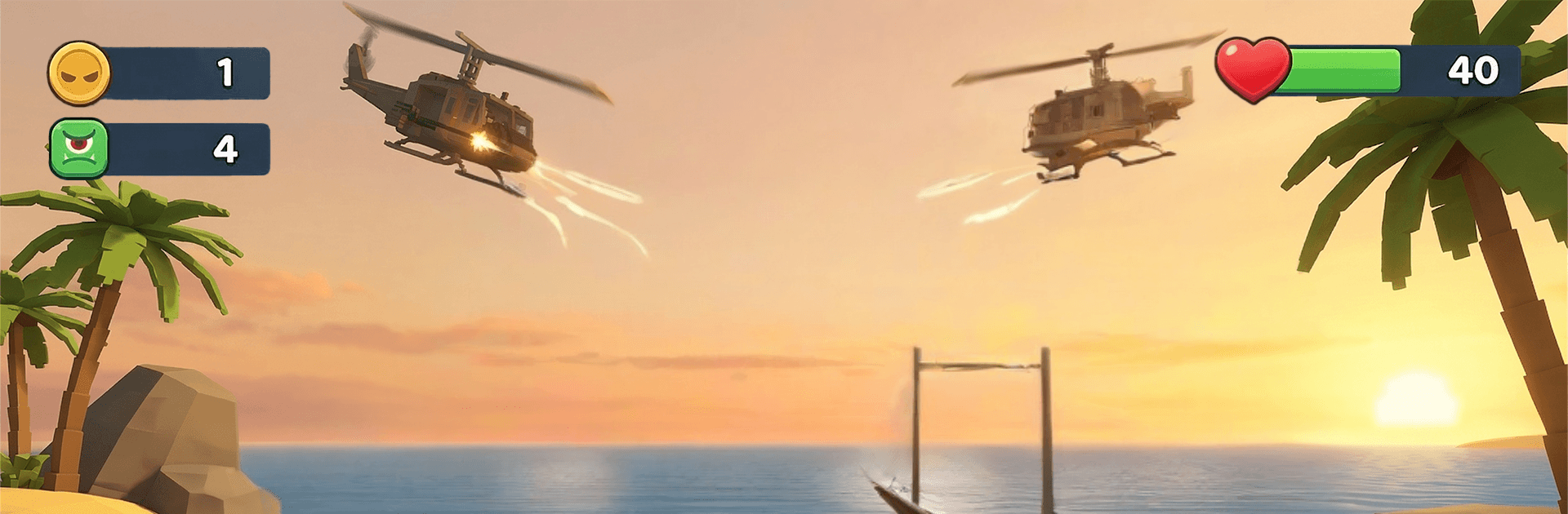
Survival FPS: The Last Stand throws you into tense, bite-sized matches where every corner might hide a teammate… or something hungry. It’s a fast, pick-up-and-play Casual shooter with a twist: one round you’re a survivor packing heat, the next you’re the evolving nightmare everyone’s trying to avoid. Prefer a bigger view and tighter controls? It runs smoothly on BlueStacks, too.

Game Features

  • Hunt or be hunted: Jump in as a human or a monster—each side changes your tools, tactics, and how you read the map.
  • Snap controls, instant action: Move, aim, and fire in seconds; simple inputs keep the pace high and the pressure higher.
  • Smart tracking: A radar-style mini-map helps you stick with allies, spot ambushes early, and avoid walk-into-it mistakes.
  • Brutal monster powers: Dash, pounce, or overwhelm with savage abilities that reward sneaky paths and split-second decisions.
  • Heavy firepower: Unlock a roster of weapons for different ranges and playstyles, from close-quarters blasters to precision options.
  • Swap perspectives: Switch roles between matches to master both sides and keep opponents guessing.
  • Last-one-standing rules: Survive until the clock runs out or wipe the other side—either way, only one team owns the arena.
  • Fresh arenas and modes: Play across varied maps and rule sets that shake up routes, objectives, and how you approach each fight.
  • Polished sights and sounds: Smooth performance, punchy effects, and dynamic animations make every chase and clutch moment hit harder.

BlueStacks gives you more room to focus on the game and less time adjusting around mobile limitations.


Game Features

Enhancements

  • Macros
  • Multi Instance
  • Script
  • Repeated Tap
  • Enhancements
Macros

Macros

Automate the predictable in Survival FPS: The Last Stand and transform your gameplay with Macros. Get access to inventive Macros in the BlueStacks Macro Community
Multi Instance

Multi Instance

Play Survival FPS: The Last Stand on one window. And chat with your friend on the other. Press CTRL + Shift + 8 to open the Multi-Instance Manager. And start creating fresh instances or clone an existing one.
Script

Script

Script your way to gaming glory in Survival FPS: The Last Stand with BlueStacks Script. Write and run a set of commands to automate repeated tasks. Trigger the command by assigning it to any key.
Repeated Tap

Repeated Tap

BlueStacks lets you master Survival FPS: The Last Stand with useful features like the Repeated Tap. Now you do not have to press the same key repeatedly to initiate an action. Just assign it to one key and you are good to go.
Read More

How to Download and Play Survival FPS: The Last Stand on PC or Mac

  • Download and install BlueStacks on your PC or Mac

  • Complete Google sign-in to access the Play Store, or do it later

  • Look for Survival FPS: The Last Stand in the search bar at the top right corner

  • Click to install Survival FPS: The Last Stand from the search results

  • Complete Google sign-in (if you skipped step 2) to install Survival FPS: The Last Stand

  • Click the Survival FPS: The Last Stand icon on the home screen to start playing

video
Watch Video

Minimum System Requirements

With BlueStacks 5, you can get started on a PC that fulfills the following requirements.

  • Operating System

    Microsoft Windows 7 or above, macOS 11 (Big Sur) or above

  • Processor

    Intel, AMD or Apple Silicon Processor

  • RAM

    at least 4GB

  • HDD

    10GB Free Disk Space

Note:

* You must be an Administrator on your PC. Up to date graphics drivers from Microsoft or the chipset vendor.

Survival FPS: The Last Stand - FAQs

  • How to play Survival FPS: The Last Stand on Windows PC & Mac?

    Play Survival FPS: The Last Stand on your PC or Mac by following these simple steps.

    • Click on 'Play Survival FPS: The Last Stand on PC’ to download BlueStacks
    • Install it and log-in to Google Play Store
    • Launch and play the game.
  • Why is BlueStacks the fastest and safest platform to play games on PC?

    BlueStacks respects your privacy and is always safe and secure to use. It does not carry any malware, spyware, or any sort of additional software that could harm your PC.

    It is engineered to optimize speed and performance for a seamless gaming experience.

  • What are Survival FPS: The Last Stand PC requirements?

    Minimum requirement to run Survival FPS: The Last Stand on your PC

    • OS: Microsoft Windows 7 or above MacOS 11 (Big Sur) or above
    • Processor: Intel, AMD or Apple Silicon Processor
    • RAM: Your PC must have at least 4GB of RAM. (Note that having 4GB or more disk space is not a substitute for RAM)
    • HDD: 10GB Free Disk Space.
    • You must be an Administrator on your PC.