Sweet My Home: Decor & Dressup

Sweet My Home: Decor & Dressup

Casual

| OOZOOGORAE

Play on PC with BlueStacks or from our cloud

  • Overview
  • Game Features
  • How to Play

Page Modified On: February 17, 2026

Play Sweet My Home: Decor & Dressup on PC or Mac

Sweet My Home: Decor & Dressup brings the Casual genre to life, and throws up exciting challenges for gamers. Developed by OOZOOGORAE, this Android game is best experienced on BlueStacks, the World’s #1 app player for PC and Mac users.

About the Game

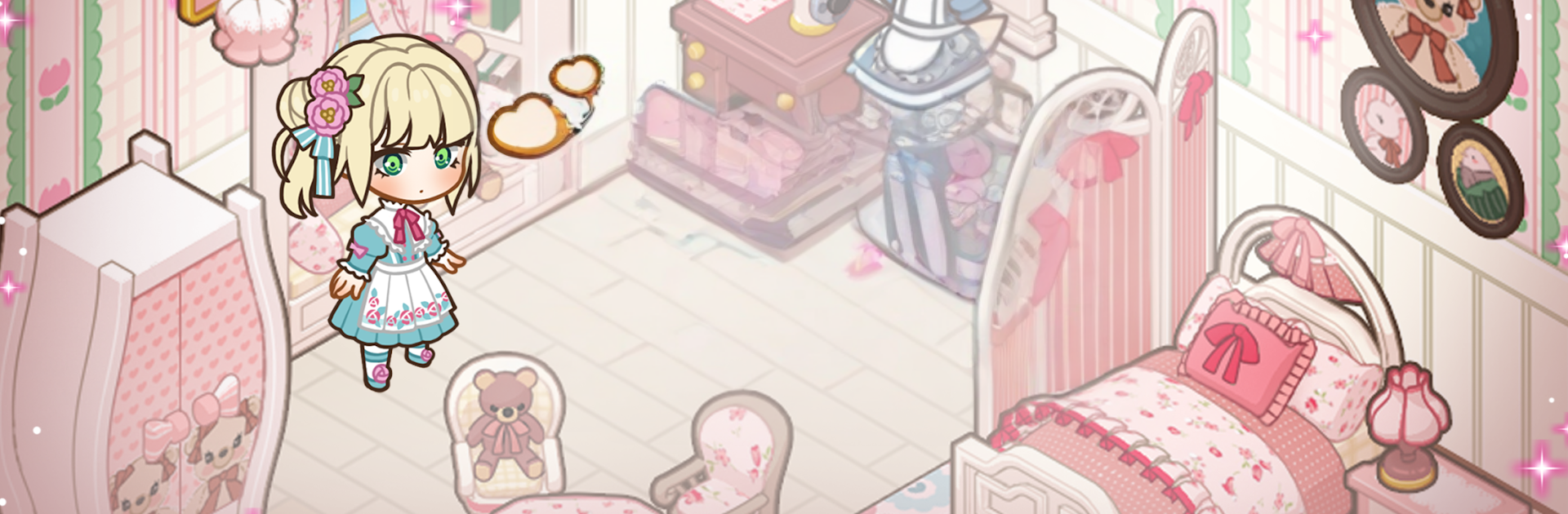
Sweet My Home: Decor & Dressup is a cozy Casual builder from OOZOOGORAE where you design rooms, style an avatar, and make every corner feel personal. It’s relaxed, creative, and welcoming—perfect whether you’re brand-new to interiors or you’ve got a mood board for everything. Prefer a larger view while decorating? It also plays smoothly on PC with BlueStacks.

Game Features

  • Design Freedom, Top to Bottom: Arrange anything from snug living rooms to spa-like bathrooms and sunny balconies. Rotate, move, and place furniture exactly where it feels right, then tweak walls, floors, and windows to match your plan.

  • Mix-and-Match Styles: Blend Nordic with Modern, sprinkle in Vintage, or keep it Lovely. Combine pieces across themes to shape a look that’s truly yours.

  • Color, Light, and Layers: Try bold palettes or soft neutrals, stack decor for depth, and set the mood with the right lighting. Plants and natural touches bring everything to life.

  • Character Dress-Up: Build a look that pairs with your space. Choose hairstyles, outfits, and accessories, plus skin, hair, and eye colors. Seasonal collections keep your wardrobe fresh, and you can save favorite combos.

  • Easy, Friendly Tools: Drag-and-drop controls make layout changes quick. Zoom in for detail work, use smart placement guides, and rely on cloud save and multiple slots to keep different ideas going.

  • Snapshot and Share: Capture clean photos of your builds with a dedicated photo mode, then show your creations and trade ideas with a like-minded community.

  • Smooth 2D Aesthetic: Crisp, charming visuals and responsive controls keep the experience calm and comfortable, while ongoing themed updates give you new pieces to play with.

Make your gaming sessions memorable with precise controls that give you an edge in close combats and visuals that pop up, bringing every character to life.


Game Features

Enhancements

  • Macros
  • Multi Instance
  • Script
  • Repeated Tap
  • Enhancements
Macros

Macros

Automate the predictable in Sweet My Home: Decor & Dressup and transform your gameplay with Macros. Get access to inventive Macros in the BlueStacks Macro Community
Multi Instance

Multi Instance

Play Sweet My Home: Decor & Dressup on one window. And chat with your friend on the other. Press CTRL + Shift + 8 to open the Multi-Instance Manager. And start creating fresh instances or clone an existing one.
Script

Script

Script your way to gaming glory in Sweet My Home: Decor & Dressup with BlueStacks Script. Write and run a set of commands to automate repeated tasks. Trigger the command by assigning it to any key.
Repeated Tap

Repeated Tap

BlueStacks lets you master Sweet My Home: Decor & Dressup with useful features like the Repeated Tap. Now you do not have to press the same key repeatedly to initiate an action. Just assign it to one key and you are good to go.
Read More

How to Download and Play Sweet My Home: Decor & Dressup on PC or Mac

  • Download and install BlueStacks on your PC or Mac

  • Complete Google sign-in to access the Play Store, or do it later

  • Look for Sweet My Home: Decor & Dressup in the search bar at the top right corner

  • Click to install Sweet My Home: Decor & Dressup from the search results

  • Complete Google sign-in (if you skipped step 2) to install Sweet My Home: Decor & Dressup

  • Click the Sweet My Home: Decor & Dressup icon on the home screen to start playing

video
Watch Video

Minimum System Requirements

With BlueStacks 5, you can get started on a PC that fulfills the following requirements.

  • Operating System

    Microsoft Windows 7 or above, macOS 11 (Big Sur) or above

  • Processor

    Intel, AMD or Apple Silicon Processor

  • RAM

    at least 4GB

  • HDD

    10GB Free Disk Space

Note:

* You must be an Administrator on your PC. Up to date graphics drivers from Microsoft or the chipset vendor.

Sweet My Home: Decor & Dressup - FAQs

  • How to play Sweet My Home: Decor & Dressup on Windows PC & Mac?

    Play Sweet My Home: Decor & Dressup on your PC or Mac by following these simple steps.

    • Click on 'Play Sweet My Home: Decor & Dressup on PC’ to download BlueStacks
    • Install it and log-in to Google Play Store
    • Launch and play the game.
  • Why is BlueStacks the fastest and safest platform to play games on PC?

    BlueStacks respects your privacy and is always safe and secure to use. It does not carry any malware, spyware, or any sort of additional software that could harm your PC.

    It is engineered to optimize speed and performance for a seamless gaming experience.

  • What are Sweet My Home: Decor & Dressup PC requirements?

    Minimum requirement to run Sweet My Home: Decor & Dressup on your PC

    • OS: Microsoft Windows 7 or above MacOS 11 (Big Sur) or above
    • Processor: Intel, AMD or Apple Silicon Processor
    • RAM: Your PC must have at least 4GB of RAM. (Note that having 4GB or more disk space is not a substitute for RAM)
    • HDD: 10GB Free Disk Space.
    • You must be an Administrator on your PC.