
Twilight War Memoir
Twilight War Memoir

Twilight War Memoir

Casual

| SHENGYUER LIMITED

Play on PC with BlueStacks or from our cloud

  • Overview
  • Game Features
  • How to Play

Page Modified On: April 21, 2026

Play Twilight War Memoir on PC or Mac

Explore a whole new adventure with Twilight War Memoir, a Casual game created by SHENGYUER LIMITED. Experience great gameplay with BlueStacks, the most popular gaming platform to play Android games on your PC or Mac.

About the Game

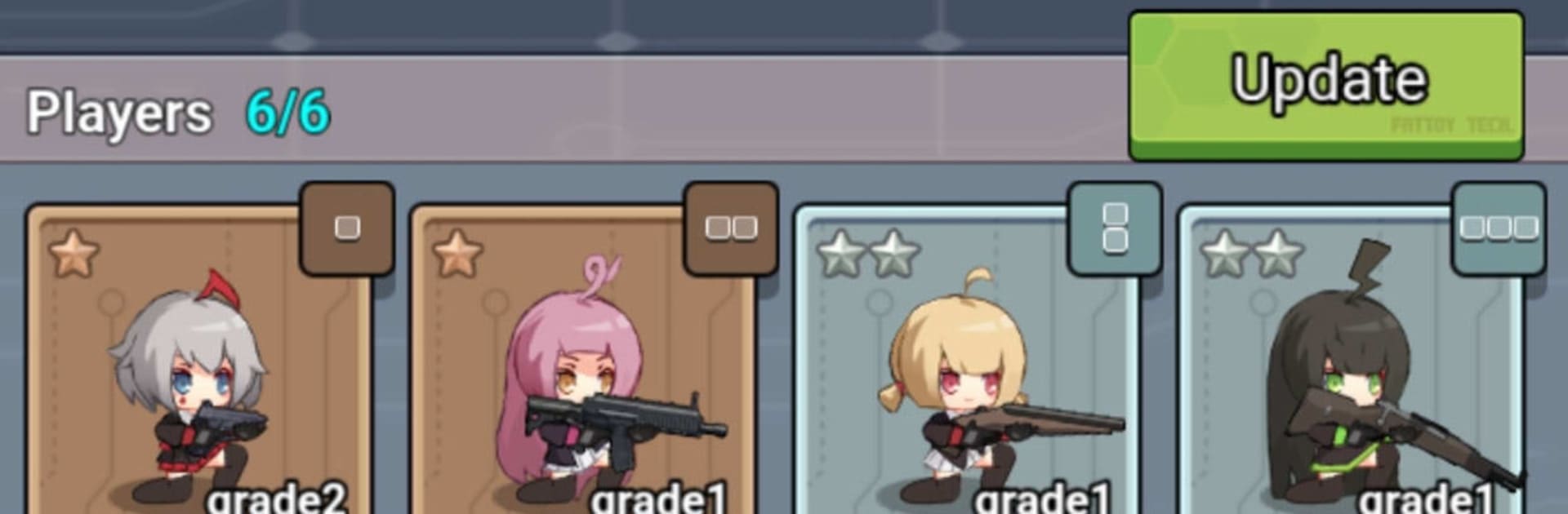
Twilight War Memoir is a Casual, anime-inspired strategy tower defense from SHENGYUER LIMITED where tight spaces make every choice count. You’re the Commander, placing units on compact, tile-based arenas and squeezing out every inch of coverage to hold the line. Prefer playing on a bigger screen with a mouse and keyboard? It runs smoothly on BlueStacks too.

Game Features

  • Tight Grid Tactics: Battlefields are snug and deliberate, turning placement into a puzzle where angles, corners, and lane coverage matter more than raw stats.
  • Command and Deploy: Summon your squad and slot each defender into specific tiles; the space they take up and how they aim changes everything.
  • Smart Range Management: Characters cover different arcs and distances—line up crossfire, protect choke points, and calculate overlaps to stop tougher waves.
  • Pack-and-Plan Loadouts: A clever pack layout system forces you to think before a fight—what fits, who travels with you, and how your lineup stacks up.
  • Strategic Depth Without Grind: Decisions beat number-crunching. Good positioning and timing can outwit enemies that look stronger on paper.
  • Multiple Challenge Tiers: Pick your difficulty and tackle increasingly tricky layouts that push new ways to arrange your defense.
  • Fresh Runs, New Solutions: Each game reshuffles the tactical puzzle, encouraging different formations and creative paths to victory.
  • Slick Anime Style: Sharp character art and a war-memoir vibe give every battle personality, from your front-line bruisers to precise long-range specialists.

Start your journey now. Download the game on BlueStacks, invite your friends, and march on a new adventure.


Game Features

Enhancements

  • Macros
  • Multi Instance
  • Script
  • Repeated Tap
  • Enhancements
Macros

Macros

Automate the predictable in Twilight War Memoir and transform your gameplay with Macros. Get access to inventive Macros in the BlueStacks Macro Community
Multi Instance

Multi Instance

Play Twilight War Memoir on one window. And chat with your friend on the other. Press CTRL + Shift + 8 to open the Multi-Instance Manager. And start creating fresh instances or clone an existing one.
Script

Script

Script your way to gaming glory in Twilight War Memoir with BlueStacks Script. Write and run a set of commands to automate repeated tasks. Trigger the command by assigning it to any key.
Repeated Tap

Repeated Tap

BlueStacks lets you master Twilight War Memoir with useful features like the Repeated Tap. Now you do not have to press the same key repeatedly to initiate an action. Just assign it to one key and you are good to go.
Read More

How to Download and Play Twilight War Memoir on PC or Mac

  • Download and install BlueStacks on your PC or Mac

  • Complete Google sign-in to access the Play Store, or do it later

  • Look for Twilight War Memoir in the search bar at the top right corner

  • Click to install Twilight War Memoir from the search results

  • Complete Google sign-in (if you skipped step 2) to install Twilight War Memoir

  • Click the Twilight War Memoir icon on the home screen to start playing

video
Watch Video

Minimum System Requirements

With BlueStacks 5, you can get started on a PC that fulfills the following requirements.

  • Operating System

    Microsoft Windows 7 or above, macOS 11 (Big Sur) or above

  • Processor

    Intel, AMD or Apple Silicon Processor

  • RAM

    at least 4GB

  • HDD

    10GB Free Disk Space

Note:

* You must be an Administrator on your PC. Up to date graphics drivers from Microsoft or the chipset vendor.

Twilight War Memoir - FAQs

  • How to play Twilight War Memoir on Windows PC & Mac?

    Play Twilight War Memoir on your PC or Mac by following these simple steps.

    • Click on 'Play Twilight War Memoir on PC’ to download BlueStacks
    • Install it and log-in to Google Play Store
    • Launch and play the game.
  • Why is BlueStacks the fastest and safest platform to play games on PC?

    BlueStacks respects your privacy and is always safe and secure to use. It does not carry any malware, spyware, or any sort of additional software that could harm your PC.

    It is engineered to optimize speed and performance for a seamless gaming experience.

  • What are Twilight War Memoir PC requirements?

    Minimum requirement to run Twilight War Memoir on your PC

    • OS: Microsoft Windows 7 or above MacOS 11 (Big Sur) or above
    • Processor: Intel, AMD or Apple Silicon Processor
    • RAM: Your PC must have at least 4GB of RAM. (Note that having 4GB or more disk space is not a substitute for RAM)
    • HDD: 10GB Free Disk Space.
    • You must be an Administrator on your PC.







