Upgrade the game 2
Upgrade the game 2

Upgrade the game 2

Casual

| Suduck

Play on PC with BlueStacks or from our cloud

  • Overview
  • Game Features
  • How to Play

Page Modified On: October 10, 2025

Play Upgrade the game 2 on PC or Mac

Bring your A-game to Upgrade the game 2, the Casual game sensation from Suduck. Give your gameplay the much-needed boost with precise game controls, high FPS graphics, and top-tier features on your PC or Mac with BlueStacks.

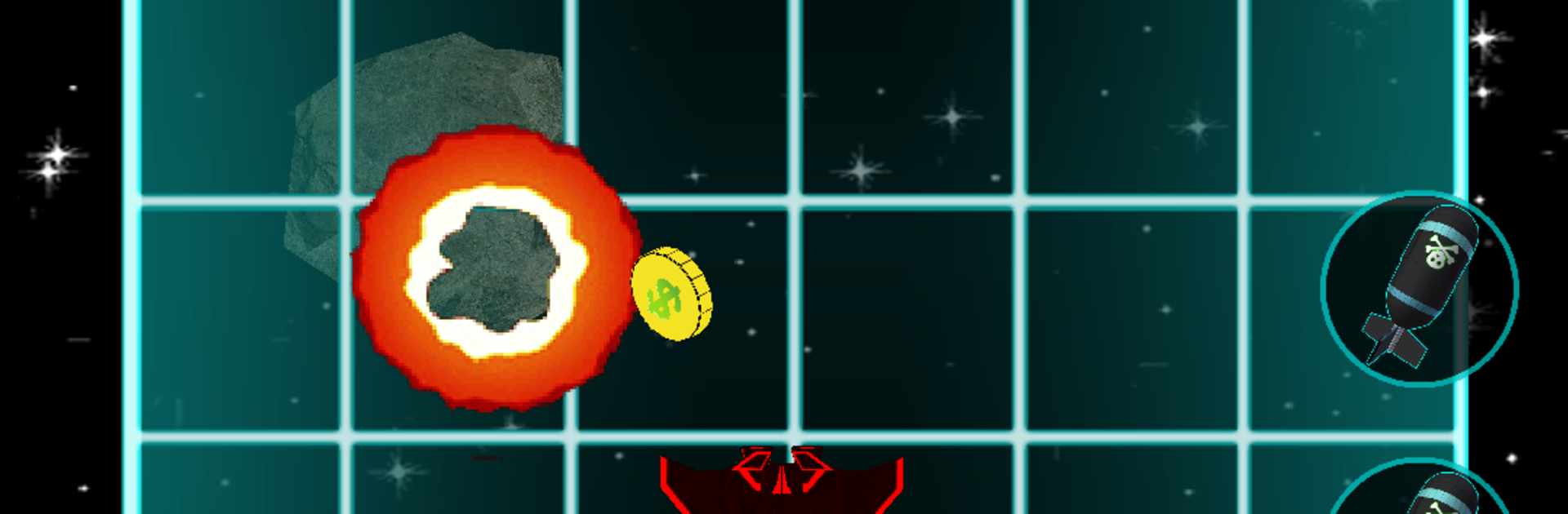
Upgrade the Game 2 is a cheeky space shooter where the whole joke is that the game starts plain and slowly turns into something flashy because the player keeps upgrading literally everything. It is not just stats. Graphics, sound effects, menus, button animations, the laser, bombs, even little visual touches get tuned up piece by piece, and watching it grow from scrappy to shiny is the hook. Moment to moment it is simple and quick. Bombs drop exactly where the player clicks, the laser fires with different ammo types, and enemies pop into satisfying coin showers that feed the next upgrade. Each planet tweaks the rules a bit, with enemies that move faster, tank more hits, or pay out differently, so runs do not feel identical.

A talking phone acts like the guide, tossing in jokes and explaining new toys without getting in the way. There are a lot of knobs to turn, with a chunky skill tree and a big list of upgrades that add new effects across more than 200 stages, plus a shop where 3D models can be viewed like little toys on a shelf. It does lean into that one-more-upgrade loop, but it moves fast and never gets too fussy. On PC with BlueStacks, mouse clicking makes bomb placement very accurate, the bigger screen helps track swarms, and simple keymapping can take care of repeat taps. It feels like a compact arcade grind that rewards curiosity and a bit of tinkering.

Ready to top the leaderboard? We bet you do. Let precise controls and sharp visuals optimized on BlueStacks lead you to victory.


Game Features

Enhancements

  • Macros
  • Multi Instance
  • Script
  • Repeated Tap
  • Enhancements
Macros

Macros

Automate the predictable in Upgrade the game 2 and transform your gameplay with Macros. Get access to inventive Macros in the BlueStacks Macro Community
Multi Instance

Multi Instance

Play Upgrade the game 2 on one window. And chat with your friend on the other. Press CTRL + Shift + 8 to open the Multi-Instance Manager. And start creating fresh instances or clone an existing one.
Script

Script

Script your way to gaming glory in Upgrade the game 2 with BlueStacks Script. Write and run a set of commands to automate repeated tasks. Trigger the command by assigning it to any key.
Repeated Tap

Repeated Tap

BlueStacks lets you master Upgrade the game 2 with useful features like the Repeated Tap. Now you do not have to press the same key repeatedly to initiate an action. Just assign it to one key and you are good to go.
Read More

How to Download and Play Upgrade the game 2 on PC or Mac

  • Download and install BlueStacks on your PC or Mac

  • Complete Google sign-in to access the Play Store, or do it later

  • Look for Upgrade the game 2 in the search bar at the top right corner

  • Click to install Upgrade the game 2 from the search results

  • Complete Google sign-in (if you skipped step 2) to install Upgrade the game 2

  • Click the Upgrade the game 2 icon on the home screen to start playing

video
Watch Video

Minimum System Requirements

With BlueStacks 5, you can get started on a PC that fulfills the following requirements.

  • Operating System

    Microsoft Windows 7 or above, macOS 11 (Big Sur) or above

  • Processor

    Intel, AMD or Apple Silicon Processor

  • RAM

    at least 4GB

  • HDD

    10GB Free Disk Space

Note:

* You must be an Administrator on your PC. Up to date graphics drivers from Microsoft or the chipset vendor.

Upgrade the game 2 - FAQs

  • How to play Upgrade the game 2 on Windows PC & Mac?

    Play Upgrade the game 2 on your PC or Mac by following these simple steps.

    • Click on 'Play Upgrade the game 2 on PC’ to download BlueStacks
    • Install it and log-in to Google Play Store
    • Launch and play the game.
  • Why is BlueStacks the fastest and safest platform to play games on PC?

    BlueStacks respects your privacy and is always safe and secure to use. It does not carry any malware, spyware, or any sort of additional software that could harm your PC.

    It is engineered to optimize speed and performance for a seamless gaming experience.

  • What are Upgrade the game 2 PC requirements?

    Minimum requirement to run Upgrade the game 2 on your PC

    • OS: Microsoft Windows 7 or above MacOS 11 (Big Sur) or above
    • Processor: Intel, AMD or Apple Silicon Processor
    • RAM: Your PC must have at least 4GB of RAM. (Note that having 4GB or more disk space is not a substitute for RAM)
    • HDD: 10GB Free Disk Space.
    • You must be an Administrator on your PC.