
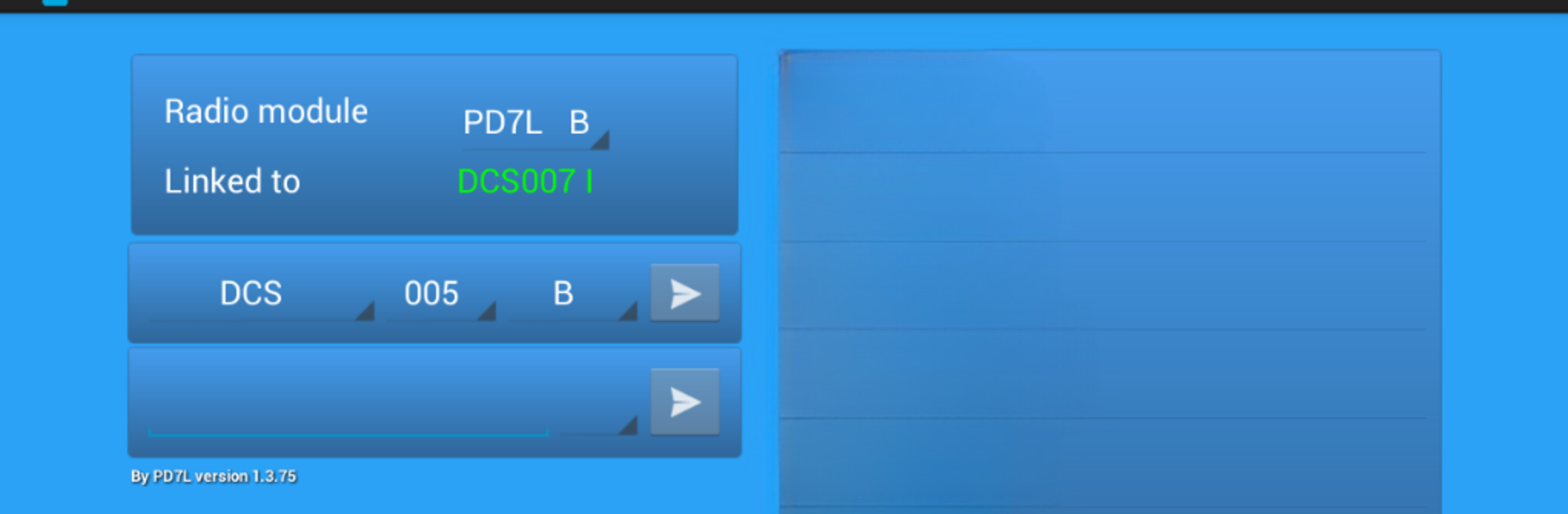
ircDDB remote
ircDDB remote

ircDDB remote

Communication

| David Grootendorst

Play on PC with BlueStacks or from our cloud

  • Overview
  • How to Download

Page Modified On: July 01, 2025

Run ircDDB remote on PC or Mac

Get freedom from your phone’s obvious limitations. Use ircDDB remote, made by David Grootendorst, a Communication app on your PC or Mac with BlueStacks, and level up your experience.

About the App

ircDDB remote brings an easier way to handle your ircDDB gateway right from your Android device. No need to be tied down to your D-Star radio—this app lets you manage things on the go, from wherever you happen to be. Whether you want to connect to a reflector, switch hotspots, or just check in on your setup, you can do it all with just a few taps.

App Features

  • Remote Gateway Control
    Take charge of your ircDDB gateway software by Jonathan Naylor G4KLX, using your phone or tablet. Everything’s in one spot, so you won’t need to lug around extra gear.

  • Quick Connections & Disconnections
    Connect to, or jump off, reflectors and hotspots without any hassle. It’s all about speed and convenience, especially handy if you’re multitasking.

  • D-Star Calls Made Simpler
    Trigger calls or work with different D-Star reflectors without picking up your transceiver. Perfect if your device isn’t always within arm’s reach.

  • Mobile-Friendly Interface
    The app’s laid out so it won’t slow you down, whether you’re at home or out and about. No complicated menus and not a lot of guesswork.

  • Flexible Use on Multiple Devices
    If you prefer using your laptop or desktop, BlueStacks makes it possible to run ircDDB remote your way—bigger screen, same features.

  • For D-Star Enthusiasts
    Designed with ham radio fans in mind, it keeps all your ircDDB gateway needs at your fingertips, anytime.

ircDDB remote is from David Grootendorst in the Communication genre, built for folks who appreciate a stress-free and portable way to manage their D-Star setup.

Switch to BlueStacks and make the most of your apps on your PC or Mac.

How to Download and Run ircDDB remote on PC or Mac

  • Download and install BlueStacks on your PC or Mac

  • Complete Google sign-in to access the Play Store, or do it later

  • Look for ircDDB remote in the search bar at the top right corner

  • Click to install ircDDB remote from the search results

  • Complete Google sign-in (if you skipped step 2) to install ircDDB remote

  • Click the ircDDB remote icon on the home screen to start playing

video
Watch Video

Minimum System Requirements

With BlueStacks 5, you can get started on a PC that fulfills the following requirements.

  • Operating System

    Microsoft Windows 7 or above, macOS 11 (Big Sur) or above

  • Processor

    Intel, AMD or Apple Silicon Processor

  • RAM

    at least 4GB

  • HDD

    10GB Free Disk Space

Note:

* You must be an Administrator on your PC. Up to date graphics drivers from Microsoft or the chipset vendor.

ircDDB remote - FAQs

  • How to Run ircDDB remote on Windows PC & Mac?

    Run ircDDB remote on your PC or Mac by following these simple steps.

    • Click on ‘Download ircDDB remote on PC’ to download BlueStacks
    • Install it and log-in to Google Play Store
    • Launch and run the app.
  • Why is BlueStacks the fastest and safest platform to play games on PC?

    BlueStacks respects your privacy and is always safe and secure to use. It does not carry any malware, spyware, or any sort of additional software that could harm your PC.

    It is engineered to optimize speed and performance for a seamless gaming experience.

  • What are ircDDB remote PC requirements?

    Minimum requirement to run ircDDB remote on your PC

    • OS: Microsoft Windows 7 and above:
    • Processor: Intel or AMD Processor:
    • RAM: Your PC must have at least 2GB of RAM. (Note that having 2GB or more disk space is not a substitute for RAM):
    • HDD: 5GB Free Disk Space.
    • You must be an Administrator on your PC.



