
WiFi Controller ESP8266

WiFi Controller ESP8266

Communication

| mightyIT

Play on PC with BlueStacks or from our cloud

  • Overview
  • How to Download

Page Modified On: January 02, 2026

Run WiFi Controller ESP8266 on PC or Mac

Multitask effortlessly on your PC or Mac as you try out WiFi Controller ESP8266, a Communication app by mightyIT on BlueStacks.

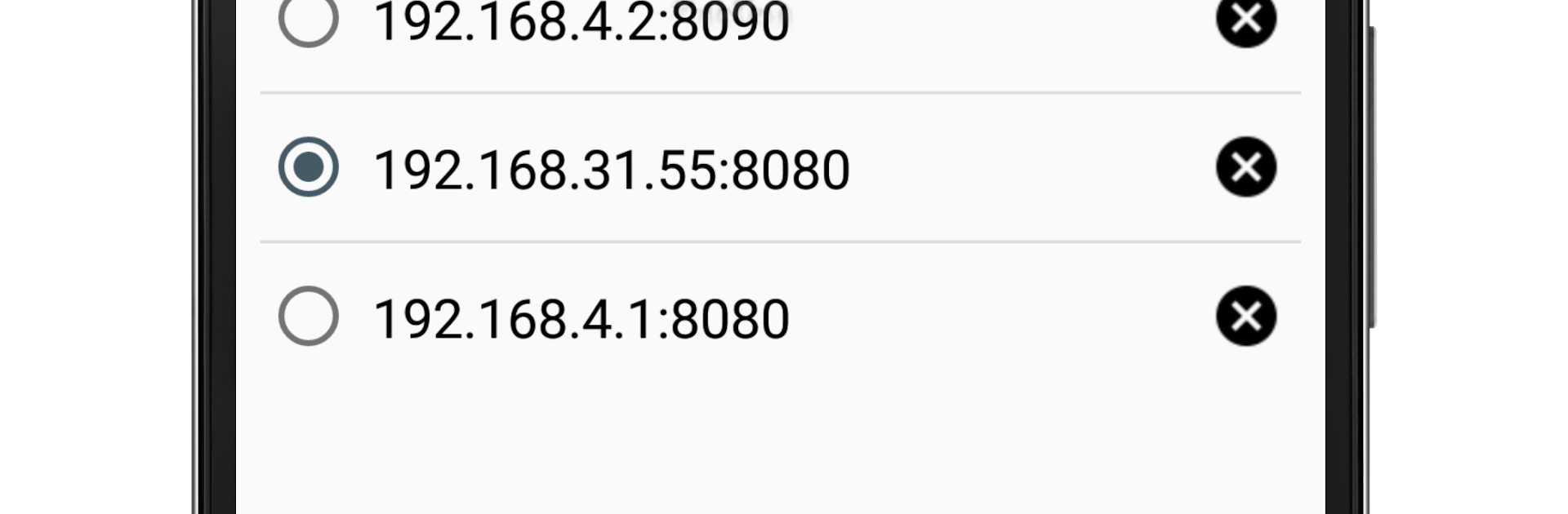
WiFi Controller ESP8266 is basically a neat little remote for an Arduino or any ESP8266 module sitting on the same network. It talks over plain TCP, so setup is simple but a bit manual. Someone types in the device IP and port, save it, and the app will reconnect to the last one next time. The interface is no-frills, just a clean set of buttons, three sliders, and a live log so device responses can be watched as commands go out. A long press on any button lets a person turn it into a custom shortcut, which is great when the same strings get sent over and over. The sliders come pre-mapped to send A0 through A255, B0 through B255, and C0 through C255, so quick PWM or value testing is easy without building a full UI.

It feels more like a handy lab tool than a flashy app. There is a keep screen on toggle so the phone or window does not sleep in the middle of a test. Ads can be removed if that bothers someone. Running it on a PC with BlueStacks is actually helpful here, since typing IP addresses and ports with a keyboard is faster and the larger window makes the response log and sliders easier to watch side by side. It does require knowing the device’s network details, and it will not auto discover things, but for quick TCP control and feedback, it gets out of the way and works.

Ready to experience WiFi Controller ESP8266 on a bigger screen, in all its glory? Download BlueStacks now.

How to Download and Run WiFi Controller ESP8266 on PC or Mac

  • Download and install BlueStacks on your PC or Mac

  • Complete Google sign-in to access the Play Store, or do it later

  • Look for WiFi Controller ESP8266 in the search bar at the top right corner

  • Click to install WiFi Controller ESP8266 from the search results

  • Complete Google sign-in (if you skipped step 2) to install WiFi Controller ESP8266

  • Click the WiFi Controller ESP8266 icon on the home screen to start playing

video
Watch Video

Minimum System Requirements

With BlueStacks 5, you can get started on a PC that fulfills the following requirements.

  • Operating System

    Microsoft Windows 7 or above, macOS 11 (Big Sur) or above

  • Processor

    Intel, AMD or Apple Silicon Processor

  • RAM

    at least 4GB

  • HDD

    10GB Free Disk Space

Note:

* You must be an Administrator on your PC. Up to date graphics drivers from Microsoft or the chipset vendor.

WiFi Controller ESP8266 - FAQs

  • How to Run WiFi Controller ESP8266 on Windows PC & Mac?

    Run WiFi Controller ESP8266 on your PC or Mac by following these simple steps.

    • Click on ‘Download WiFi Controller ESP8266 on PC’ to download BlueStacks
    • Install it and log-in to Google Play Store
    • Launch and run the app.
  • Why is BlueStacks the fastest and safest platform to play games on PC?

    BlueStacks respects your privacy and is always safe and secure to use. It does not carry any malware, spyware, or any sort of additional software that could harm your PC.

    It is engineered to optimize speed and performance for a seamless gaming experience.

  • What are WiFi Controller ESP8266 PC requirements?

    Minimum requirement to run WiFi Controller ESP8266 on your PC

    • OS: Microsoft Windows 7 and above:
    • Processor: Intel or AMD Processor:
    • RAM: Your PC must have at least 2GB of RAM. (Note that having 2GB or more disk space is not a substitute for RAM):
    • HDD: 5GB Free Disk Space.
    • You must be an Administrator on your PC.


