
Anatomy & Physiology

Anatomy & Physiology

Education

| Open Education

Play on PC with BlueStacks or from our cloud

  • Overview
  • How to Download

Page Modified On: November 10, 2025

Run Anatomy & Physiology on PC or Mac

Multitask effortlessly on your PC or Mac as you try out Anatomy & Physiology, a Education app by Open Education on BlueStacks.

Anatomy & Physiology feels like a full two‑semester course packed into an app, aimed at life science and allied health students who want structure without fluff. It is organized in six big units that move from the basics like chemistry, cells, and tissues into skin, bones, muscles, then the nervous and endocrine systems, and later blood, the heart and vessels, immunity, and the systems that handle energy and exchange with the environment. The flow follows what most classes teach, but it sneaks in a few smart twists, like putting the special senses with the somatic nervous system and a chapter that teaches neurological function through simple exam tests. The art is clean and focused, with color used only where it helps, so the important parts stand out. Real microscope images from the University of Michigan sit next to the illustrations, which makes it easier to connect the diagram to the real tissue.

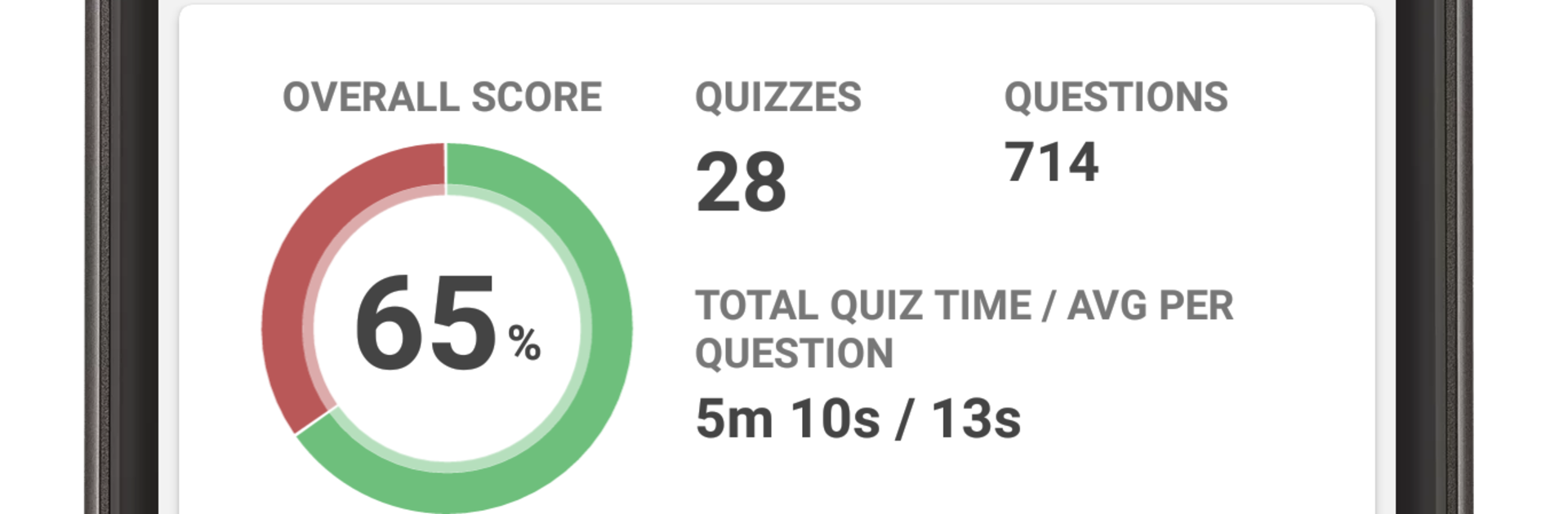
It is loaded with study help in a way that still feels manageable. There is study progress and quiz progress tracking, around 197 lessons to work through, 28 quizzes, roughly 714 practice questions, about 370 flashcards, and a glossary that runs well over three thousand terms. Explanations keep tying structure to function and keep pointing out how diseases mess with homeostasis, which is great for anyone heading into clinical work. On a bigger screen through BlueStacks, the diagrams and micrographs look sharp, zooming is smooth, and it is easier to keep notes open on the side while reviewing. Someone who likes clear visuals, bite‑sized lessons, and a course layout that matches class expectations would settle into this fast, whether cramming a chapter before lab or slowly working through a system over the week.

Ready to experience Anatomy & Physiology on a bigger screen, in all its glory? Download BlueStacks now.


How to Download and Run Anatomy & Physiology on PC or Mac

  • Download and install BlueStacks on your PC or Mac

  • Complete Google sign-in to access the Play Store, or do it later

  • Look for Anatomy & Physiology in the search bar at the top right corner

  • Click to install Anatomy & Physiology from the search results

  • Complete Google sign-in (if you skipped step 2) to install Anatomy & Physiology

  • Click the Anatomy & Physiology icon on the home screen to start playing

video
Watch Video

Minimum System Requirements

With BlueStacks 5, you can get started on a PC that fulfills the following requirements.

  • Operating System

    Microsoft Windows 7 or above, macOS 11 (Big Sur) or above

  • Processor

    Intel, AMD or Apple Silicon Processor

  • RAM

    at least 4GB

  • HDD

    10GB Free Disk Space

Note:

* You must be an Administrator on your PC. Up to date graphics drivers from Microsoft or the chipset vendor.

Anatomy & Physiology - FAQs

  • How to Run Anatomy & Physiology on Windows PC & Mac?

    Run Anatomy & Physiology on your PC or Mac by following these simple steps.

    • Click on ‘Download Anatomy & Physiology on PC’ to download BlueStacks
    • Install it and log-in to Google Play Store
    • Launch and run the app.
  • Why is BlueStacks the fastest and safest platform to play games on PC?

    BlueStacks respects your privacy and is always safe and secure to use. It does not carry any malware, spyware, or any sort of additional software that could harm your PC.

    It is engineered to optimize speed and performance for a seamless gaming experience.

  • What are Anatomy & Physiology PC requirements?

    Minimum requirement to run Anatomy & Physiology on your PC

    • OS: Microsoft Windows 7 and above:
    • Processor: Intel or AMD Processor:
    • RAM: Your PC must have at least 2GB of RAM. (Note that having 2GB or more disk space is not a substitute for RAM):
    • HDD: 5GB Free Disk Space.
    • You must be an Administrator on your PC.



