
AP Calculus AB Practice & Prep

AP Calculus AB Practice & Prep

Education

| Varsity Tutors LLC

Play on PC with BlueStacks or from our cloud

  • Overview
  • How to Download

Page Modified On: November 10, 2025

Run AP Calculus AB Practice & Prep on PC or Mac

What’s better than using AP Calculus AB Practice & Prep by Varsity Tutors LLC? Well, try it on a big screen, on your PC or Mac, with BlueStacks to see the difference.

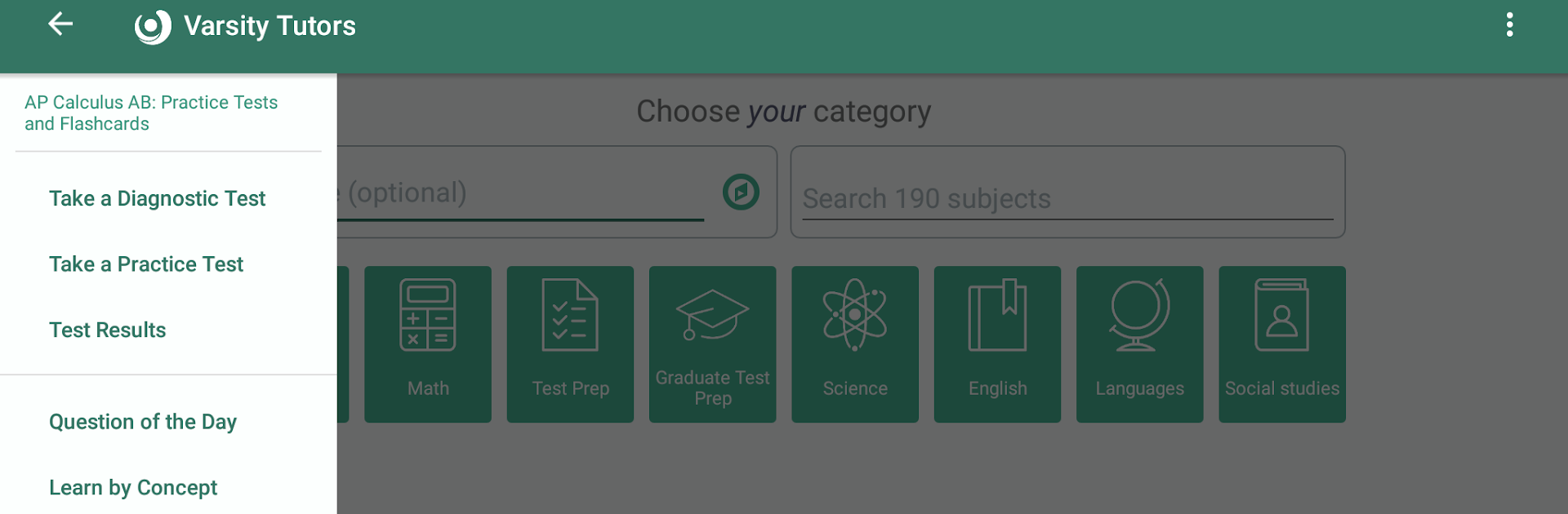
AP Calculus AB Practice & Prep feels like a focused drill station for the exam. It mirrors the real thing with full multiple choice sets and those free response prompts, including the split of two with a calculator and four without. Questions stick to the core of the course, functions and graphs, lines, derivatives, integrals, and the app leans into applications rather than only definitions. There are diagnostic tests that sort out where someone stands, then it points them to targeted practice, so sessions do not feel wasted or random.

The flashcard side is flexible. There is a big pile already made, or someone can build their own and add pictures, audio, and text, which is handy for formulas and theorem reminders. Progress is tracked in a simple Tests Taken section, so it is easy to see scores trend and share a run with a tutor or a parent when needed. Running it on a PC with BlueStacks is nice for reading longer question stems and viewing graphs on a larger screen, and keyboard input makes retyping algebra a bit faster. It is not flashy, it is straightforward and a little tough on purpose, which is exactly what helps before a three hour exam. Feels like a coach that keeps tossing the right kind of problems at the right time, and it nudges practice into an actual plan rather than guesswork.

BlueStacks gives you the much-needed freedom to experience your favorite apps on a bigger screen. Get it now.


How to Download and Run AP Calculus AB Practice & Prep on PC or Mac

  • Download and install BlueStacks on your PC or Mac

  • Complete Google sign-in to access the Play Store, or do it later

  • Look for AP Calculus AB Practice & Prep in the search bar at the top right corner

  • Click to install AP Calculus AB Practice & Prep from the search results

  • Complete Google sign-in (if you skipped step 2) to install AP Calculus AB Practice & Prep

  • Click the AP Calculus AB Practice & Prep icon on the home screen to start playing

video
Watch Video

Minimum System Requirements

With BlueStacks 5, you can get started on a PC that fulfills the following requirements.

  • Operating System

    Microsoft Windows 7 or above, macOS 11 (Big Sur) or above

  • Processor

    Intel, AMD or Apple Silicon Processor

  • RAM

    at least 4GB

  • HDD

    10GB Free Disk Space

Note:

* You must be an Administrator on your PC. Up to date graphics drivers from Microsoft or the chipset vendor.

AP Calculus AB Practice & Prep - FAQs

  • How to Run AP Calculus AB Practice & Prep on Windows PC & Mac?

    Run AP Calculus AB Practice & Prep on your PC or Mac by following these simple steps.

    • Click on ‘Download AP Calculus AB Practice & Prep on PC’ to download BlueStacks
    • Install it and log-in to Google Play Store
    • Launch and run the app.
  • Why is BlueStacks the fastest and safest platform to play games on PC?

    BlueStacks respects your privacy and is always safe and secure to use. It does not carry any malware, spyware, or any sort of additional software that could harm your PC.

    It is engineered to optimize speed and performance for a seamless gaming experience.

  • What are AP Calculus AB Practice & Prep PC requirements?

    Minimum requirement to run AP Calculus AB Practice & Prep on your PC

    • OS: Microsoft Windows 7 and above:
    • Processor: Intel or AMD Processor:
    • RAM: Your PC must have at least 2GB of RAM. (Note that having 2GB or more disk space is not a substitute for RAM):
    • HDD: 5GB Free Disk Space.
    • You must be an Administrator on your PC.



