




What’s better than using AstroFD by AstroFD? Well, try it on a big screen, on your PC or Mac, with BlueStacks to see the difference.
About the App
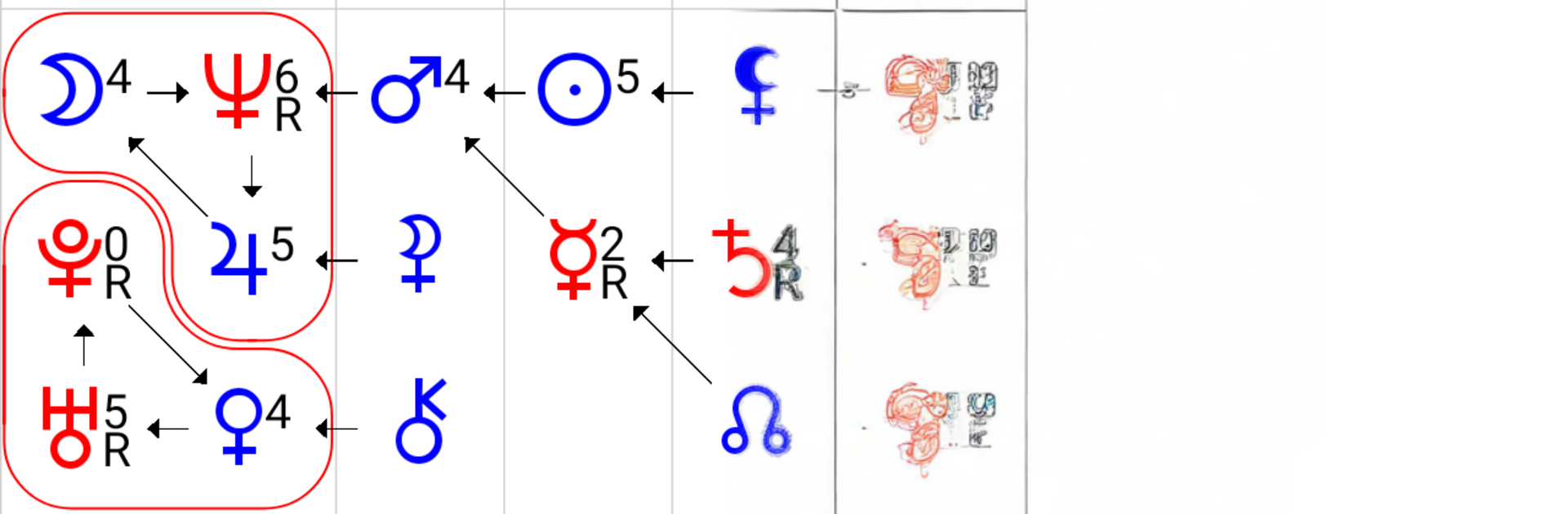
AstroFD is an Education app that brings Alexander Astrogor’s “Soul Formula” to your phone in a practical, hands-on way. Enter birth data and explore how your innate tendencies, strengths, and relationship dynamics can show up in everyday life—plus see how similar patterns played out for well-known people. It’s built for practitioners and curious learners alike, so you can study the method without feeling boxed in by clunky tools.
App Features
- Soul Formula insights: Map personal potential from birth using the Alexander Astrogor approach, with a focus on talents, inner drivers, and how energies play out in families or teams. Helpful when you’re exploring ways to harmonize relationships.
- Real-world comparisons: Check examples of famous individuals who share similar formulas to understand how the same pattern can manifest in different careers and life choices.
- Intuitive planet control: Drag planets to rearrange the layout for clearer viewing. A soft on-screen guide shows exactly where a planet will land, and you can nudge positions in fine steps. Start moving vertically first if you don’t want a horizontal swipe to be triggered.
- Flexible workspace: Need more room? Push elements outward to open space, or shift one of the central planets left to expand the center area for detailed study.
- Smart date selection: Tap the down arrow to pick a date. Want to jump quickly to a different year? Tap the year at the top and scroll through years in a snap.
- Mobile-first design: The interface is tuned for phones, so gestures feel natural and the formula stays readable even on smaller screens.
- Online data: The app needs an internet connection. Keep AstroFD updated, as data formats evolve while the mobile version grows.
- For pros and students: Designed by AstroFD for professionals already working with the method and for students in training programs.
- Optional desktop use: Prefer a bigger screen? You can run AstroFD on BlueStacks for a comfortable desktop setup.
Eager to take your app experience to the next level? Start right away by downloading BlueStacks on your PC or Mac.





