
Fractions and Division Pro

Fractions and Division Pro

Education

| Andrei Brusentsov

Play on PC with BlueStacks or from our cloud

  • Overview
  • How to Download

Page Modified On: November 29, 2025

Run Fractions and Division Pro on PC or Mac

Multitask effortlessly on your PC or Mac as you try out Fractions and Division Pro, a Education app by Andrei Brusentsov on BlueStacks.

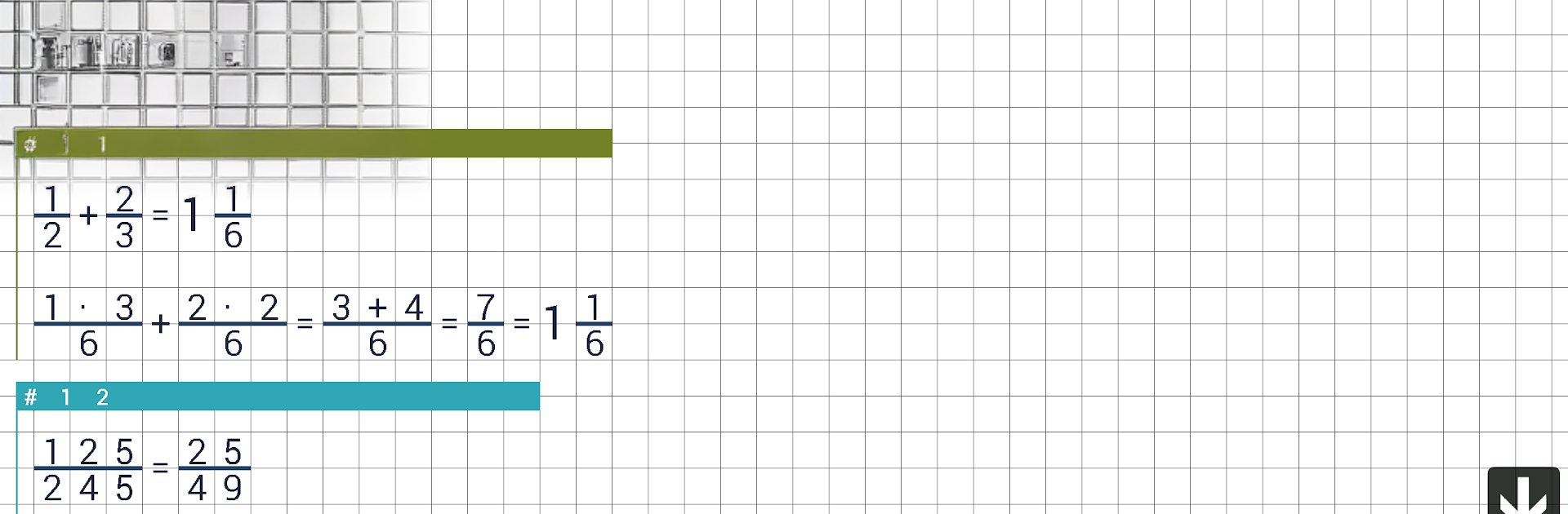
Fractions and Division Pro feels like a no‑nonsense math helper that does exactly two things and does them well. It puts a fraction calculator and a division calculator in one spot, with a clean layout that keeps everything easy to follow. Entering numerators and denominators is straightforward, results pop out in simplest form, and mixed numbers are handled without drama. The division side is just as direct, great for quick quotients and remainders when a problem looks annoying by hand. There is no fluff, no lessons pretending to be games, just a reliable calcualtor that saves time when the brain is tired or mistakes keep slipping in.

On PC with BlueStacks, it feels surprisingly smooth, since a keyboard makes number entry faster and the bigger screen keeps fractions readable. It is ad‑free, so there is no waiting around for a banner to finish loading or tapping tiny X buttons. That alone makes it feel calmer than a lot of school apps. It suits students who need quick checks, parents who want to confirm homework answers, or anyone who works with fractions and long division and would rather not wrestle with a messy interface. If someone needs step‑by‑step tutoring, this is more of a calculator than a teacher, but for clean and accurate results with zero clutter, it lands right where it should.

Switch to BlueStacks and make the most of your apps on your PC or Mac.

How to Download and Run Fractions and Division Pro on PC or Mac

  • Download and install BlueStacks on your PC or Mac

  • Complete Google sign-in to access the Play Store, or do it later

  • Look for Fractions and Division Pro in the search bar at the top right corner

  • Click to install Fractions and Division Pro from the search results

  • Complete Google sign-in (if you skipped step 2) to install Fractions and Division Pro

  • Click the Fractions and Division Pro icon on the home screen to start playing

video
Watch Video

Minimum System Requirements

With BlueStacks 5, you can get started on a PC that fulfills the following requirements.

  • Operating System

    Microsoft Windows 7 or above, macOS 11 (Big Sur) or above

  • Processor

    Intel, AMD or Apple Silicon Processor

  • RAM

    at least 4GB

  • HDD

    10GB Free Disk Space

Note:

* You must be an Administrator on your PC. Up to date graphics drivers from Microsoft or the chipset vendor.

Fractions and Division Pro - FAQs

  • How to Run Fractions and Division Pro on Windows PC & Mac?

    Run Fractions and Division Pro on your PC or Mac by following these simple steps.

    • Click on ‘Download Fractions and Division Pro on PC’ to download BlueStacks
    • Install it and log-in to Google Play Store
    • Launch and run the app.
  • Why is BlueStacks the fastest and safest platform to play games on PC?

    BlueStacks respects your privacy and is always safe and secure to use. It does not carry any malware, spyware, or any sort of additional software that could harm your PC.

    It is engineered to optimize speed and performance for a seamless gaming experience.

  • What are Fractions and Division Pro PC requirements?

    Minimum requirement to run Fractions and Division Pro on your PC

    • OS: Microsoft Windows 7 and above:
    • Processor: Intel or AMD Processor:
    • RAM: Your PC must have at least 2GB of RAM. (Note that having 2GB or more disk space is not a substitute for RAM):
    • HDD: 5GB Free Disk Space.
    • You must be an Administrator on your PC.




