
Gauss Elimination Calculator

Gauss Elimination Calculator

Education

| Pantelis Bouboulis

Play on PC with BlueStacks or from our cloud

  • Overview
  • How to Download

Page Modified On: October 24, 2025

Run Gauss Elimination Calculator on PC or Mac

Upgrade your experience. Try Gauss Elimination Calculator, the fantastic Education app from Pantelis Bouboulis, from the comfort of your laptop, PC, or Mac, only on BlueStacks.

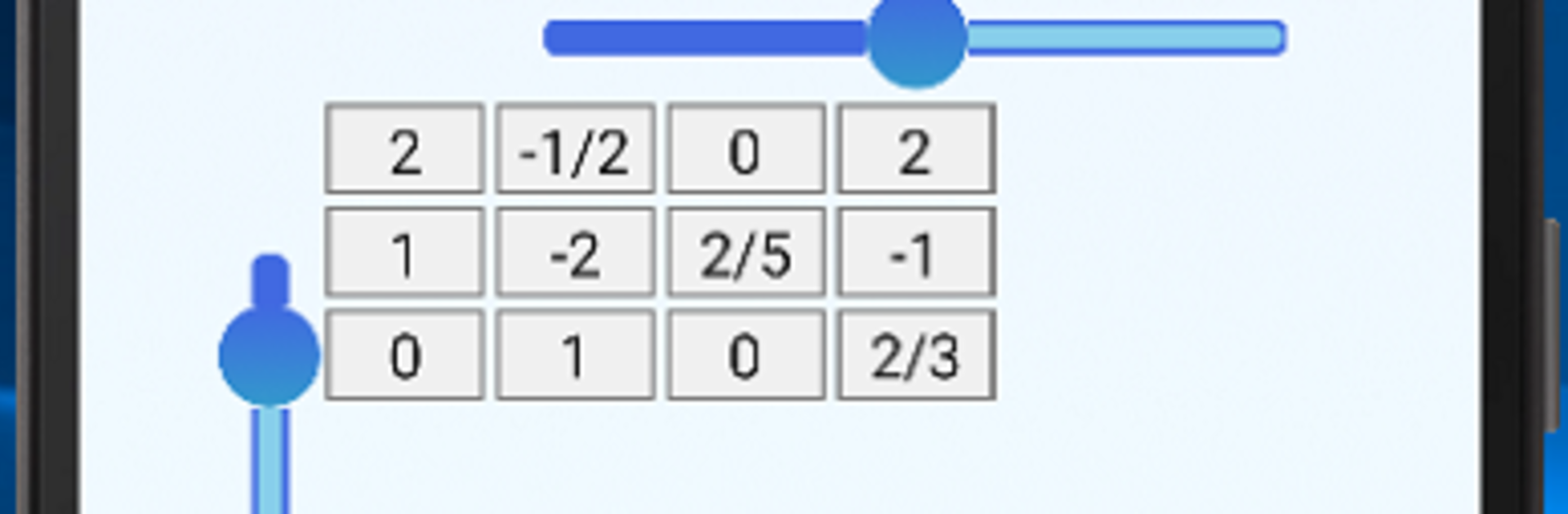
Gauss Elimination Calculator feels like a straight-up linear algebra helper, not a flashy thing, and that is kind of the point. A user sets the matrix size with simple sliders, the input cells switch on as the dimensions change, then numbers go in cell by cell. Moving around is easy with the Next key on the on-screen keyboard or just tapping another spot. The neat part is that it works with fractions and keeps everything exact, so there is no weird rounding sneaking in. After the matrix is ready, the buttons along the bottom do the heavy lifting and show a clear, step by step breakdown of what happened.

Gaussian Elimination gives a row echelon form, Gauss-Jordan pushes it to the fully reduced version, and there is an inverse option that will tell if it is not possible. There are quick tools for null space, column space, and row space as well, with column space handled through the transpose so the logic stays consistent. On PC with BlueStacks, typing with a real keyboard and clicking around with a mouse makes data entry faster, and the big screen helps when reading the explanation line by line. The layout is clean and predictable. The scrollbar approach for sizing feels a bit old-school at first, but after one matrix it makes sense. It is a solid pick for studying, checking homework, or verifying steps without getting lost in notation.

BlueStacks brings your apps to life on a bigger screen—seamless and straightforward.

How to Download and Run Gauss Elimination Calculator on PC or Mac

  • Download and install BlueStacks on your PC or Mac

  • Complete Google sign-in to access the Play Store, or do it later

  • Look for Gauss Elimination Calculator in the search bar at the top right corner

  • Click to install Gauss Elimination Calculator from the search results

  • Complete Google sign-in (if you skipped step 2) to install Gauss Elimination Calculator

  • Click the Gauss Elimination Calculator icon on the home screen to start playing

video
Watch Video

Minimum System Requirements

With BlueStacks 5, you can get started on a PC that fulfills the following requirements.

  • Operating System

    Microsoft Windows 7 or above, macOS 11 (Big Sur) or above

  • Processor

    Intel, AMD or Apple Silicon Processor

  • RAM

    at least 4GB

  • HDD

    10GB Free Disk Space

Note:

* You must be an Administrator on your PC. Up to date graphics drivers from Microsoft or the chipset vendor.

Gauss Elimination Calculator - FAQs

  • How to Run Gauss Elimination Calculator on Windows PC & Mac?

    Run Gauss Elimination Calculator on your PC or Mac by following these simple steps.

    • Click on ‘Download Gauss Elimination Calculator on PC’ to download BlueStacks
    • Install it and log-in to Google Play Store
    • Launch and run the app.
  • Why is BlueStacks the fastest and safest platform to play games on PC?

    BlueStacks respects your privacy and is always safe and secure to use. It does not carry any malware, spyware, or any sort of additional software that could harm your PC.

    It is engineered to optimize speed and performance for a seamless gaming experience.

  • What are Gauss Elimination Calculator PC requirements?

    Minimum requirement to run Gauss Elimination Calculator on your PC

    • OS: Microsoft Windows 7 and above:
    • Processor: Intel or AMD Processor:
    • RAM: Your PC must have at least 2GB of RAM. (Note that having 2GB or more disk space is not a substitute for RAM):
    • HDD: 5GB Free Disk Space.
    • You must be an Administrator on your PC.




