
HUB Kids
HUB Kids

HUB Kids

Education

| Mondadori Education S.p.A.

Play on PC with BlueStacks or from our cloud

  • Overview
  • How to Download

Page Modified On: January 13, 2026

Run HUB Kids on PC or Mac

Let BlueStacks turn your PC, Mac, or laptop into the perfect home for HUB Kids, a fun Education app from Mondadori Education S.p.A..

About the App

HUB Kids is a friendly study space for elementary learners that makes schoolbooks feel hands-on. This Education app from Mondadori Education S.p.A. keeps all your primary school textbooks together so kids can open a page and actually work on it—just like paper, only smarter. Prefer a bigger screen at home? It also runs nicely on BlueStacks.

App Features

  • All your textbooks, organized: Keep your primary school books in one tidy library, ready to open in a tap. No hunting for pages or switching between apps.
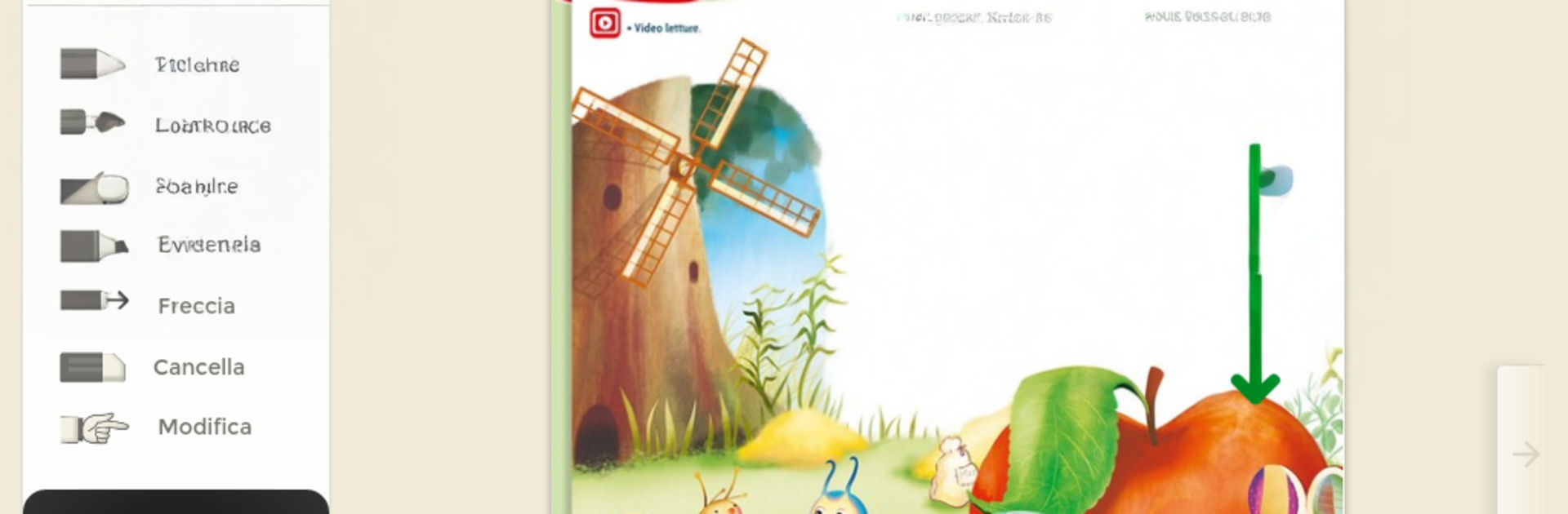
  • Mark up like on paper: Color parts of a page, highlight key ideas, and underline important details. It feels natural and keeps everything right where you need it.
  • Personal notebook: Jot down thoughts in your own built-in notebook. Collect reminders, summaries, or quick sketches linked to what you’re studying.
  • Do exercises on the page: Complete activities directly on the textbook page and stay focused without bouncing between tools.
  • Multimedia learning: Explore videos, interactive animations, lab-style activities, and educational games that turn reading into doing.
  • Simple, kid-first design: The interface is clean and intuitive, so young learners can find their way around without getting overwhelmed.
  • Accessibility your way: Choose a high-legibility font, tweak line spacing, and adjust text size. These options support inclusive learning and make reading more comfortable for everyone.

Ready to experience HUB Kids on a bigger screen, in all its glory? Download BlueStacks now.

How to Download and Run HUB Kids on PC or Mac

  • Download and install BlueStacks on your PC or Mac

  • Complete Google sign-in to access the Play Store, or do it later

  • Look for HUB Kids in the search bar at the top right corner

  • Click to install HUB Kids from the search results

  • Complete Google sign-in (if you skipped step 2) to install HUB Kids

  • Click the HUB Kids icon on the home screen to start playing

video
Watch Video

Minimum System Requirements

With BlueStacks 5, you can get started on a PC that fulfills the following requirements.

  • Operating System

    Microsoft Windows 7 or above, macOS 11 (Big Sur) or above

  • Processor

    Intel, AMD or Apple Silicon Processor

  • RAM

    at least 4GB

  • HDD

    10GB Free Disk Space

Note:

* You must be an Administrator on your PC. Up to date graphics drivers from Microsoft or the chipset vendor.

HUB Kids - FAQs

  • How to Run HUB Kids on Windows PC & Mac?

    Run HUB Kids on your PC or Mac by following these simple steps.

    • Click on ‘Download HUB Kids on PC’ to download BlueStacks
    • Install it and log-in to Google Play Store
    • Launch and run the app.
  • Why is BlueStacks the fastest and safest platform to play games on PC?

    BlueStacks respects your privacy and is always safe and secure to use. It does not carry any malware, spyware, or any sort of additional software that could harm your PC.

    It is engineered to optimize speed and performance for a seamless gaming experience.

  • What are HUB Kids PC requirements?

    Minimum requirement to run HUB Kids on your PC

    • OS: Microsoft Windows 7 and above:
    • Processor: Intel or AMD Processor:
    • RAM: Your PC must have at least 2GB of RAM. (Note that having 2GB or more disk space is not a substitute for RAM):
    • HDD: 5GB Free Disk Space.
    • You must be an Administrator on your PC.




