
Okuyorum İlk Okuma Yazma Etkinlikleri

Okuyorum İlk Okuma Yazma Etkinlikleri

Education

| BK KOD

Play on PC with BlueStacks or from our cloud

  • Overview
  • How to Download

Page Modified On: September 12, 2025

Run Okuyorum İlk Okuma Yazma Etkinlikleri on PC or Mac

What’s better than using Okuyorum İlk Okuma Yazma Etkinlikleri by BK KOD? Well, try it on a big screen, on your PC or Mac, with BlueStacks to see the difference.

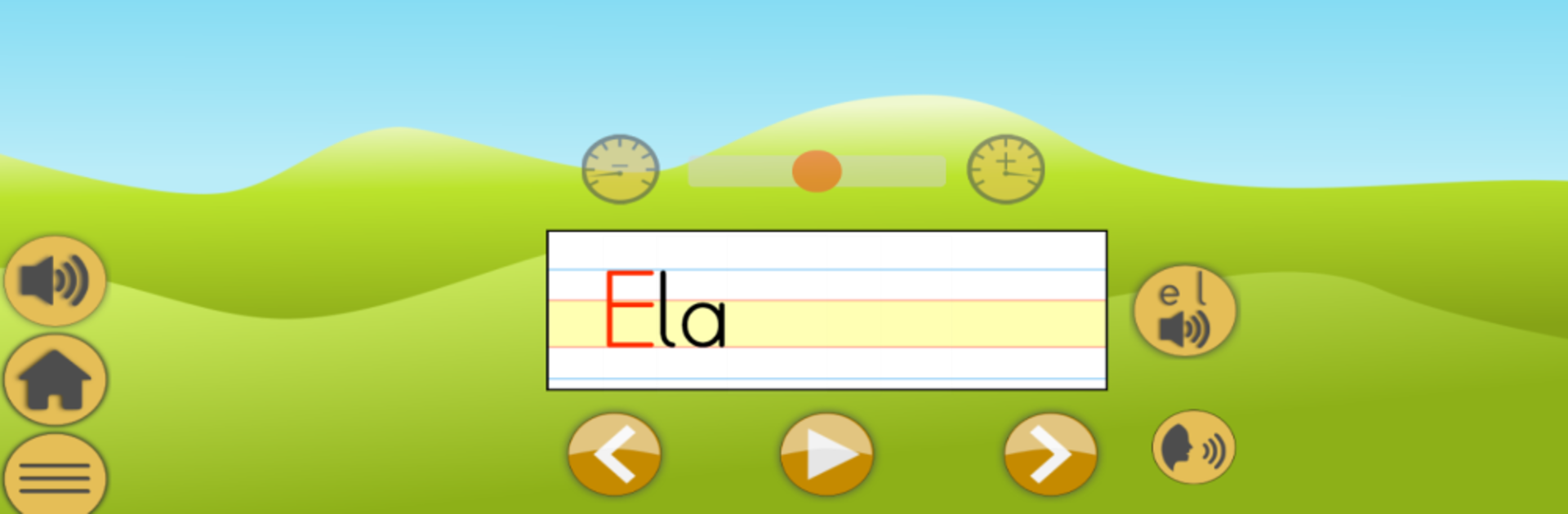
Okuyorum İlk Okuma Yazma Etkinlikleri feels like a big, organized practice kit for kids learning to read and write in Turkish. It goes through 29 sounds and helps them stick by linking each one to something familiar, like matching the s sound with a snake. Every sound has a short animation that shows how to write it, then there is a simple space to trace or try the letter by hand. After that it moves into building syllables from letters and words from syllables. Audio can be turned on or off, set to play automatically, and the speed can go slower or faster. In the sentence reading part, a stuck word can be tapped so it speaks that word, which is really helpful when confidence dips.

The games bring some energy without getting noisy. The Car Game is a one minute speed round where the player taps the syllables or words that are called out, so quick reading equals more points. Apple Picking has them drag a basket under the correct word, nice and visual. Dictation shows up in two styles, hold a letter and drop it into boxes, or use a little truck to drag pieces into place. There is also a timed text reading mode that encourages re-reading and then timing a run to see how many seconds it took, which nudges faster, smoother reading. On PC with BlueStacks, the bigger screen and a mouse make tracing and drag-and-drop alot easier than tiny phone screens. The visuals are plain but clear, the voice prompts are clean, and the whole thing stays focused on practice rather than fluff. Great for a parent or teacher who needs structured drills that can be repeated without a fight.

Switch to BlueStacks and make the most of your apps on your PC or Mac.

How to Download and Run Okuyorum İlk Okuma Yazma Etkinlikleri on PC or Mac

  • Download and install BlueStacks on your PC or Mac

  • Complete Google sign-in to access the Play Store, or do it later

  • Look for Okuyorum İlk Okuma Yazma Etkinlikleri in the search bar at the top right corner

  • Click to install Okuyorum İlk Okuma Yazma Etkinlikleri from the search results

  • Complete Google sign-in (if you skipped step 2) to install Okuyorum İlk Okuma Yazma Etkinlikleri

  • Click the Okuyorum İlk Okuma Yazma Etkinlikleri icon on the home screen to start playing

video
Watch Video

Minimum System Requirements

With BlueStacks 5, you can get started on a PC that fulfills the following requirements.

  • Operating System

    Microsoft Windows 7 or above, macOS 11 (Big Sur) or above

  • Processor

    Intel, AMD or Apple Silicon Processor

  • RAM

    at least 4GB

  • HDD

    10GB Free Disk Space

Note:

* You must be an Administrator on your PC. Up to date graphics drivers from Microsoft or the chipset vendor.

Okuyorum İlk Okuma Yazma Etkinlikleri - FAQs

  • How to Run Okuyorum İlk Okuma Yazma Etkinlikleri on Windows PC & Mac?

    Run Okuyorum İlk Okuma Yazma Etkinlikleri on your PC or Mac by following these simple steps.

    • Click on ‘Download Okuyorum İlk Okuma Yazma Etkinlikleri on PC’ to download BlueStacks
    • Install it and log-in to Google Play Store
    • Launch and run the app.
  • Why is BlueStacks the fastest and safest platform to play games on PC?

    BlueStacks respects your privacy and is always safe and secure to use. It does not carry any malware, spyware, or any sort of additional software that could harm your PC.

    It is engineered to optimize speed and performance for a seamless gaming experience.

  • What are Okuyorum İlk Okuma Yazma Etkinlikleri PC requirements?

    Minimum requirement to run Okuyorum İlk Okuma Yazma Etkinlikleri on your PC

    • OS: Microsoft Windows 7 and above:
    • Processor: Intel or AMD Processor:
    • RAM: Your PC must have at least 2GB of RAM. (Note that having 2GB or more disk space is not a substitute for RAM):
    • HDD: 5GB Free Disk Space.
    • You must be an Administrator on your PC.




