
ISS Explorer
ISS Explorer

ISS Explorer

Education

| NASA 

Play on PC with BlueStacks or from our cloud

  • Overview
  • How to Download

Page Modified On: September 12, 2025

Run ISS Explorer on PC or Mac

Why limit yourself to your small screen on the phone? Run ISS Explorer, an app by NASA , best experienced on your PC or Mac with BlueStacks, the world’s #1 Android emulator.

About the App

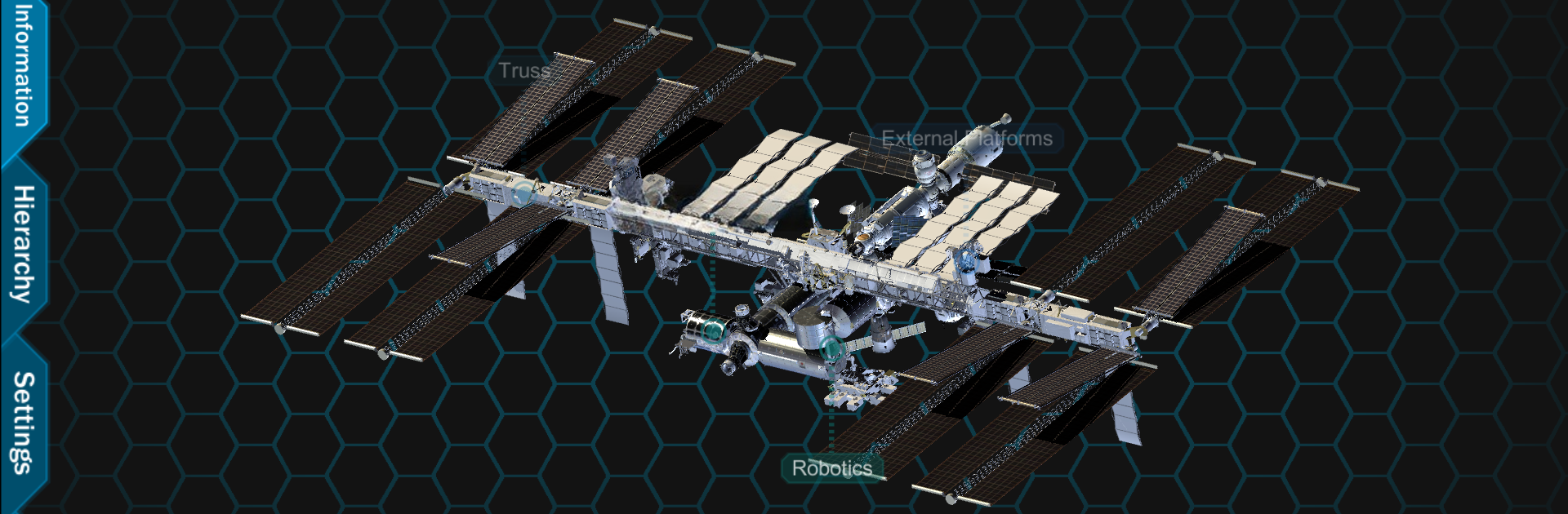
ISS Explorer lets you tour the International Space Station like you’re holding it in your hands. Built by NASA , this Education app turns the ISS into a detailed 3D model you can explore from every angle. Spin it, zoom in close, and break down complex systems into parts you can actually understand. Prefer a bigger screen? You can also run it on your desktop with BlueStacks.

App Features

  • Interactive 3D model: Rotate the full station, zoom in smoothly, and find the perspective that makes things click.
  • Tap to isolate parts: Select any module, truss, or platform and view it on its own to study the details without distractions.
  • Smart labels: See helpful labels appear as you move closer, or hide them when you want a cleaner view.
  • Hierarchy browser: Navigate by system using a structured tree—turn parts on or off, toggle transparency, or set one component as the focus.
  • Clear information panel: Open the Information tab to get quick, plain-language details about the selected part, a system, or the entire ISS.
  • System-level organization: Explore how major sections—like truss segments, pressurized modules, and external platforms—fit together and support each other.
  • Flexible controls: Handy tabs on the left keep info, hierarchy, and settings within easy reach while you explore.
  • Classroom and study friendly: Great for students, teachers, and space fans who want a visual way to understand how the station is built and how its pieces relate.

Big screen. Bigger performance. Use BlueStacks on your PC or Mac to run your favorite apps.

How to Download and Run ISS Explorer on PC or Mac

  • Download and install BlueStacks on your PC or Mac

  • Complete Google sign-in to access the Play Store, or do it later

  • Look for ISS Explorer in the search bar at the top right corner

  • Click to install ISS Explorer from the search results

  • Complete Google sign-in (if you skipped step 2) to install ISS Explorer

  • Click the ISS Explorer icon on the home screen to start playing

video
Watch Video

Minimum System Requirements

With BlueStacks 5, you can get started on a PC that fulfills the following requirements.

  • Operating System

    Microsoft Windows 7 or above, macOS 11 (Big Sur) or above

  • Processor

    Intel, AMD or Apple Silicon Processor

  • RAM

    at least 4GB

  • HDD

    10GB Free Disk Space

Note:

* You must be an Administrator on your PC. Up to date graphics drivers from Microsoft or the chipset vendor.

ISS Explorer - FAQs

  • How to Run ISS Explorer on Windows PC & Mac?

    Run ISS Explorer on your PC or Mac by following these simple steps.

    • Click on ‘Download ISS Explorer on PC’ to download BlueStacks
    • Install it and log-in to Google Play Store
    • Launch and run the app.
  • Why is BlueStacks the fastest and safest platform to play games on PC?

    BlueStacks respects your privacy and is always safe and secure to use. It does not carry any malware, spyware, or any sort of additional software that could harm your PC.

    It is engineered to optimize speed and performance for a seamless gaming experience.

  • What are ISS Explorer PC requirements?

    Minimum requirement to run ISS Explorer on your PC

    • OS: Microsoft Windows 7 and above:
    • Processor: Intel or AMD Processor:
    • RAM: Your PC must have at least 2GB of RAM. (Note that having 2GB or more disk space is not a substitute for RAM):
    • HDD: 5GB Free Disk Space.
    • You must be an Administrator on your PC.




