
常春藤基礎英文字彙 Lite
常春藤基礎英文字彙 Lite

常春藤基礎英文字彙 Lite

Education

| Otek International Inc.

Play on PC with BlueStacks or from our cloud

  • Overview
  • How to Download

Page Modified On: November 28, 2025

Run 常春藤基礎英文字彙 Lite on PC or Mac

What’s better than using 常春藤基礎英文字彙 Lite by Otek International Inc.? Well, try it on a big screen, on your PC or Mac, with BlueStacks to see the difference.

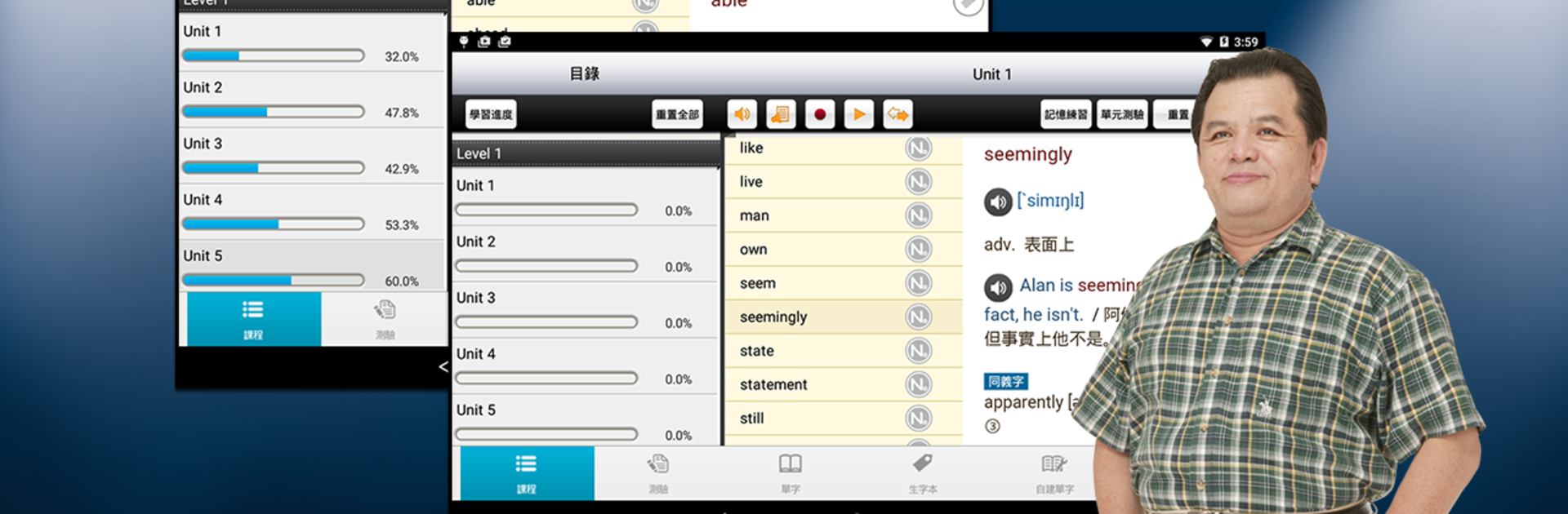
常春藤基礎英文字彙 Lite feels like a straight up vocabulary coach that sticks to the basics and does them well. It packs over two thousand high school level words, but what stands out is how each entry is broken down. A word is not just a word here. It comes with phrases, collocations, synonyms and antonyms, easily confused pairs, and a clean example sentence. Everything is read by a clear American voice, so someone gets the meaning and the sound together. There are memory drills and short quizzes sprinkled throughout, and the app lets users tag tricky words into a personal “new word book” for extra practice later. It even allows adding custom words and testing those too. Continuous and background playback is handy, so a person can let the audio roll and get some passive review while doing other things.

On PC with BlueStacks, the bigger screen makes the explanations easier to scan, and typing answers with a keyboard just feels faster. The audio keeps going while switching windows, which works well for those long word lists. The vibe is a bit no-nonsense, like a reliable study guide rather than a game, and that is the point. One small heads-up, the initial download is large and really wants Wi‑Fi. But once it is set up, it is a focused way to build vocabulary without extra fluff.

BlueStacks brings your apps to life on a bigger screen—seamless and straightforward.

How to Download and Run 常春藤基礎英文字彙 Lite on PC or Mac

  • Download and install BlueStacks on your PC or Mac

  • Complete Google sign-in to access the Play Store, or do it later

  • Look for 常春藤基礎英文字彙 Lite in the search bar at the top right corner

  • Click to install 常春藤基礎英文字彙 Lite from the search results

  • Complete Google sign-in (if you skipped step 2) to install 常春藤基礎英文字彙 Lite

  • Click the 常春藤基礎英文字彙 Lite icon on the home screen to start playing

video
Watch Video

Minimum System Requirements

With BlueStacks 5, you can get started on a PC that fulfills the following requirements.

  • Operating System

    Microsoft Windows 7 or above, macOS 11 (Big Sur) or above

  • Processor

    Intel, AMD or Apple Silicon Processor

  • RAM

    at least 4GB

  • HDD

    10GB Free Disk Space

Note:

* You must be an Administrator on your PC. Up to date graphics drivers from Microsoft or the chipset vendor.

常春藤基礎英文字彙 Lite - FAQs

  • How to Run 常春藤基礎英文字彙 Lite on Windows PC & Mac?

    Run 常春藤基礎英文字彙 Lite on your PC or Mac by following these simple steps.

    • Click on ‘Download 常春藤基礎英文字彙 Lite on PC’ to download BlueStacks
    • Install it and log-in to Google Play Store
    • Launch and run the app.
  • Why is BlueStacks the fastest and safest platform to play games on PC?

    BlueStacks respects your privacy and is always safe and secure to use. It does not carry any malware, spyware, or any sort of additional software that could harm your PC.

    It is engineered to optimize speed and performance for a seamless gaming experience.

  • What are 常春藤基礎英文字彙 Lite PC requirements?

    Minimum requirement to run 常春藤基礎英文字彙 Lite on your PC

    • OS: Microsoft Windows 7 and above:
    • Processor: Intel or AMD Processor:
    • RAM: Your PC must have at least 2GB of RAM. (Note that having 2GB or more disk space is not a substitute for RAM):
    • HDD: 5GB Free Disk Space.
    • You must be an Administrator on your PC.




